Sutron Corporation Satlink Operations & Maintenance Manual, Rev 8.04.2 11/3/2016 pg. 44
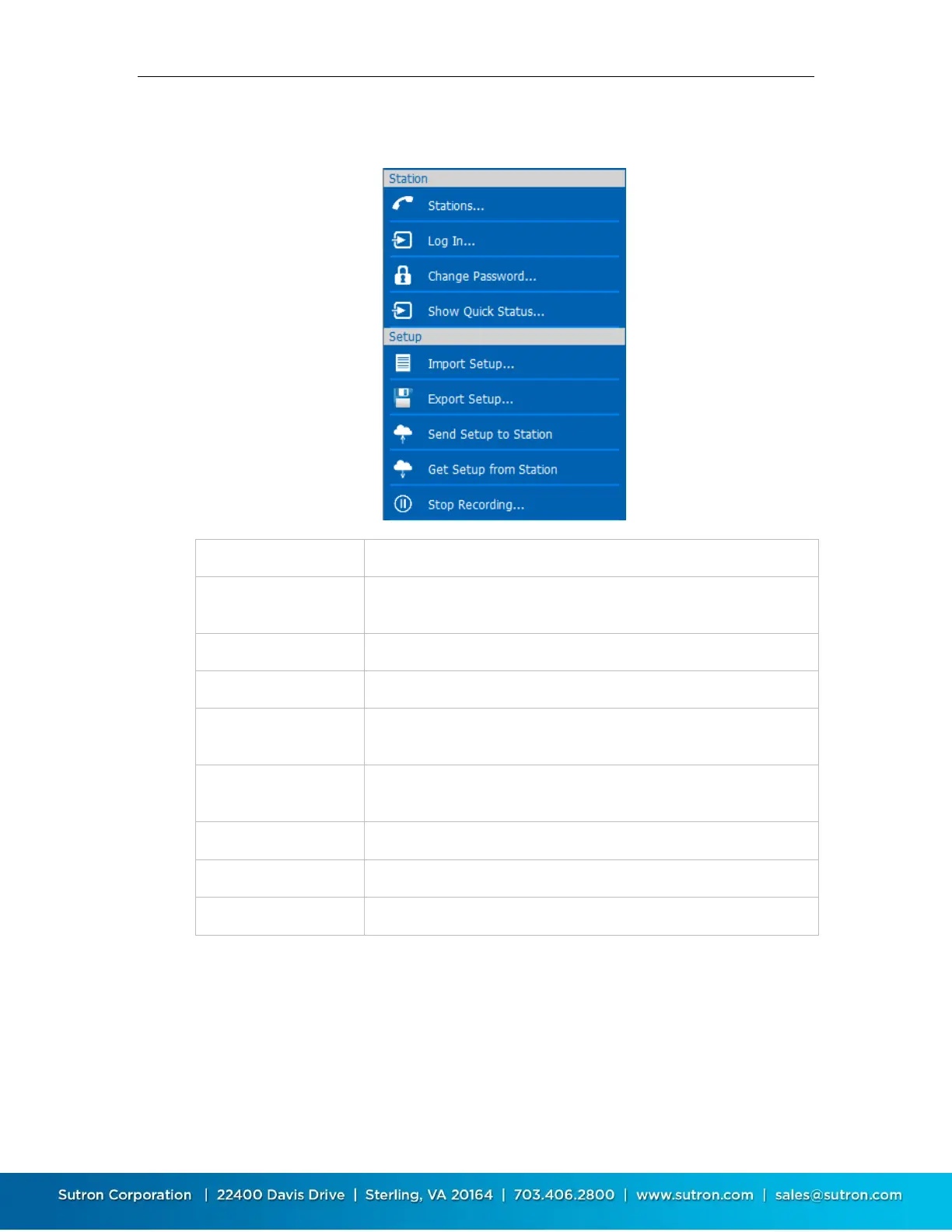
The following menu items are displayed in Station Detail View (i.e., when connected or working
offline):
Disconnect and return to the Stations List View
LinkComm prompts for password and then attempts to log in to
Satlink
LinkComm prompts for new password to use to log in to Satlink
Show the Quick Status dialog, showing a summary of Satlink status
Load a setup from an external file. The setup file was typically saved
by a prior “Export Setup…” action
Save the current setup to an external file. The setup file is a text file
containing property-value assignments
Send the current setup to Satlink (shown only if connected)
Get the setup from Satlink (shown only if connected)
Start (or Stop, if applicable), recording (shown only if connected)
5.5. Station View
After you press either “Connect” or “Work Offline” in the stations list view, LinkComm transitions
to the “Station View”, where you see several tabs, e.g., Dashboard, Measurements, Data, etc.,
each showing information about status and/or setup for the selected Satlink.
The following picture is of the station view with the Dashboard tab selected:



 To Next Page