Sutron Corporation Satlink Operations & Maintenance Manual, Rev 8.04.2 11/3/2016 pg. 58
5.14. Quick Status Dialog
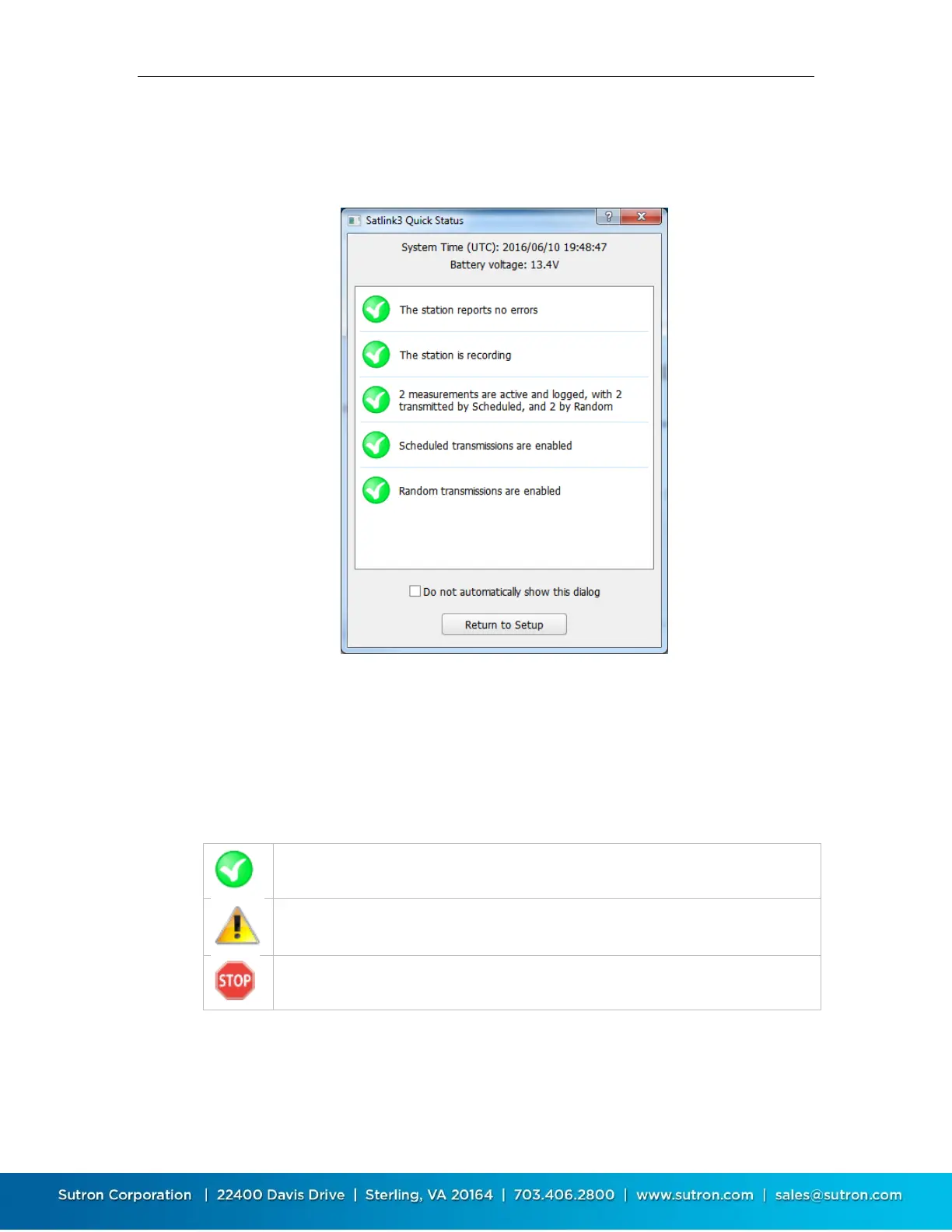
When disconnecting from a Satlink3 station, LinkComm displays a Quick Status dialog, containing
a summary of important status information.
The dialog displays system time and battery voltage information at the top. The scrollable list of
status items in the center of the dialog display status for particular items, as follows:
o Errors
o Recording status
o Measurement status, including number of parameters to transmit
o Scheduled transmission status
o Random transmission status
A green check signifies the item is in the expected state
A warning triangle signifies the item isn’t as expected, and may need attention
A red stop sign signifies the item is likely incorrect, and needs attention
You can prevent the dialog from being shown when disconnecting from SL3 by checking Do not
automatically show this dialog. To see the dialog when this is checked, select Show Quick Status
from the main menu.



 To Next Page