Sutron Corporation Satlink Operations & Maintenance Manual, Rev 8.04.2 11/3/2016 pg. 48
5.6. Dashboard Tab
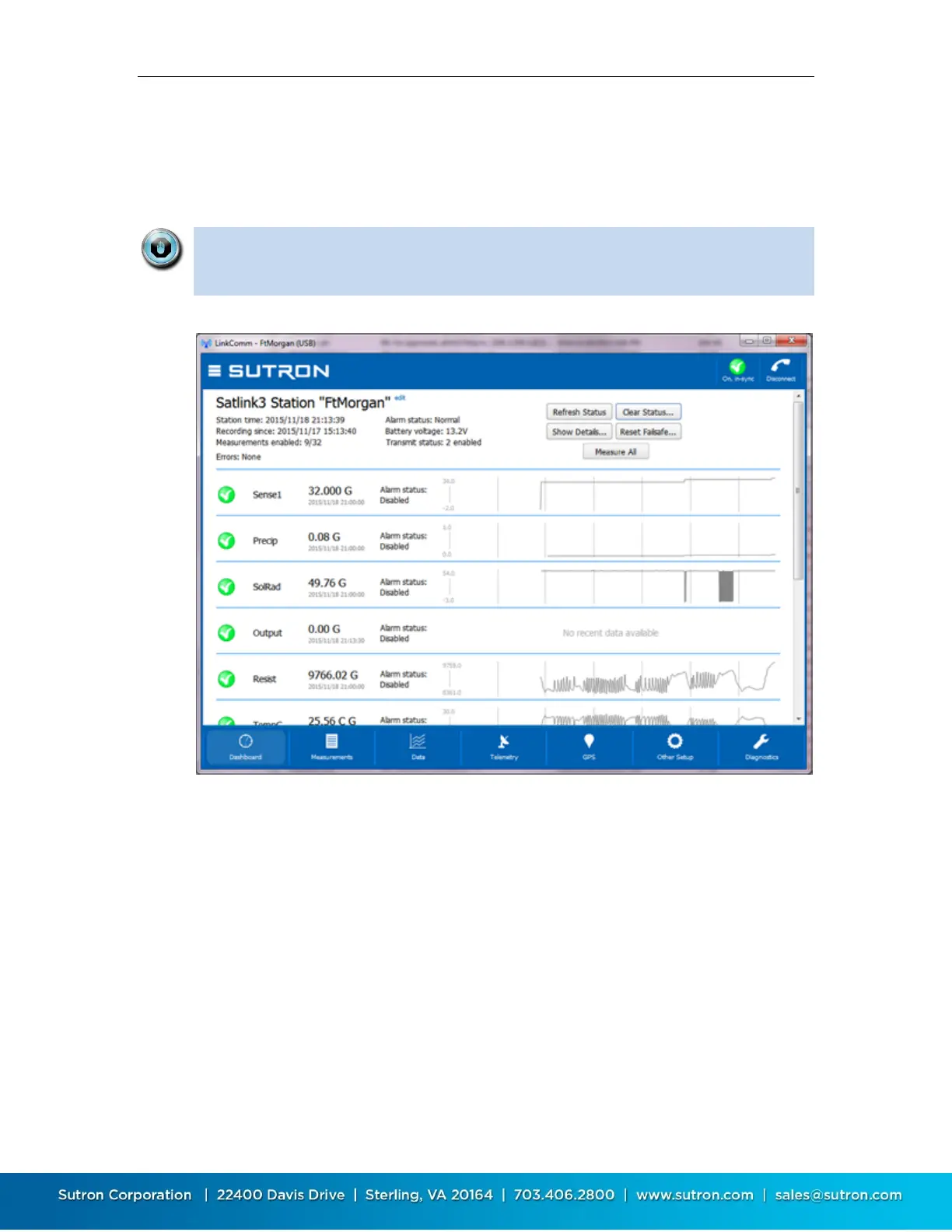
The Dashboard tab is the first tab displayed after you connect to Satlink. When LinkComm
connects to Satlink, it retrieves the current station status, and current data values for
measurements, and displays this data on the Dashboard.
The data displayed on the Dashboard always reflects the state of Satlink the
last time you refreshed status, regardless of the measurements you may or
may not have defined under Measurements.
To refresh the current status, click the Refresh Status button
To reset the station status, including the transmission counters, tallies and system
errors, click the Clear Status button. Once the status is reset, the previous status is lost
To show the status text actually received from the logger, press the Show Details button
To measure and update all sensors, press Measure All button
High level telemetry status is also shown on this page (below current sensor values). To
see low level details about telemetry, see the Telemetry tab.
If the station has any active errors, these are shown in RED just below the status area.
Right-clicking on any trend graph (or touching the graph in the mobile app), reveals a pop-up
menu that allows you to:
Refresh recent data (all items, not just the selected)
View the current data item in the larger graph on the Data tab



 To Next Page