Sutron Corporation Satlink Operations & Maintenance Manual, Rev 8.04.2 11/3/2016 pg. 24
4.10. Connecting Pulse Sensors
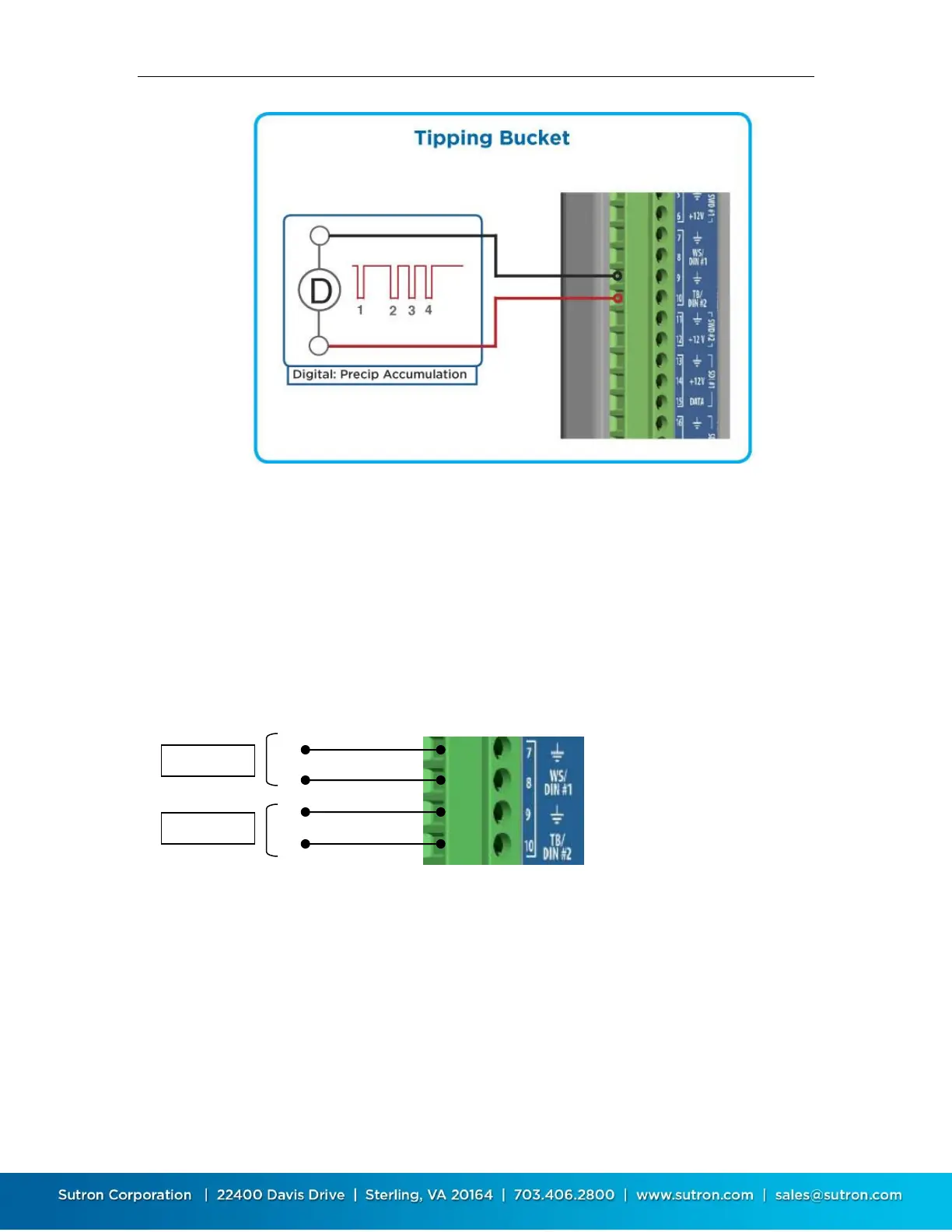
SL3-1 supports up to two sensors with pulse output. The pulse output can come from a switch
that is momentarily closed (as in most flow meters and tipping buckets) or it can come from a
device that actively puts out pulses to represent the value to be measured. Pulses are measured
by the Digital inputs DIN #1 or DIN #2. SL3 can count at a rate up to 10,000 counts per second
(de-bounce off). If the signal provided by the device is not clean, de-bouncing should be enabled.
Otherwise, Satlink may count noise as signal. To ensure that the de-bouncing does not interfere
with the pulse counting, de-bouncing should only be enabled for signals occurring less than 100
times per second.
The key settings for pulse sensors are:
Measurement Type: Digital
Digital type: Counter 1 or Counter 2
Debounce: yes/no
4.11. Connecting Frequency Sensors
SL3-1 supports up to two sensors with frequency output. The pulse output can come from a
switch that is momentarily closed as in most flow meters and tipping buckets or it can come from
a device that actively puts out pulses to represent the value to be measured such as a soil
moisture probe with frequency output or an anemometer..



 To Next Page