Sutron Corporation Satlink Operations & Maintenance Manual, Rev 8.04.2 11/3/2016 pg. 118
GND, PREF1, GND, PREF2
11.4. Output
Satlink includes two digital output labeled as DOUT 1 and DOUT2.
The digital output may be activated via several means.
Manually via command line. A command may be sent using LinkComm by
directly connecting to Satlink via USB, sending GPRSLink an SMS, sending an
email to an IRIDIUMLink, or via any other means of connecting to Satlink.
Alarms: any sensor going into alarm may trigger the digital output.
Equations: any measurement setup with the Output function in an equation
may pulse the digital output for a specified amount of time. Please see the
Equations Syntax section on page 88 for details.
Satlink can automatically activate the output based on alarms. The setting Output1 Control
dictates whether alarm activity triggers the output.
The setting Output1 Control can be set to:
Manual: Satlink will do nothing with the digital output when it goes into and out of
alarms.
Alarm In: Satlink turns on digital output when any measurement goes into alarm. Satlink
does nothing with the output when it goes out of alarm.
Alarm In And Out: Satlink turns on digital output when any measurement goes into
alarm and it turns off digital output when any measurement goes out of alarm.
Output 1 can be controlled manually. You can send a message or connect via LinkComm in order
to control the output.
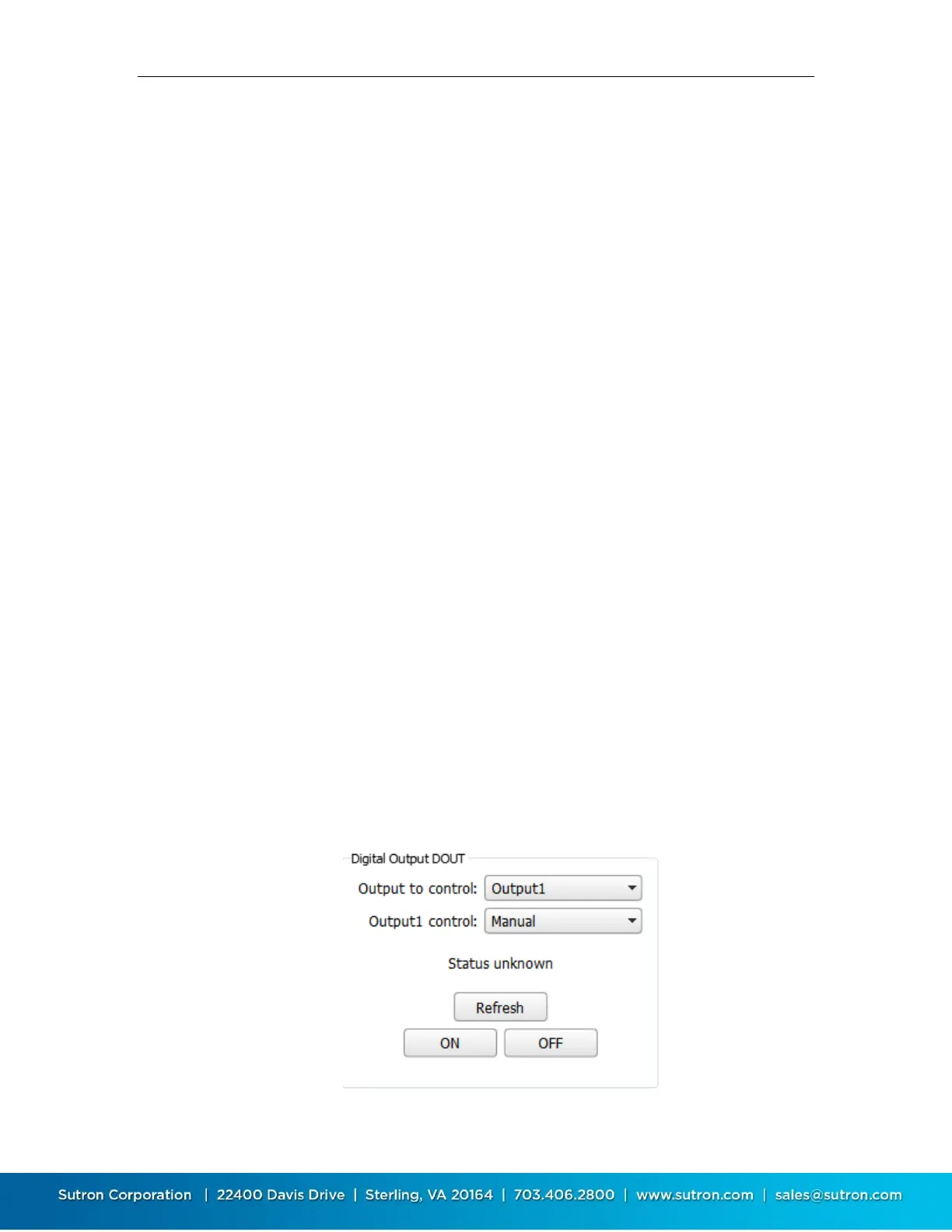
LinkComm has the Output1 Control setting on the Other Setup dialog. Pressing the Control
button on the same tab will bring up the Output Control window which can be used to see the
current state and to control DOUT.


 To Next Page