Sutron Corporation Satlink Operations & Maintenance Manual, Rev 8.04.2 11/3/2016 pg. 49
5.6.1. Changing the Station Name
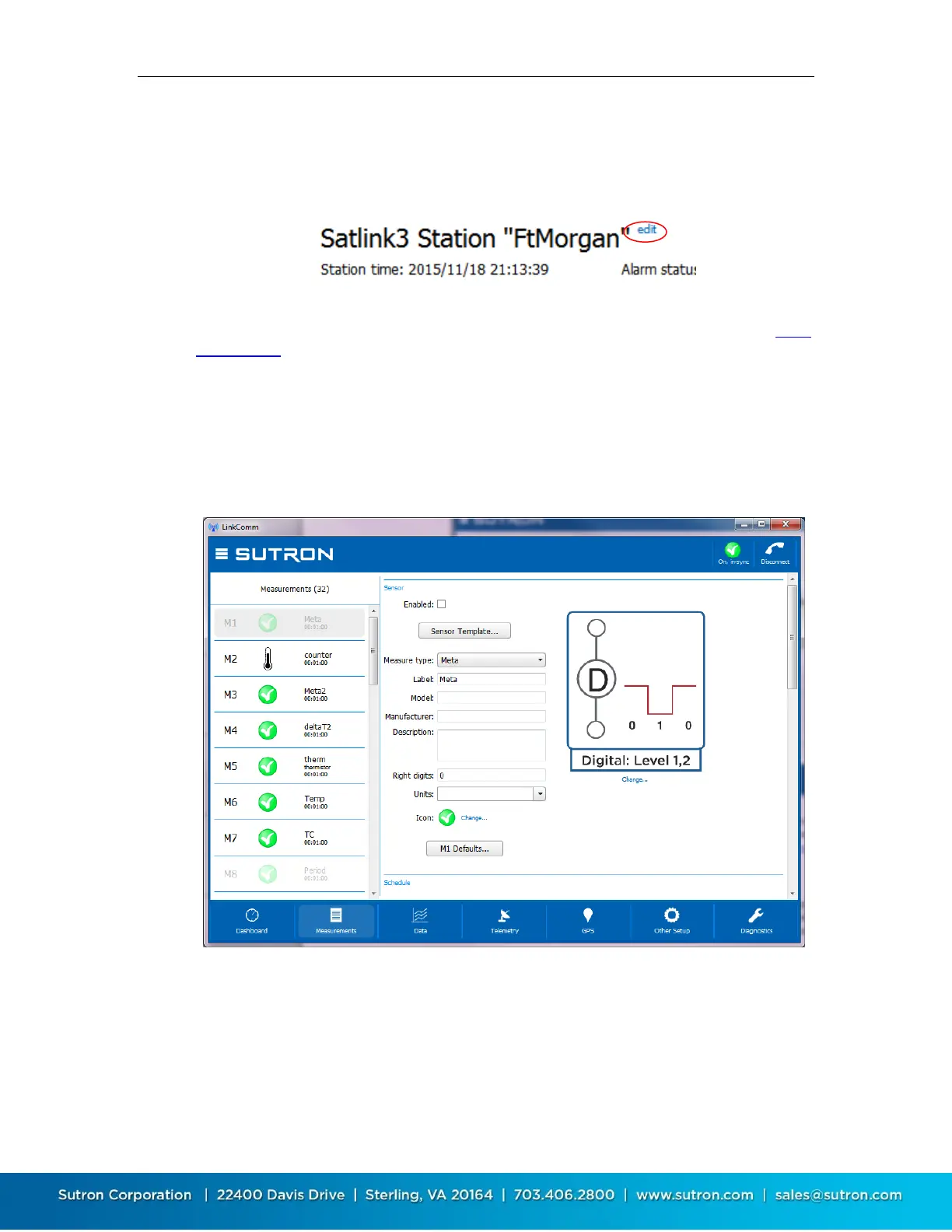
The station name can only be changed from the Dashboard tab, and is actually the only setup
item that can be changed from the Dashboard tab. To change the station name, press the blue
“edit” text, next to the station name.
LinkComm will prompt for the new station name. Just as with every other station setup change,
the change is not complete until you have sent the setup to Satlink. Do this using either the setup
status button in the main header, or the Send Setup to Satlink item in the main menu.
5.7. Measurements Tab
The measurements tab is the first tab displayed when you select Work Offline in the stations list
view. This is the tab where all sensors are configured. Up to 16 sensors may be enabled and
configured. The measurements tab also provides some test functions to help you ensure the
sensor is properly configured.
The left side of the measurements tab shows a list of all possible measurements. The right side of
the measurements tab shows the details of the selected measurement. The details are the
settings used to determine how the measurement is taken and how the data is processed by the
system. The settings include schedule, Configuration (including wiring diagram), Processing,
Alarms, Logging, Tx Content.



 To Next Page