Sutron Corporation Satlink Operations & Maintenance Manual, Rev 8.04.2 11/3/2016 pg. 69
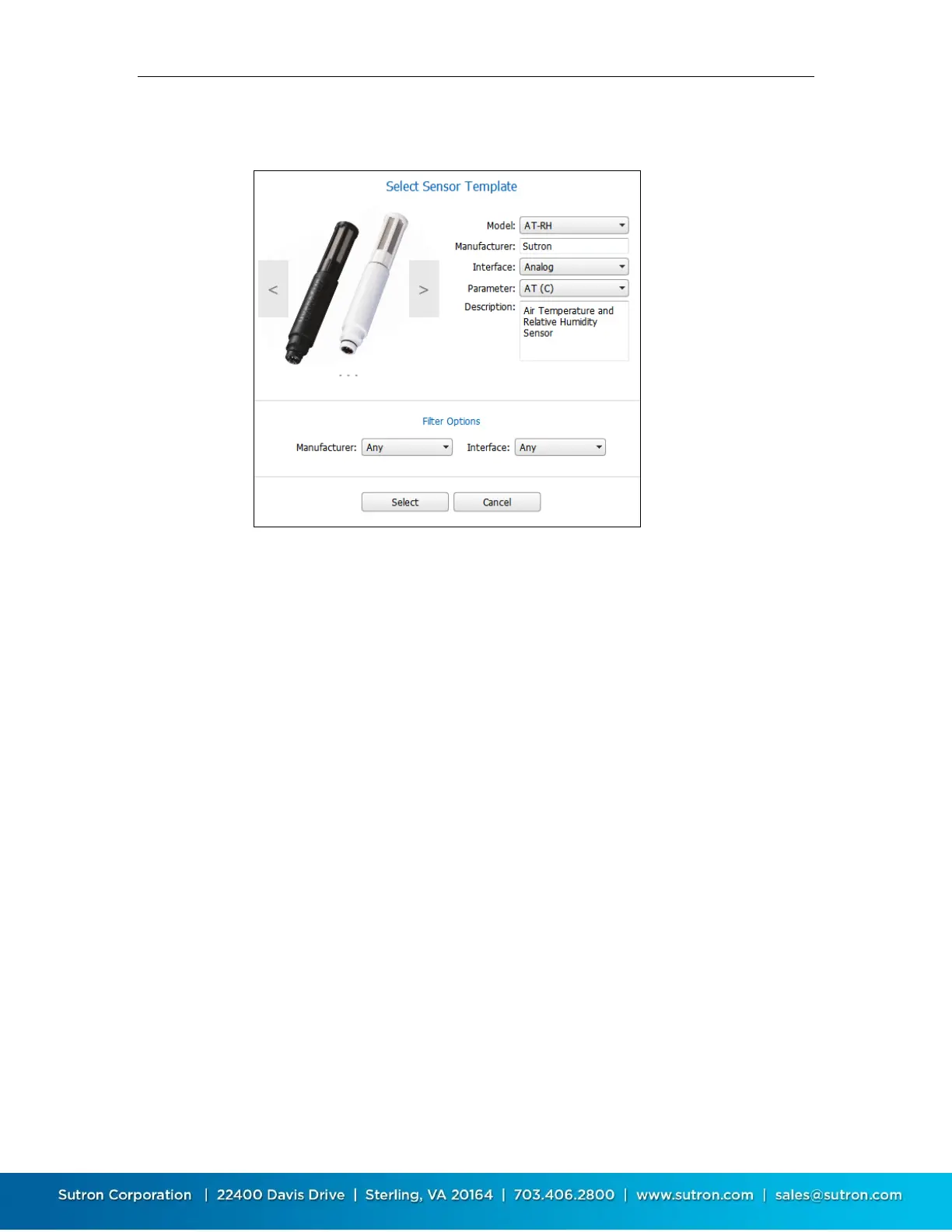
The following is an example of a template for an air temperature/relative humidity
sensor.
To use the template:
Use the right and left arrows on the sides of the sensor picture to scroll between
the available sensor templates.
Use “Filter Options” to restrict the available sensor templates on the basis of
manufacturer or interface.
Once you are displaying the desired sensor template, select the related parameters
such as interface, parameter before pressing select.
9.1.3. Measure Type
This setting tells Satlink what kind of a measurement to make: SDI-12, analog, battery,
etc.
This setting partially determines what physical connection on Satlink the sensor needs
to be wired to.
Measure Type also controls the configuration that follows in the setup. For example,
when you select Analog, the configuration section will allow you to enter Analog Type
and other related settings.


 To Next Page