The Language and Info Menus
Remember: After making changes to the settings press/click the APPLY button.
44
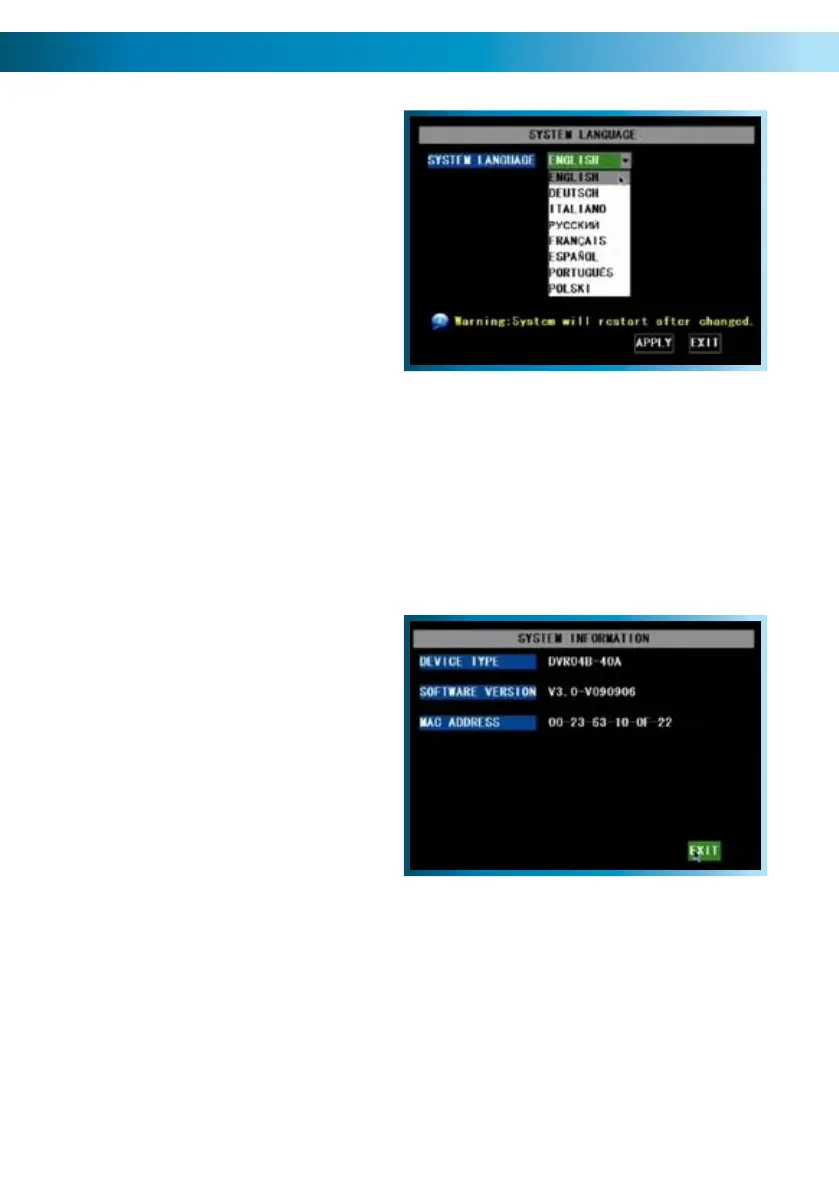
Language Menu
Using the mouse or the arrow buttons, •
select the drop-down menu of
languages.
Choose the language that best suits •
your needs.
Confirm your choice by pressing select •
or left clicking the option.
System Information
The system information menu
displays the version of the hardware
and software you are running.
Additionally, this screen will also
display the Media Access Control
(MAC) address.
A Note on Languages:
Unless you really want to change the language of the DVR menus, stay away from
this setting. Having the menus in a foreign language can make it difficult to get
back to the menu to put the setting back to the right one! Having said that, if you
do change it by mistake (or the DVR is in a foreign language when you get it) in
the main menu, select the icon in the bottom right, then in the SYSTEM menu,
LANGUAGES is the icon in the bottom left. That will bring you to the drop down
menu where you can change languages.
There is nothing on this screen to set - the System Information menu is for reference
only. Unlike the other networking addresses (such as the IP address and similar) the
MAC address cannot be set.
The most likely reason you’ll need to access this menu is if you are seeking technical
support and we ask you what version of the DVR hardware and software you are
running.



 To Next Page