NetViewer - Installation Guide
Insert the mini CD-ROM which came with 1.
your DVR into your computer. Most CD/
DVD/Blu-Ray trays have a small, inner
groove which takes mini CD-ROMs. If your
CD/DVD/Blu-Ray drive does not support the
mini CD-ROM standard (such as a laptop
with a slot-loading drive) then we suggest
using another computer to open the CD,
and copying the file to a USB flash drive. It’s
a very small program, and it can be copied
easily without affecting its performance.
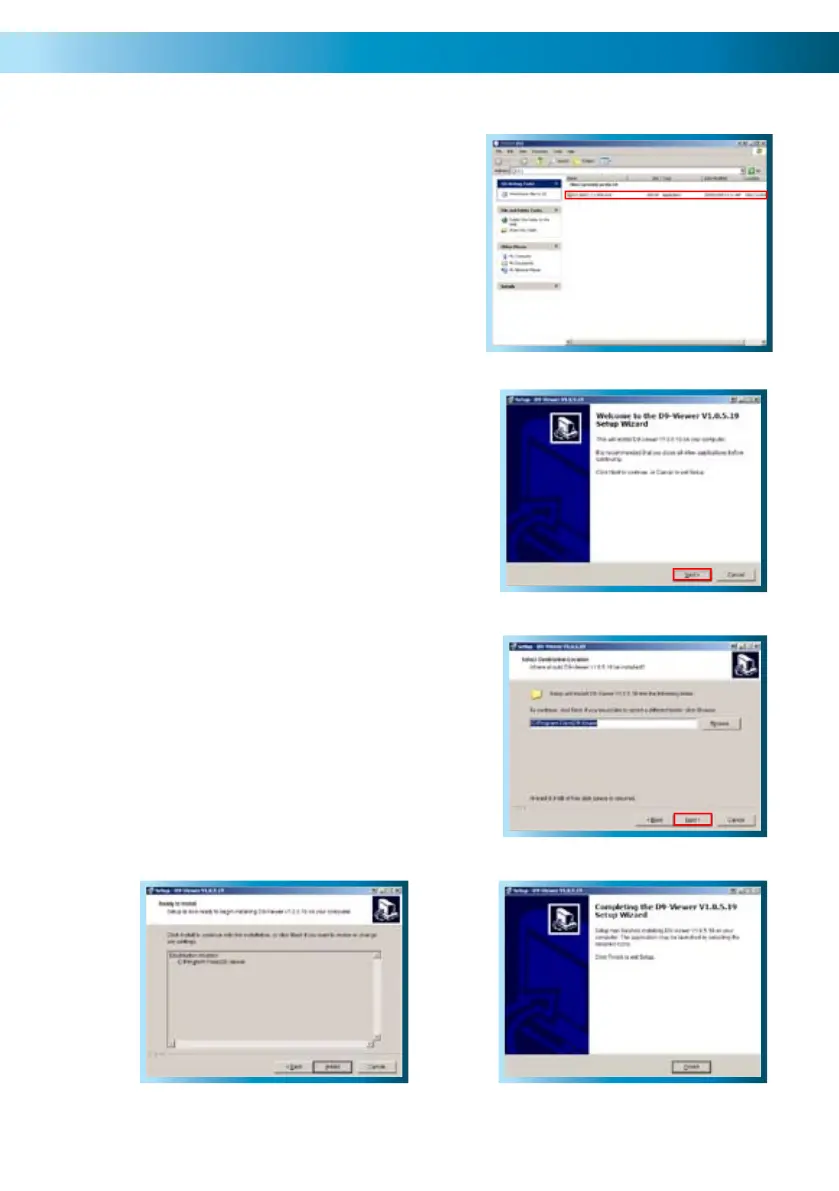
Locate the file on the CD-ROM labeled 2.
“Net-VIEWER-DBG-ENG.EXE” and run
this file. If prompted for permission to run
the file, choose “Yes” or “Continue” as
applicable.
You’ll see a dialog box informing you that 3.
you should close all other programs and
applications. Once all other applications are
closed, click “Next”.
You will be asked to choose the location on 4.
your hard drive where the NetViewer will
be installed. Unless you have specific plans
for the organization of your hard drive, the
default location is fine.
Again, you’ll be asked to confirm your 5.
choices. Choose next.
The final window will inform you that 6.
installation has been completed successfully.
Simply click Finish to quit the installer.
57
Step 2
Step 3
Step 4
Step 6
Step 5



 To Next Page