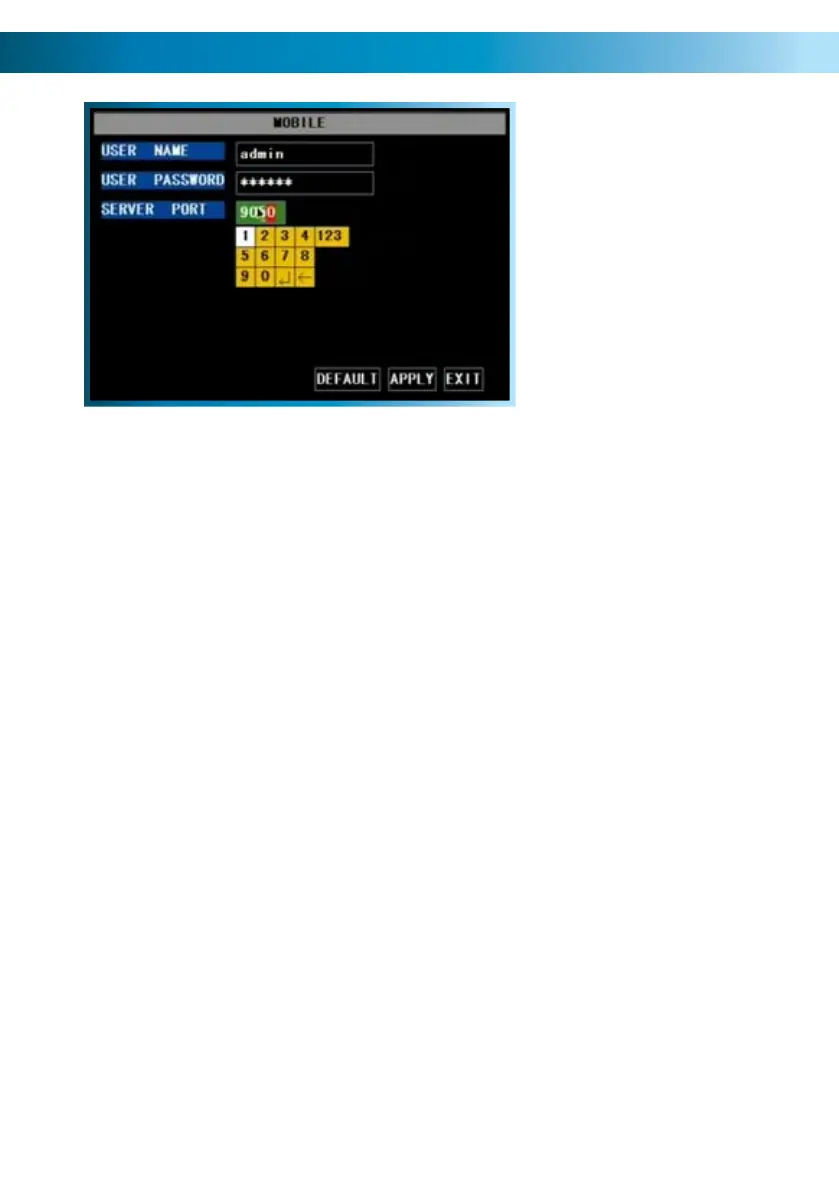
The Mobile Devices Menu
Remember: After making changes to the settings press/click the APPLY button.
36
The MOBILE configuration menu.
In this picture, the SERVER PORT is
being edited.
USER NAME: This is the user name that you’ll need to use when logging into the
DVR via a mobile device. The default user name is “admin” - but this can be set to
anything you desire. We suggest changing this setting to something unique, to aid
in preventing unauthorized access to the data stored on the DVR.
USER PASSWORD: The security password associated with the above user name,
which will allow you to access the DVR. The default password is “123456”. As
above, we suggest changing this value to something unique to better safeguard
the DVR against unauthorized access.
SERVER PORT: The port number that your cell/mobile device will use to access the
DVR over the Internet. See the section on Remote Access (pages 51 - 55) for more
information about selecting and configuring ports.
Requirements
To access the DVR via a mobile device, the following conditions must be met:
A high-speed Internet connection with an upload speed in excess of 256kbps •
(ideally above 512kbps).
The DVR attached to this high-speed Internet connection.•
Your home network correctly configured to allow the DVR’s SERVER PORT •
unrestricted access to the Internet. Typically, this requires that you setup your
router/gateway for port forwarding.
A compatible mobile device. Currently, the DVR4-2000 supports a mobile •
device (such as a cellphone) running Microsoft Windows Mobile
®
or Symbian
S60
®
3rd Edition or higher and the iPhone.
The correct application(s) installed on your mobile device. See page 54 for •
more details on how to use a mobile device to remotely access the DVR.
A sufficient signal to your mobile device (areas with intermittent coverage or •
low signal strength will adversely affect the playback).



 To Next Page