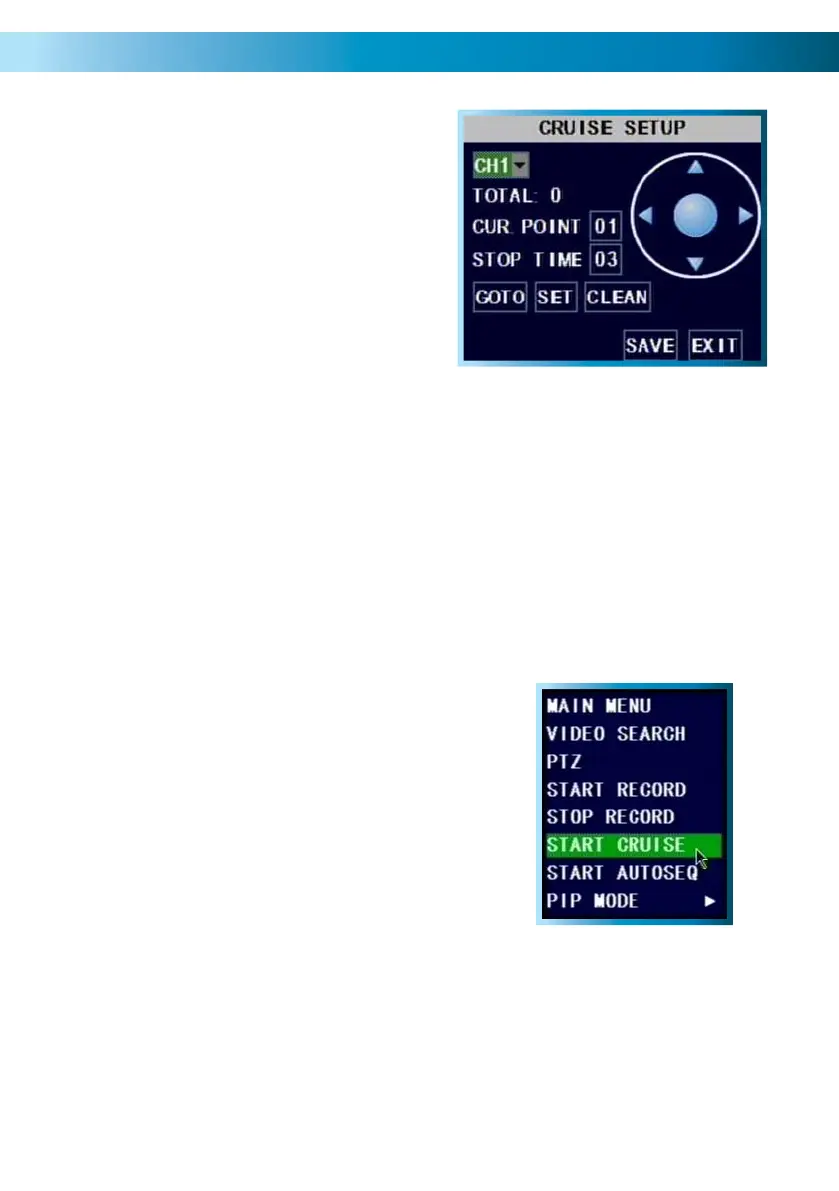
Move the camera to the desired position using the arrows.•
Hit the SET button.•
The point will be saved. Its name will be one digit higher than the previous •
point.
For easy cruise setup, define your points in the same order as you want the •
camera to move through them.
The GOTO button will take the camera back to a predefined point. The CLEAN
button will remove all your defined points.
When you’ve set your points, select SAVE, then EXIT.
To start cruise mode, select START CRUISE from •
the pop-up menu.
To stop cruise mode, select STOP CRUISE form •
the same menu.
Cruise Mode
To setup CRUISE MODE, you’ll need to
define “POINTS” for each channel with
a PTZ camera you want to “cruise”.
A POINT is one place that the camera
needs to move to on its loop.
Remember: After making changes to the settings press/click the APPLY button.
47



 To Next Page