39
Click for contents
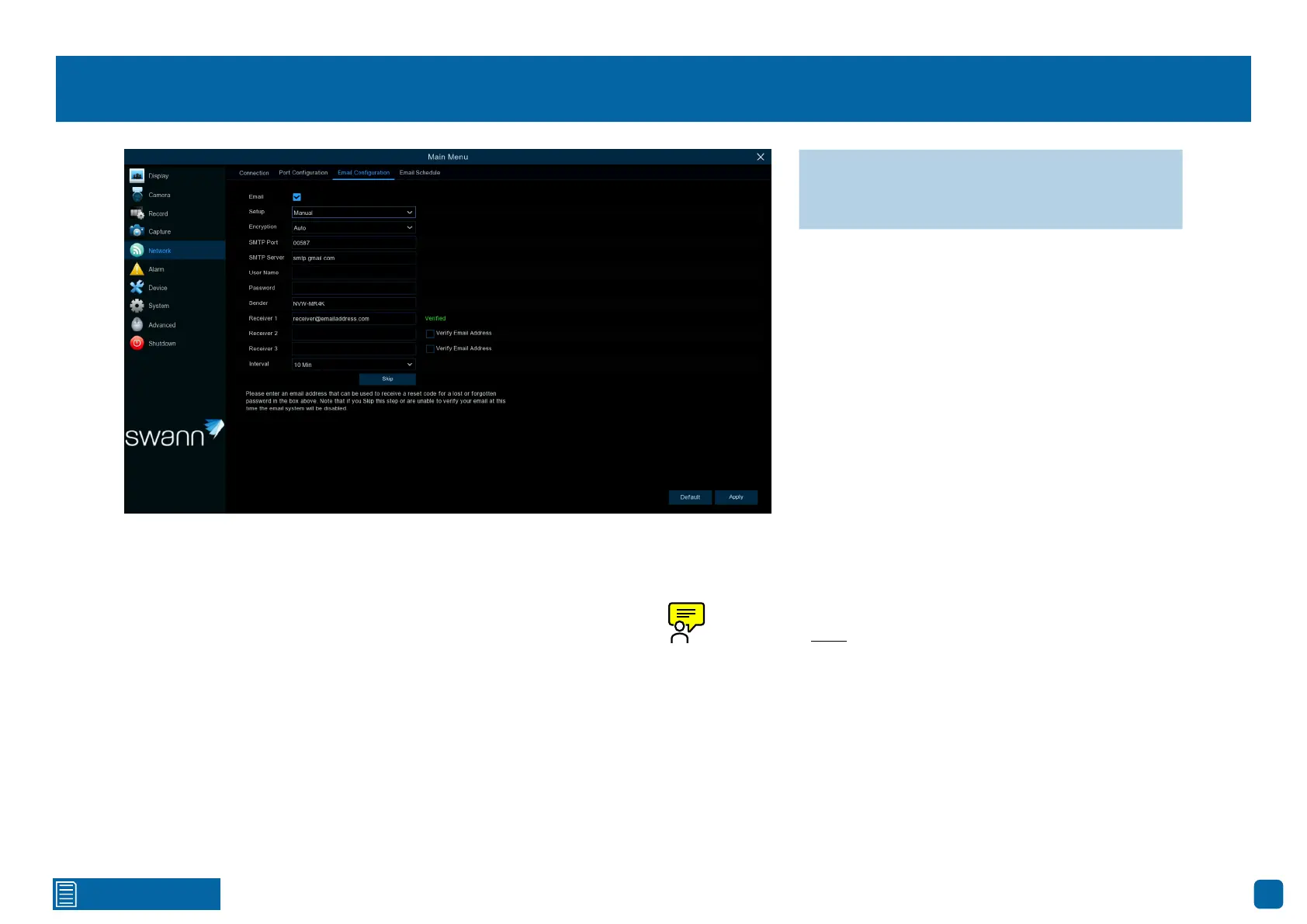
Network: Email Configuration - Manual Setup
→ Click “Default” to revert to default settings.
→ Click “Apply” to save settings.
Setup: Click the drop-down menu and select “Manual” to use the email from
your service provider.
Encryption: Leave this on “Auto” to ensure your Power Hub will use the cor-
rect encryption for your email provider.
SMTP Port: Enter the port number, for example, 00587.
SMTP Server: Enter the email server, for example, mail.iinet.net.au.
User Name: Input the email user name for your account.
Password: Input the email password for your account.
Receiver 2/3: If needed, input an additional email address to send email
alerts to. Click the “Verify Email Address” checkbox to verify the email ad-
dress and follow the instructions on the previous page.
Interval: This is the length of time that must elapse after your Power Hub
sends an email alert before it will send another. Adjust accordingly.
Various steps have to be performed to use Gmail as a sender for email
alerts. Click here for instructions.



 To Next Page