63
Click for contents
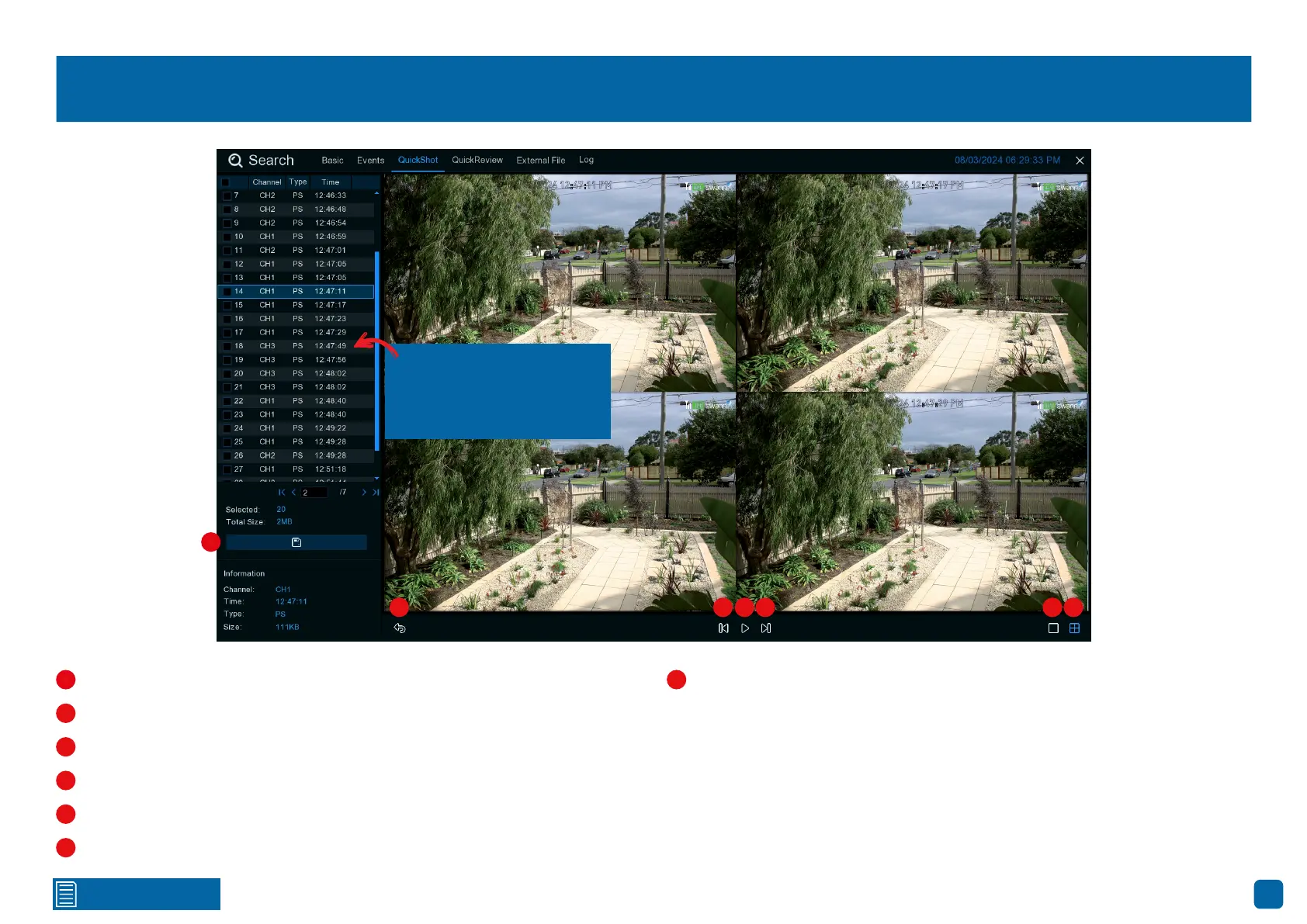
Playing a Slideshow
Select a snapshot, then click this button to copy it to a USB flash drive.
Click this to go back to the previous screen.
Click this to display the previous group of snapshots.
Click this to pause or play a slideshow.
Click this to display the next group of snapshots.
Click this to view a single snapshot at a time.
Click this to view four snapshots at a time.
Channel 1
08/03/2024 12:47:11 PM
Channel 1
08/03/2024 12:47:17 PM
Channel 1
08/03/2024 12:47:23 PM
Channel 1
08/03/2024 12:47:29 PM
1
2 3 4 5 6 7
2
1
3
4
5
7
Click the checkbox on a
snapshot that you want to
save to a USB flash drive.
6



 To Next Page