9
Click for contents
Camera Pairing
After restoring your Power Hub, all cameras previously paired will need to be
repaired.
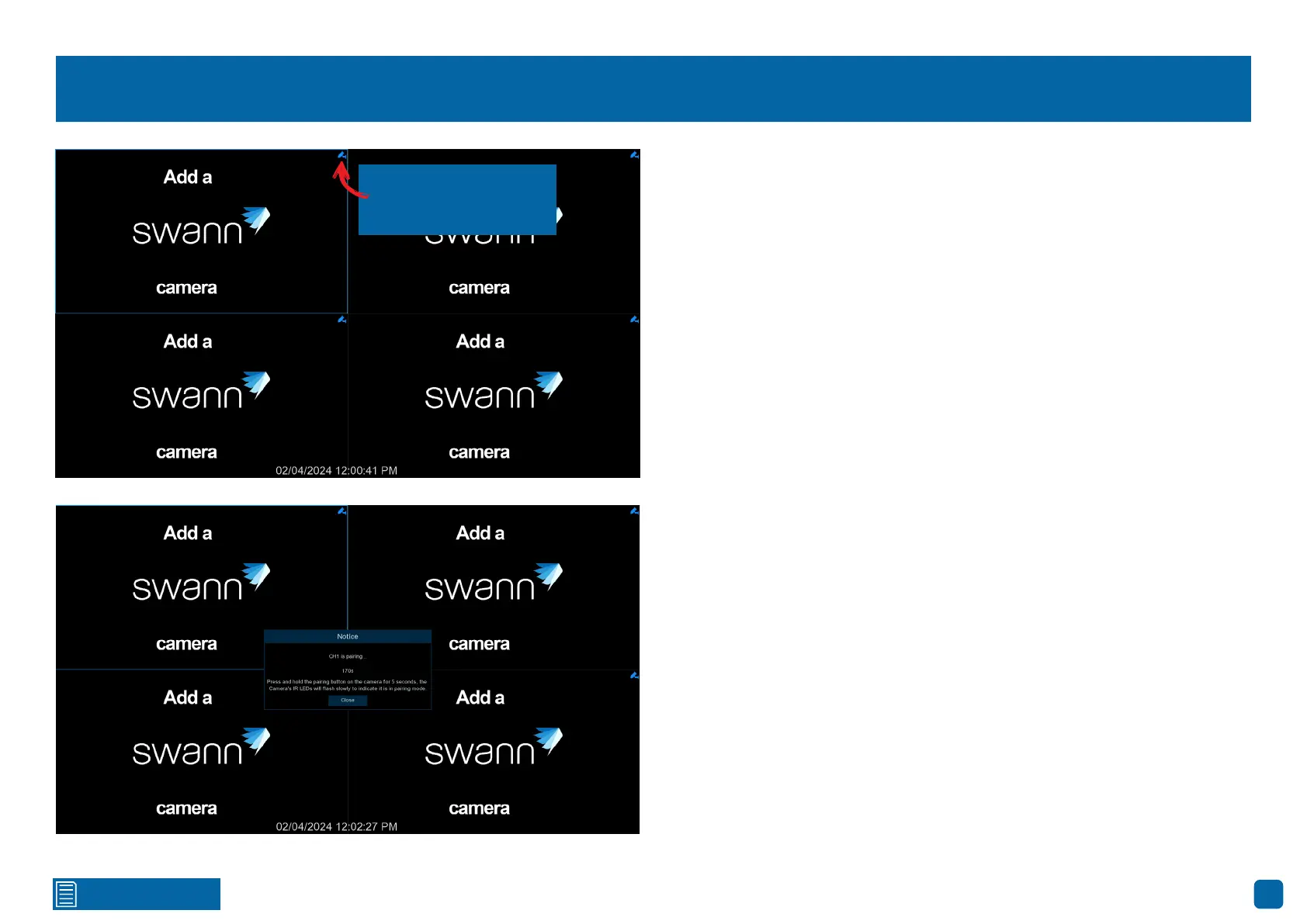
1. In Live View mode, click a channel you want to pair the camera to.
2. Press the blue Pair button to commence pairing. A message will appear
stating that you need to press the pair button on the camera (as shown on the
bottom left).
3. Remove the cap covering the pair button. Press and hold the pair button
for 3 seconds, then release. The pairing will commence, and the camera’s IR
LEDs will start flashing.
4. After a short moment, the camera will pair, and you will see the camera’s
image on-screen. If the camera fails to pair, repeat the above instructions,
and try again.
5. Pair the other cameras to each channel available.
Press the Pair button
to commence pairing.



 To Next Page