33
Click for contents
Camera: Wireless Camera - Setup
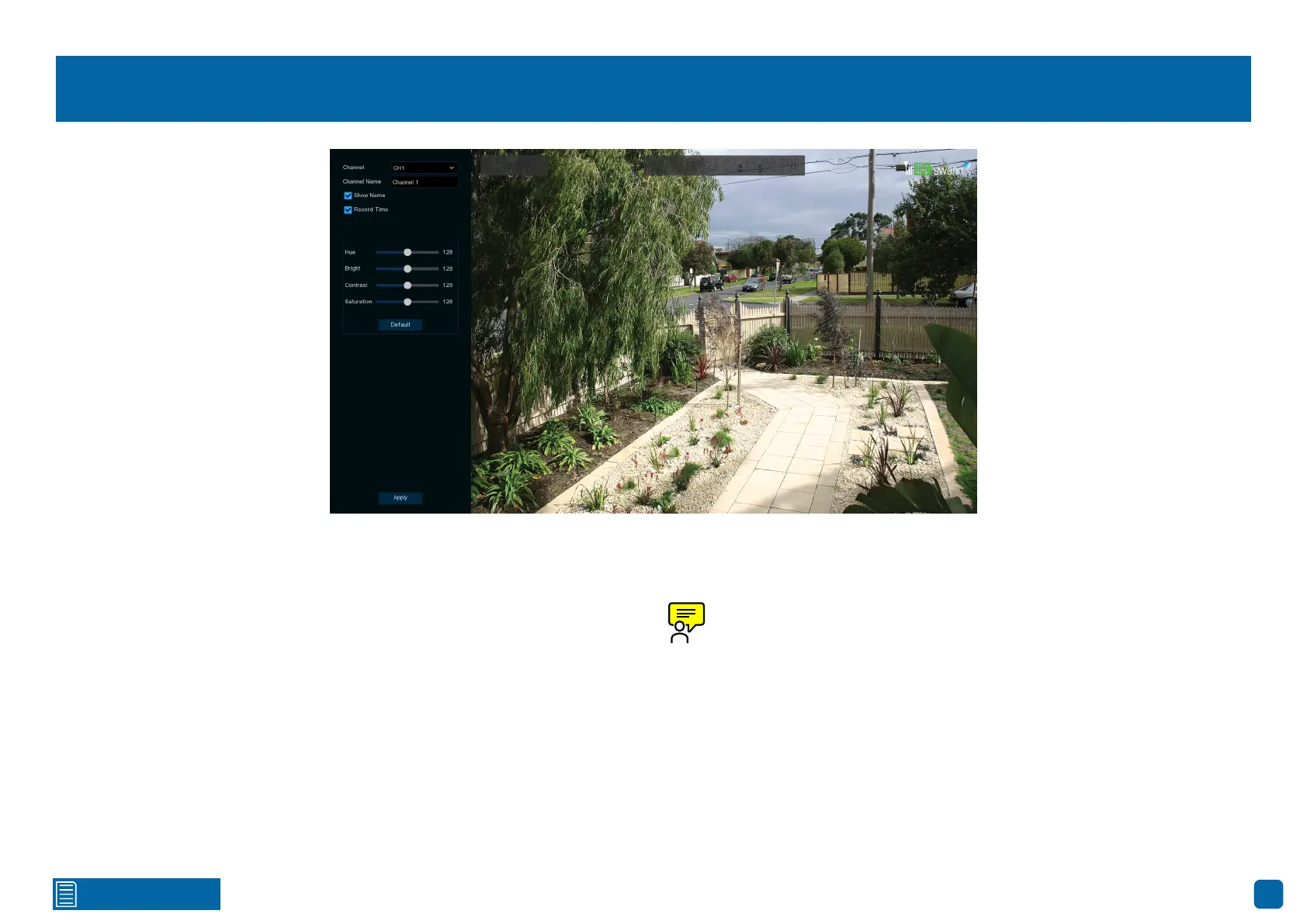
Channel: Select a camera that you would like to edit.
Channel Name: Enter a name for the camera selected. It can be up to 16
characters in length.
Show Name: Leave this enabled to display the camera name in Live View
mode. Click the checkbox if you wish to disable it.
Record Time: Leave this enabled, as a timestamp is embedded on all video
recordings. Click the checkbox if you wish to disable it.
Hue: This changes the color mix of the image.
Bright: This changes how light the image appears to be.
Contrast: The difference in luminance that makes an object distinguishable.
Saturation: This alters how vivid the color is in the image.
Use the slider to adjust each setting. When finished, click the “Apply” button,
then click “OK”. Right-click the mouse to exit.
Any changes made to the display settings available will affect your re-
cordings.
Channel 1
02/04/2024 04:33:08 PM



 To Next Page