8
Click for contents
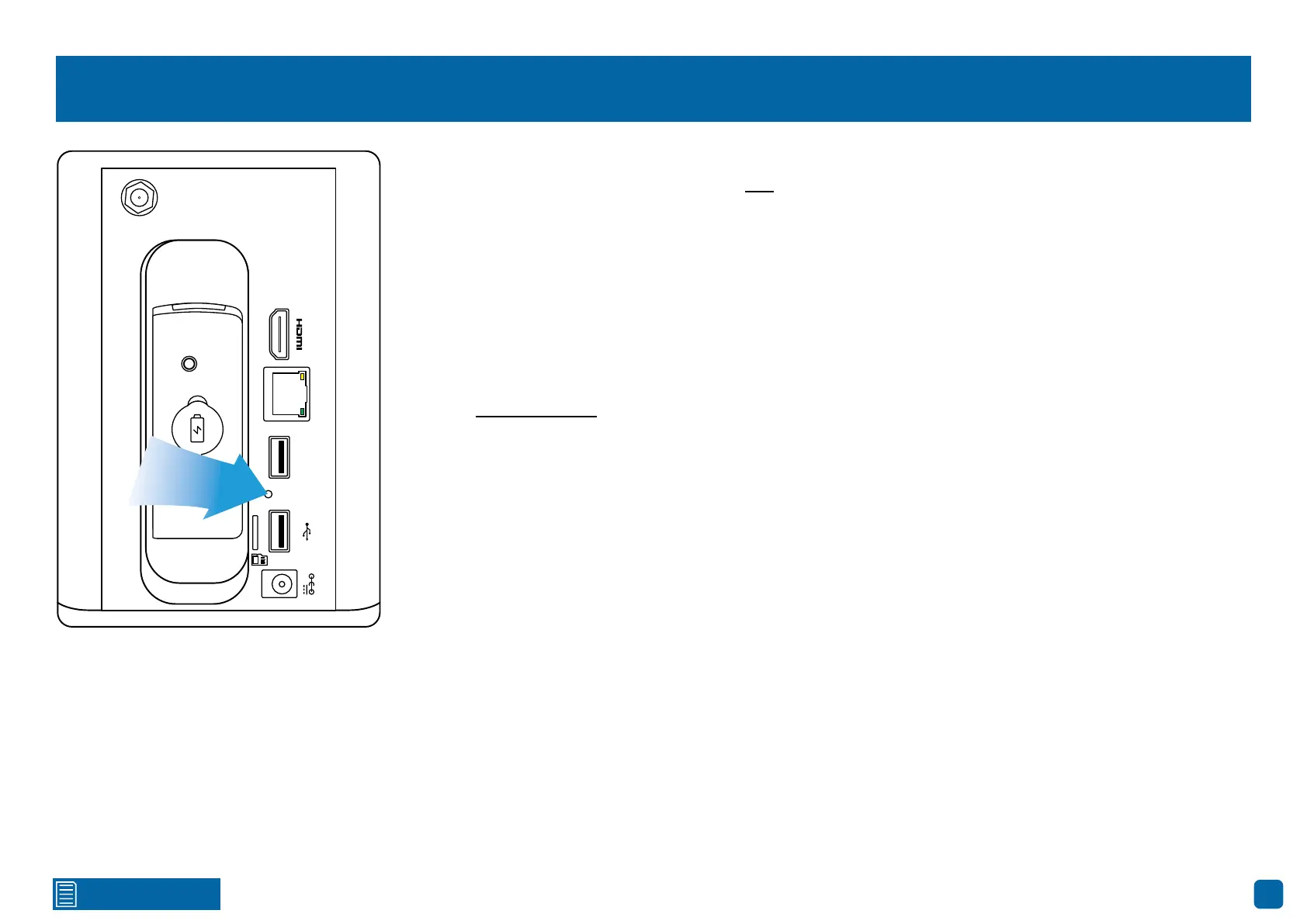
Restoring your Power Hub
Warning: For security and privacy reasons to stop malicious access, restoring your Power Hub will reset
all saved changes to the settings available, and the storage device will be formatted as well, removing
any saved events.
1. Using a paper-clip or pin, carefully insert this into the port marked “reset”. Press and hold until you
hear four beeps, then release.
2. After a short moment, a message will appear on-screen, and your Power Hub will reboot. After boot-
ing, the Startup Wizard will appear on-screen. Follow the instructions in the red-colored quick start
guide included with your Power Hub to complete.
3. After completing the Startup Wizard, you’re now ready to pair each camera to your Power Hub (see
page 9 - Camera Pairing).
LAN
Mouse
Backup
Storage
12V
resetreset



 To Next Page