38
Click for contents
Network: Email Configuration - Email Verification
Inputting an email address is a requirement so your Power Hub can
send you a password reset request if you have forgotten your pass-
word. Both Gmail and Outlook are supported. Alerts are also sent to
your email.
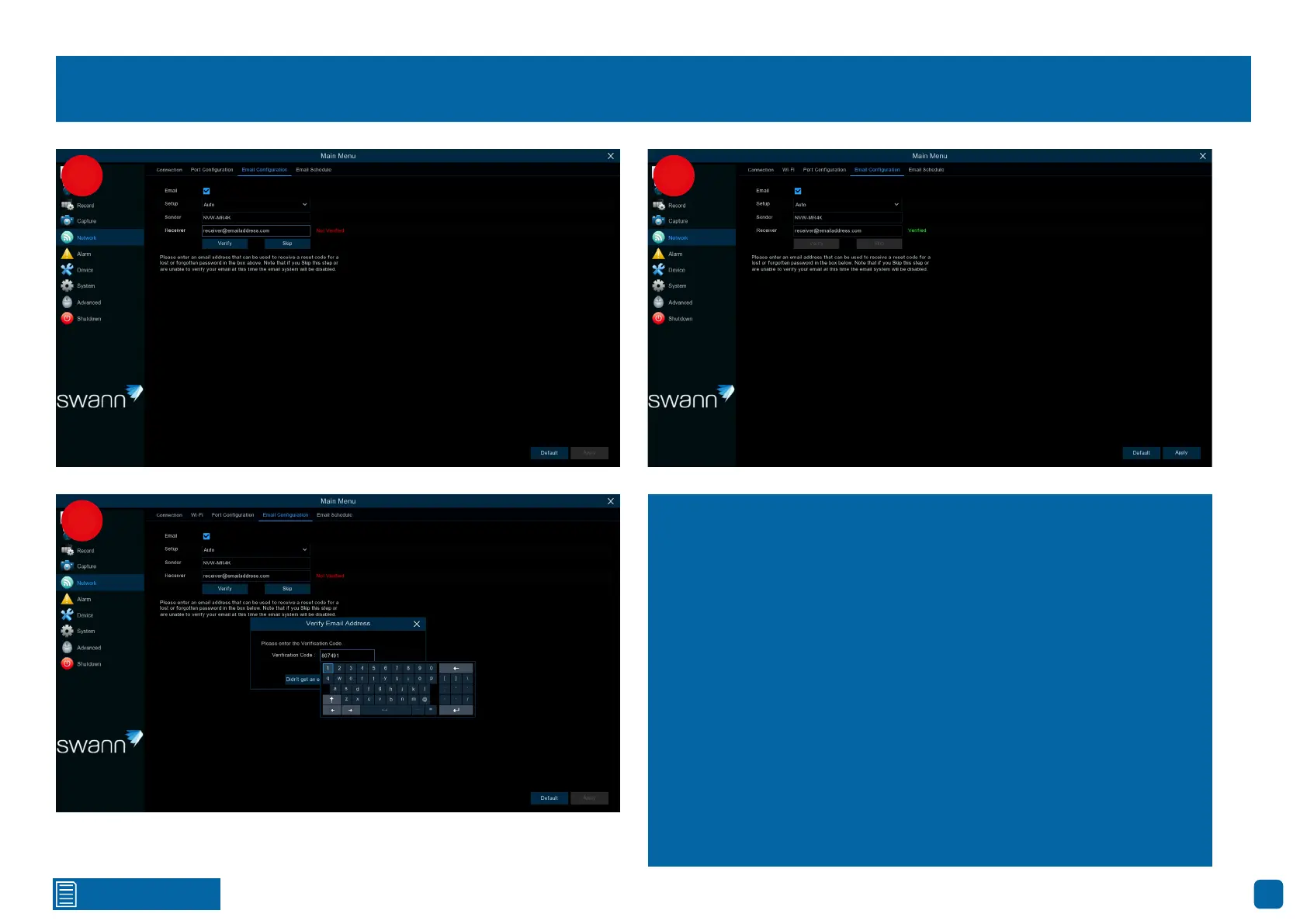
1. Click the checkbox to receive email alerts.
Sender: Input a name for your email account.
Receiver: Input the email address to send email alerts to.
Verify: Click this to verify your email address, then click “OK”.
2. A verification code will be sent to the email address. Enter the veri-
fication code, then click “Confirm”. Please note the verification code is
valid for 15 minutes.
3. You will see the word Verified in green. Click “Apply” to save settings.
1
2
3


 To Next Page