55
Click for contents
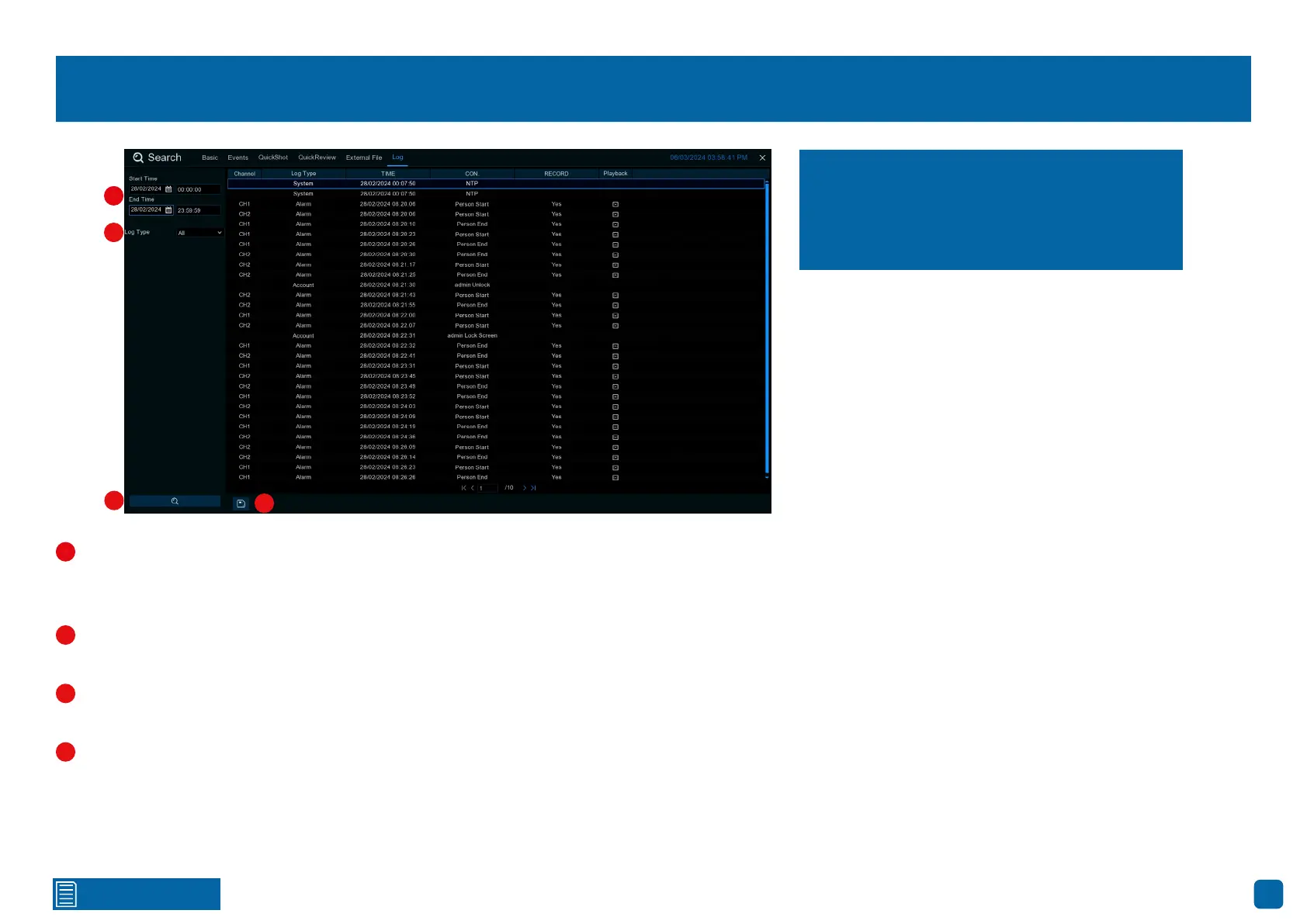
Search: Log
Start/End Time: Click the calendar icon to select the month, year, and
date that you would like to search on. Click the dialogue box to enter a specific
start and end time.
Log Type: Leave the default selection or click the drop-down menu to
select a specific action that you would like to search for.
Search: Click this to display a list of log files that match your search cri-
teria. Double-click a file to display information about that log.
Backup: Insert a USB flash drive into your Power Hub, then click this to
copy the log files that match your search criteria. You have the choice of for-
matting the flash drive or creating a new folder if required. Click “OK” to save,
then click “OK” again to close.
Each action that your Power Hub performs, as
well as events detected, are logged. These log
files can be searched, viewed, and copied to a
USB flash drive for safekeeping.
1
2
3
4
1
2
3
4



 To Next Page