17- EN
CLOCK SETTINGS
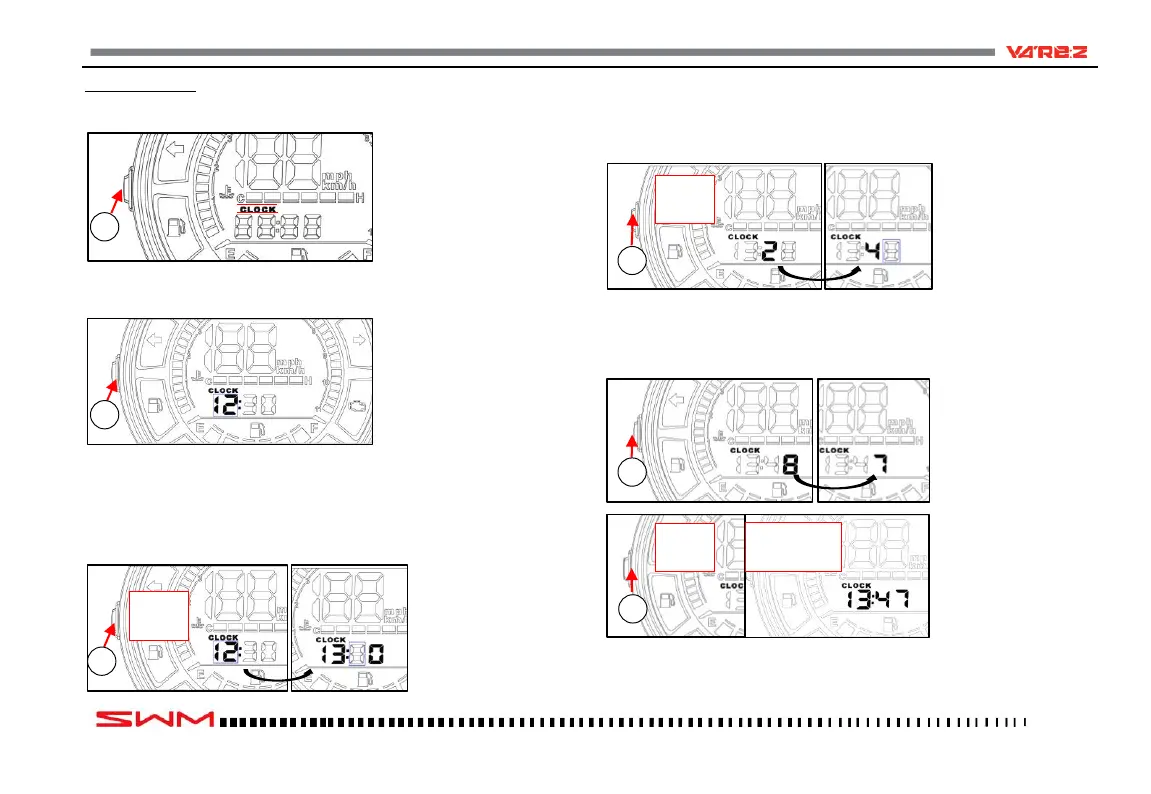
-Press the “Set” key (1) until “CLOCK” appears.
-Press the “Set” key (1) and hold it for more than 3 seconds until the hours
flash on the display.
-Press the “Set” key (1) and set the hour; to confirm settings, press the “Set”
key (1) and hold for more than 3 seconds until the tenths of minutes flash on
the display.
-Press the “Set” key (1) and set the tenths of minutes; to confirm settings, press
the “Set” key (1) and hold for more than 3 seconds until the minutes flash on
the display.
-Press the “Set” key (1) and set the minutes; to confirm settings and exit set-
tings, press the “Set” key (1) and hold it for more than 3 seconds.



 To Next Page