10. AC Generator / Starting Clutch
10-6
Starting Clutch
Starting Clutch Inspection
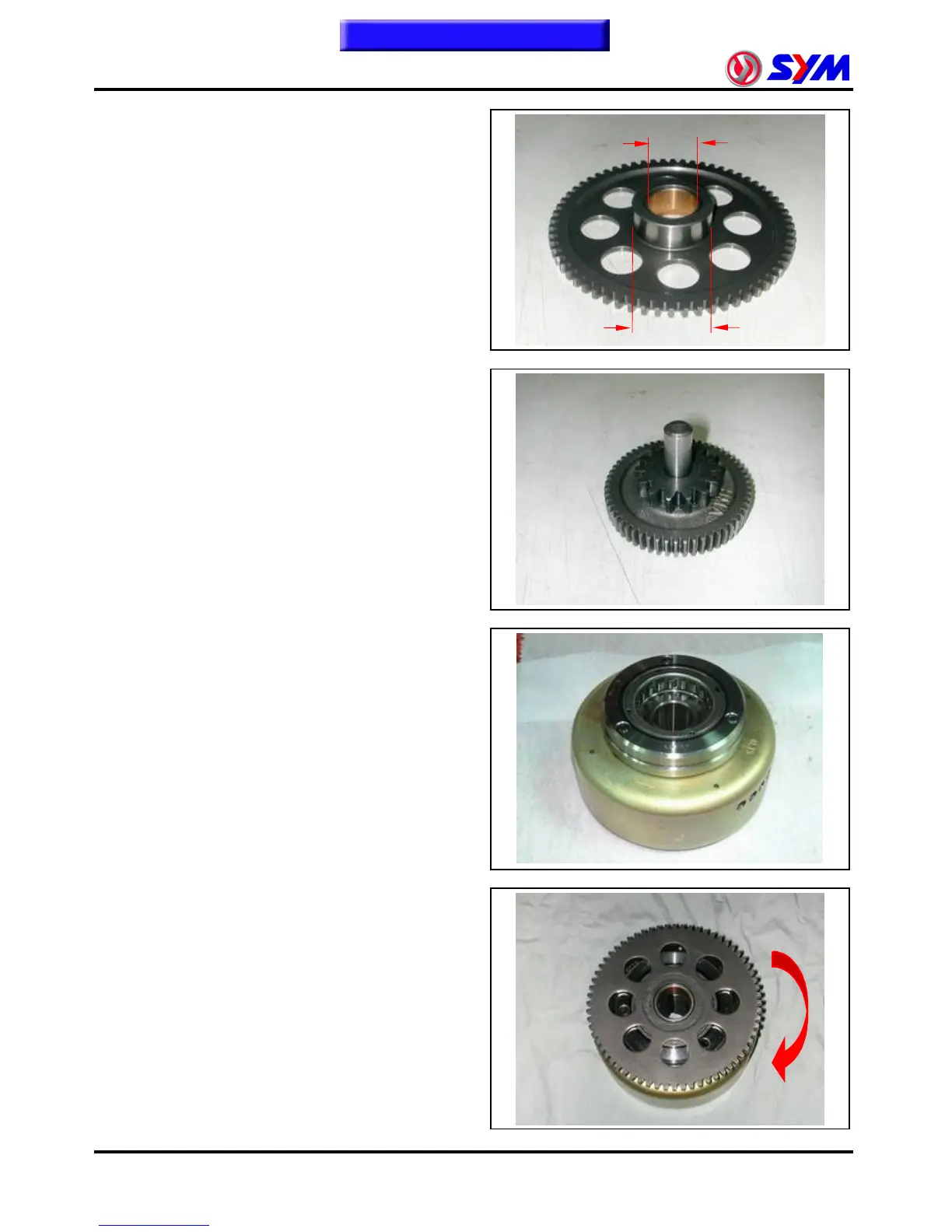
Remove starting clutch driven gear.
Check the gear for wear or damage.
Measure the ID and OD of the starting clutch
driven gear.
Service Limit: ID: 25.050 mm
OD: 42.100 mm
Check the starting reduction gear and shaft for
wear or damage.
Check each roller for wear or damage.
Install starting clutch driven gear onto one way
clutch.
Hold flywheel and rotate starting clutch gear.
The starting clutch gear should be rotated in
counterclockwise direction freely, but not
clockwise direction.
ID
OD



 To Next Page
 Loading...