CB3000 Client Bridge User Guide
3-20
• Multi Client Bridging Mode: In this mode, the CB3000 can support a maximum 16 devices (within
the CB3000 supported subnet) as preferred devices. Of these devices, only one can be a point-of-
sale (POS) device. Once located and added to the client prioritization list, clients can be moved off
of the list in order to maintain the maximum of 16 devices. Device MAC addresses are not visible
on the network in this mode and are replaced by the CB3000's MAC address
3. To add a client, enter the client’s MAC address in the MAC Address field, then click Add MAC. The
device is added to a list of devices the CB3000 can use to allocate priority status.
4. The Preferred Clients List displays the (up to 16) devices receiving connection priority with the
CB3000. If the list is full, remove devices as necessary to free-up room for high priority connections.
5. Click the Move to ACL button to move a MAC address directly into the CB3000’s list of device MAC
addresses approved for operation with the CB3000. For more information on ACL operation, see
Configuring a Wired Ethernet ACL on page 3-20.
6. Add devices as required to build your list of devices with which the CB3000 frequently interoperates.
As devices are added, the screen displays a Configuration files updated message informing of the
additions.
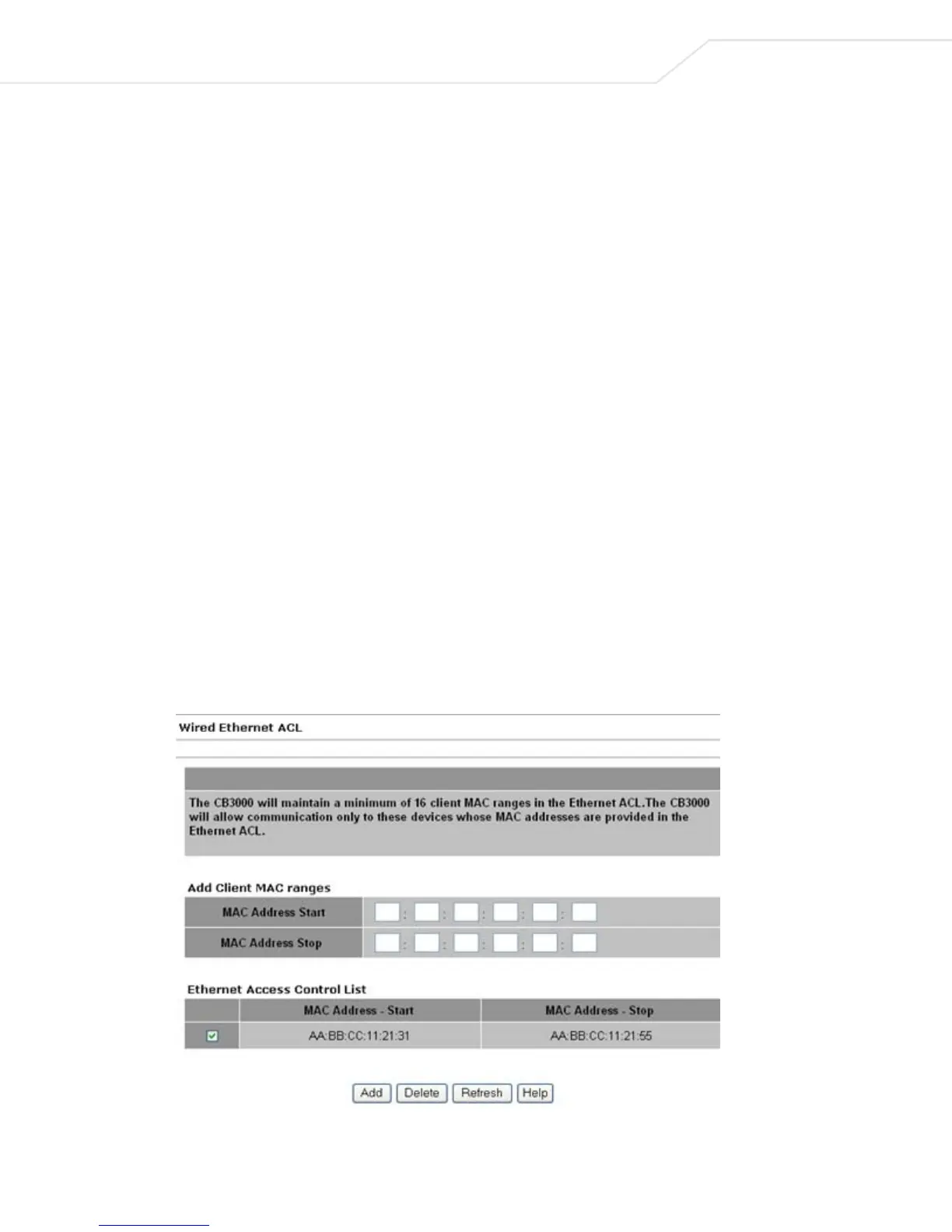
3.4 Configuring a Wired Ethernet ACL
The CB3000 supports Ethernet MAC filtering. Only client devices with a MAC address within the range
specified can pass traffic through the CB3000. If the list is empty, all clients are allowed. The Client Bridge
allows all connected clients to configure the CB3000 through the User Interface and have access through
SNMP.
To create a list of prioritized CB3000 client devices:
1. Select Settings > Wired Ethernet ACL from the CB3000 menu tree. The Wired Ethernet ACL screen
displays.



 To Next Page