CB3000 Client Bridge User Guide
5-2
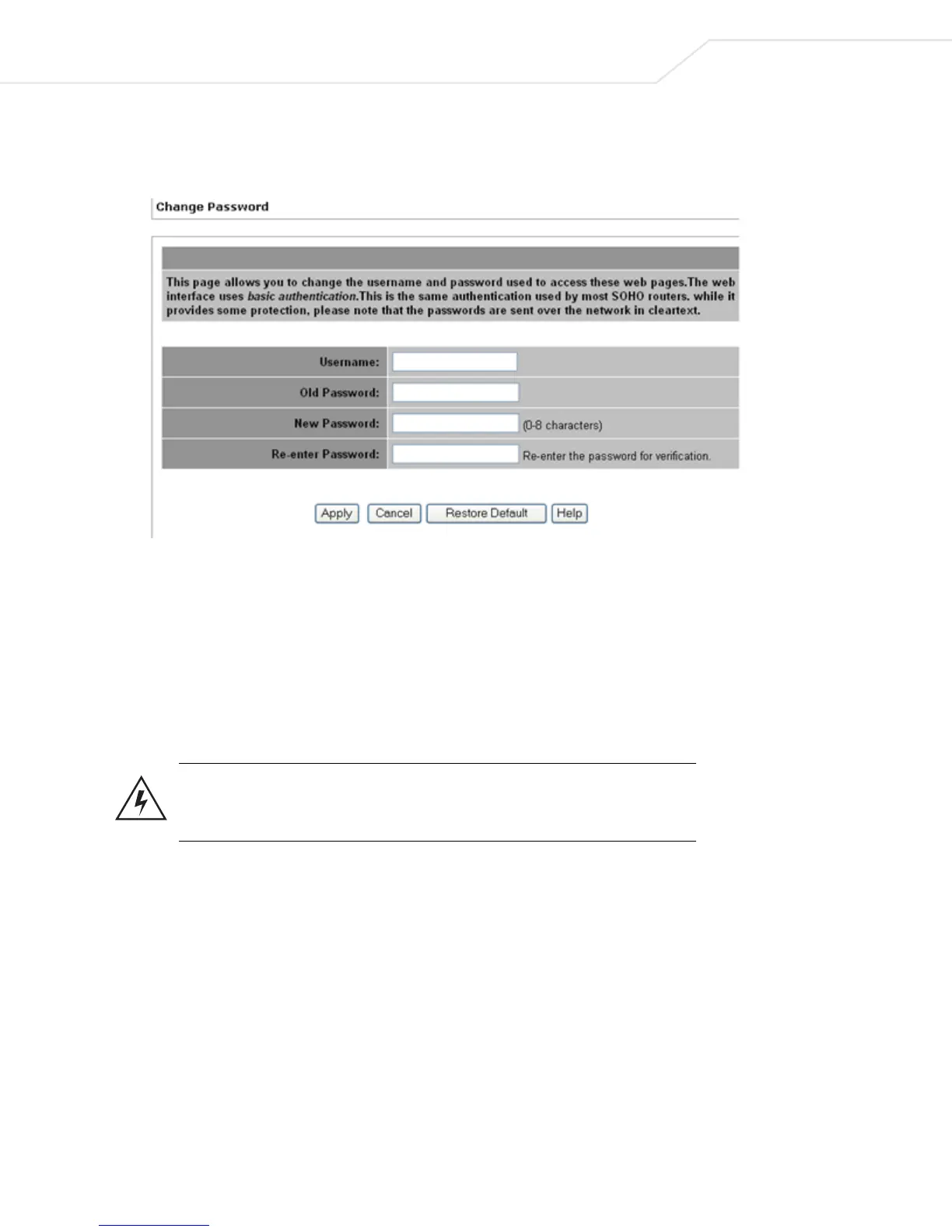
To password protect and restrict CB3000 device access:
1. Select Tools > Change Password from the CB3000 menu tree.
Figure 5.1 Change Password Screen
2. Enter the username and password used to log into the console in the Username and Old Password
fields.
3. Enter a new password in the New Password field. The new password can be from 0 - 8 characters
4. Enter the new password a second time in the Re-enter Password field.
5. Click Apply to save the settings, or Cancel to exit the screen without saving your changes.
To restore the username and password to default values, click the Restore Default button.
Warning! While password protecting the CB3000 provides an increased level
of security for the device, the password is transited over the network in the
clear and can still be hacked.
5.2 Rebooting or Restoring a Device
If the CB3000 stops responding correctly or is acting sluggish, sometimes the best and easiest thing to do is
to reboot the device, (much like one reboots a PC).
In addition, if at any given time the administrator needs to restore the device to its original factory state, this
is also a viable option. Restoring the device wipes out all previously configured settings as well. Symbol
recommends saving a configuration file before restoring the device.
(See Importing or Exporting the Configuration File).



 To Next Page