CB3000 Client Bridge User Guide
5-6
5.3.1 Using FTP
To import or export a CB3000 configuration file using an FTP server:
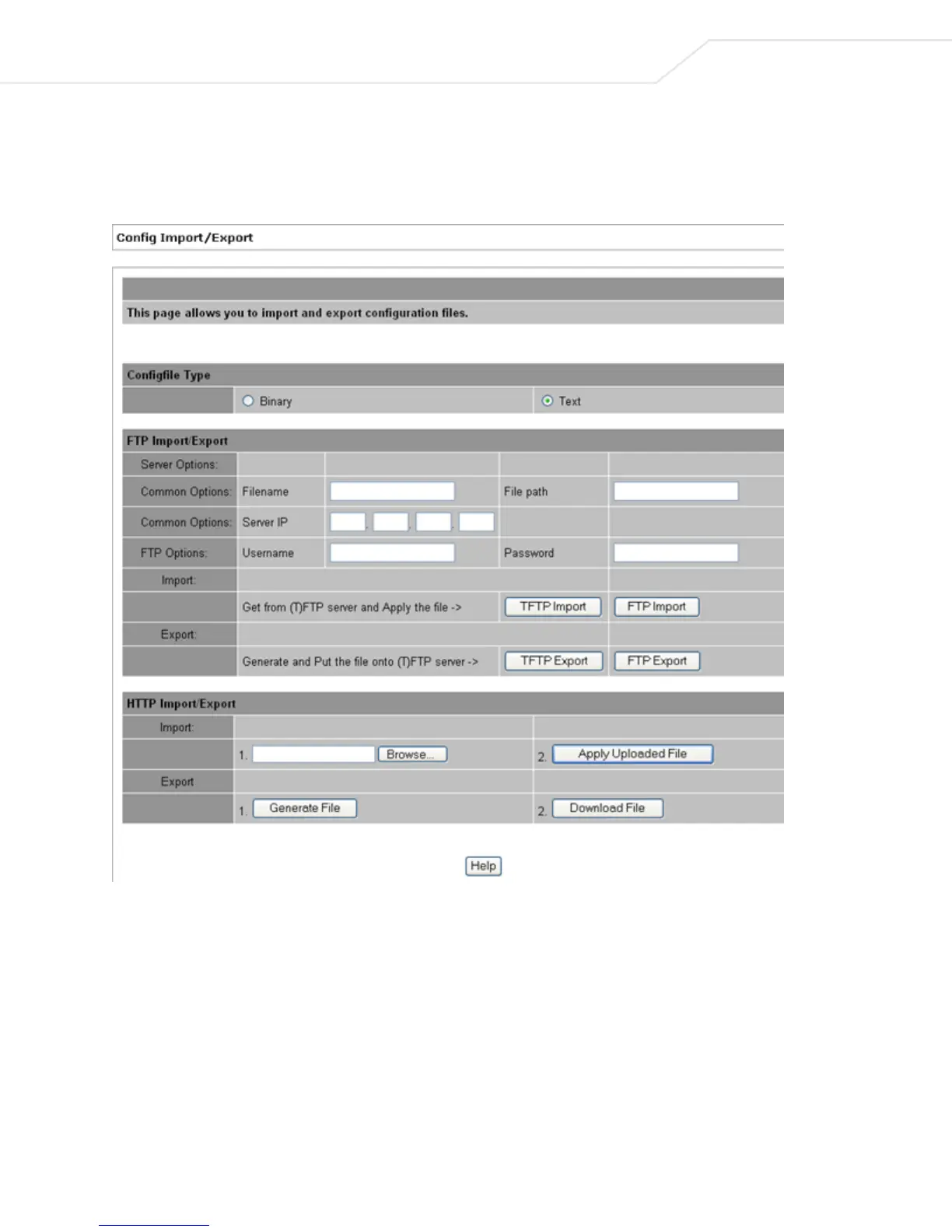
1. Select Tools > Configuration File Settings from the CB3000 menu tree. The Config Import/Export
screen displays. If using FTP, only the top panel of the screen is used.
Figure 5.4 Config Import/Export
2. Configure the FTP Import/Export settings to import or export a CB3000 configuration file.
• Filename – Name of the configuration file written to the FTP server.
• File Path - Defines the path to the specified filename.
• Server IP – IP address of the destination FTP server where configuration file is imported or
exported.
• Username – Username used when logging in to the FTP server.
• Password – Password (associated with username) allowing access to the FTP server for the
operation.



 To Next Page