CB3000 Client Bridge User Guide
4-14
4.2.3 DHCP Server Settings
A CB3000 in an ad hoc network can serve as a DHCP server to allocate IP addresses to other devices comprising
the ad hoc network.
Note This feature is only relevant for Ad Hoc networks.
To configure CB3000 DHCP:
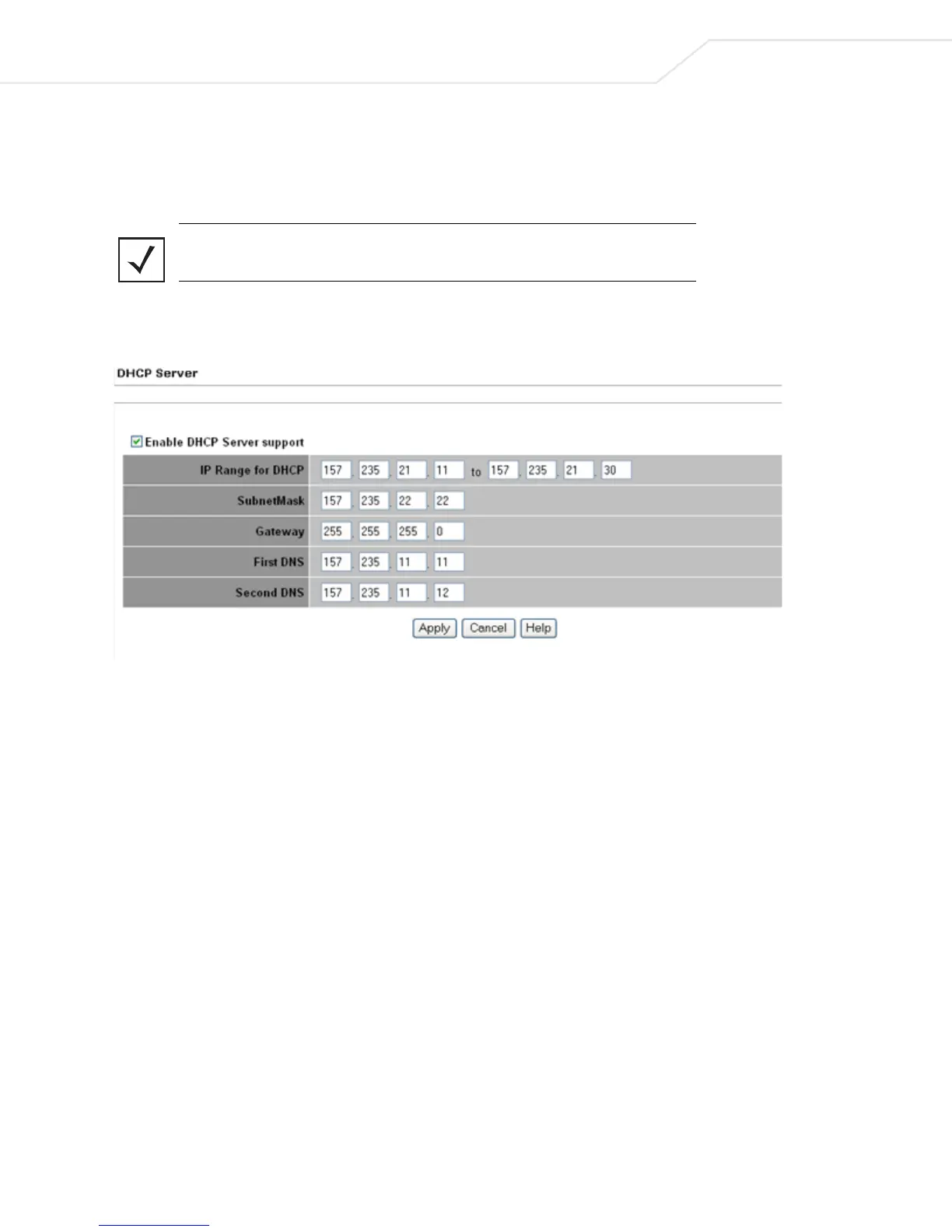
1. Select Management > DHCP Server from the CB3000 menu tree. The DHCP Server screen displays.
Figure 4.9 DHCP Server Settings
2. Select the Enable DHCP Server support radio button. This enables the CB3000 to act as a host server
to allocate IP addresses to those devices joining the CB3000 initiated ad hoc network.
3. Configure the DHCP server settings, as follows:
• IP Range for DHCP – This range provides a means of controlling a low and high value for the IP
addresses on the CB3000 network. Define the range of IP addresses you would like the CB3000 to
provide to DHCP clients joining the CB3000-initiated ad hoc network. The valid range of numbers is
between 1 and 254.
• Subnet Mask – IP address for the CB3000 DHCP server connection. This number is available from
the ISP for a DSL or cable-modem connection, or from an administrator if the CB3000 connects to a
larger network. A typical subnet mask is 255.255.255.0.
• Gateway – IP address of the DHCP server.
• First DNS – A DNS server translates human readable addresses (i.e, www.symbol.com) into an IP
address readable by a computer.
• Second DNS – Backup DNS server.
4. Click Apply to save the settings, or Cancel to exit the screen without saving your changes.



 To Next Page