Getting Started
2-9
2.6 Viewing CB3000 Information
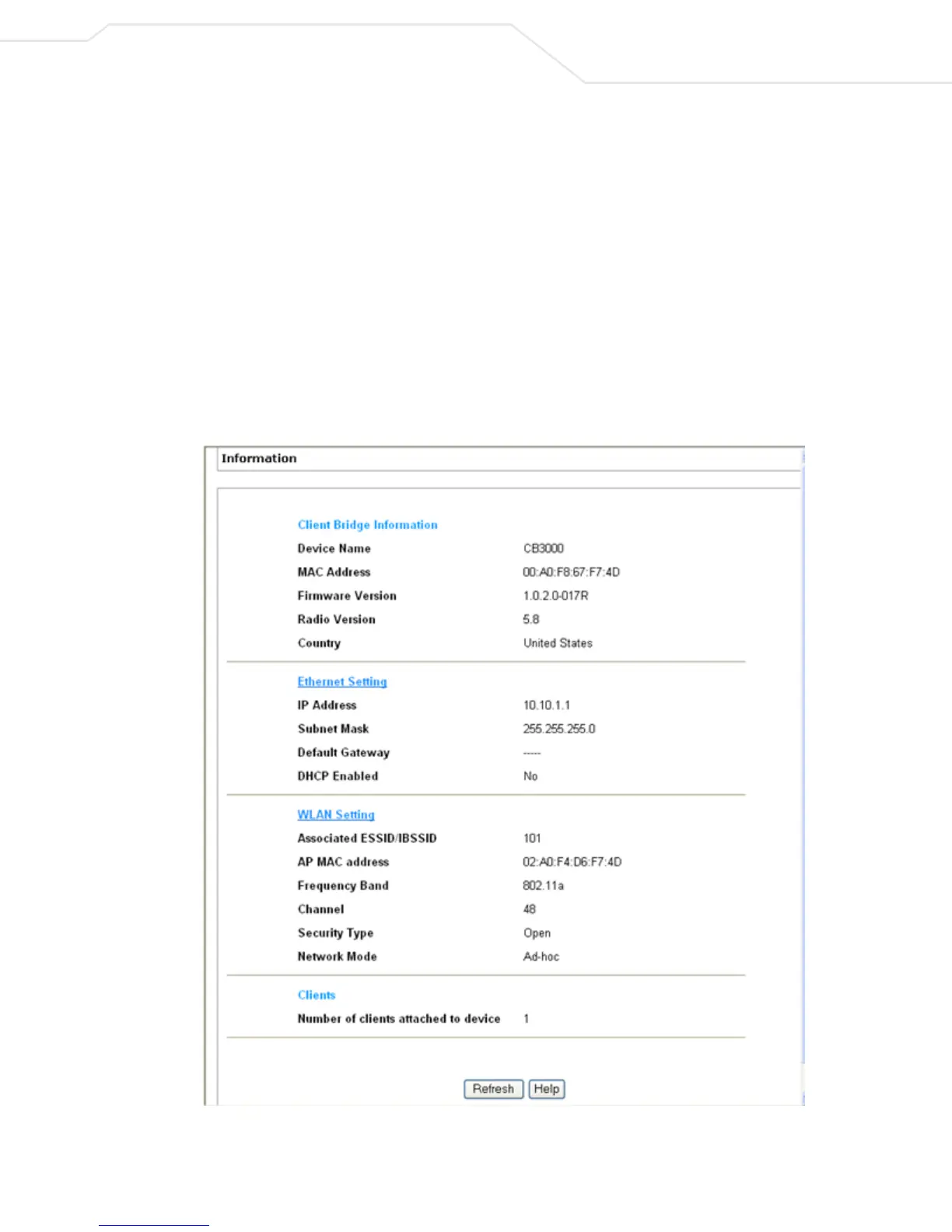
Upon first logging into the CB3000 console, the CB3000 Information screen displays. The Information screen
includes four data fields:
• Client Bridge Information – Includes the factory settings such as device name, MAC address,
installed firmware version, radio version, and country of origin for the device.
• Ethernet Settings – Includes IP address information for the Ethernet port (and ultimately the IP address
of the device). Also, whether the device is assigned an IP through DHCP or a static IP. To modify these
settings, see Understanding and Configuring Ethernet Settings on page 3-17.
• WLAN Settings – Includes wireless LAN settings for the network that the CB3000 is a part of. To
modify any of these settings, see Understanding and Configuring Wireless Settings on page 3-1.
• Clients – Indicates the number of active devices attached to the CB3000 client bridge.
Figure 2.8 displays an example of the CB3000 Information screen.
Figure 2.8 CB3000 Information Screen



 To Next Page