CB3000 Client Bridge User Guide
4-16
• Preferred time Server – IP address and port of the primary NTP server. The default port is
123.
• First Alternate time Server – Optionally, specify the IP address and port of an alternative
NTP server to use for time synchronization if the primary NTP server goes down.
• Second Alternate time Server – Optionally, specify the IP address and port of yet another
NTP server for the greatest assurance of uninterrupted time synchronization.
3. Select the Enable Wireless Network Time Adoption on CB 3000 checkbox to enable the CB3000 to
obtain its system time from its associated switch.
• UTC Settings – Define the Hours and Minutes intervals the CB3000 uses to synchronize its
system time with its associated switch.
4. Click Apply to save the settings, or Cancel to exit the screen without saving your changes.
4.2.5 Logging Settings
The CB3000 continually logs system events which can prove useful later in assessing the throughput and
performance of the CB3000 or troubleshooting problems on the CB3000-managed LAN. The type of event
message and where they should be logged can also be configured from the CB3000 console.
To configure event logging for the CB3000:
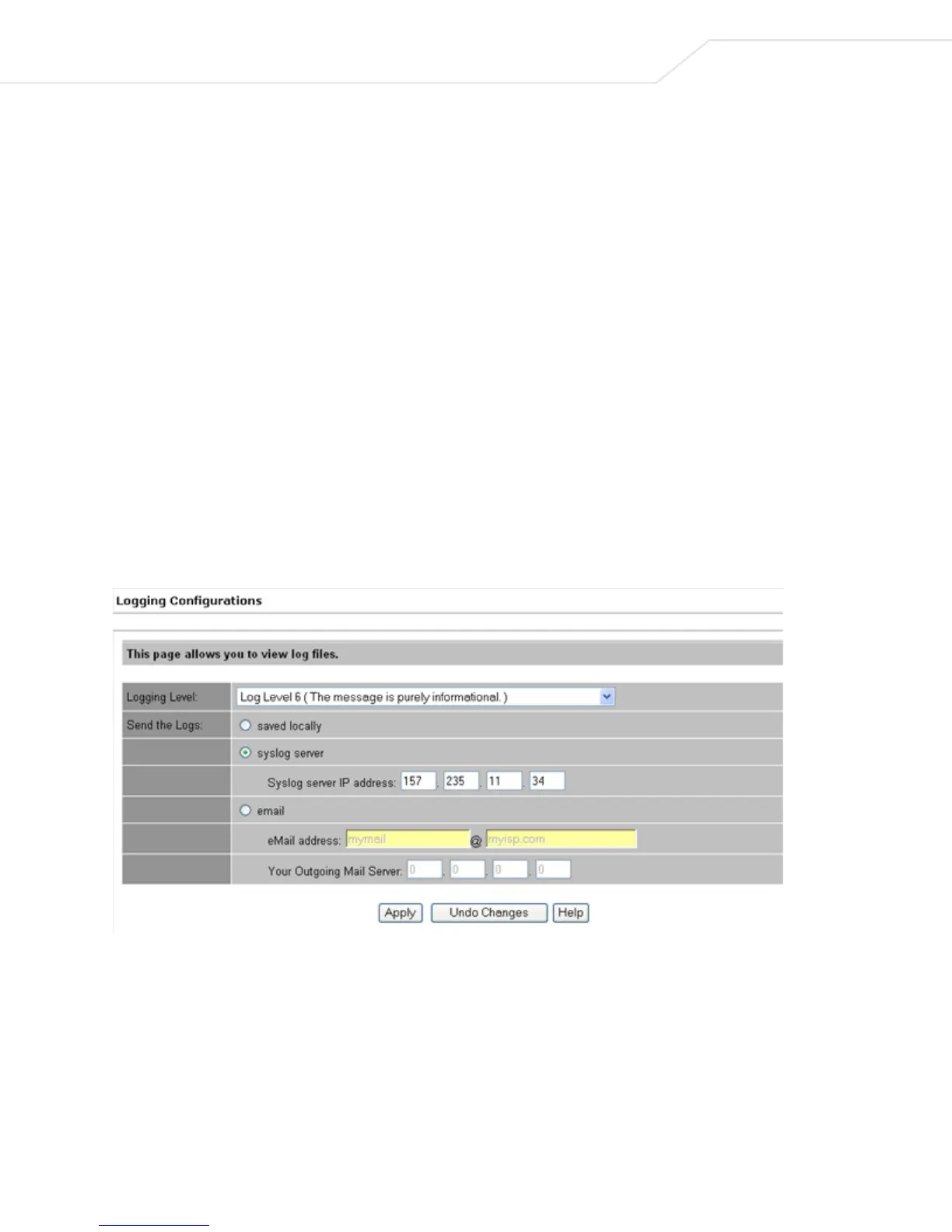
1. Select Tools > Logging Configurations from the CB3000 menu tree. The Logging Configurations
screen displays.
Figure 4.11 Logging Configurations
2. Configure the logging level and log destination as required.
• Logging Level – Select the desired log level for tracking system events. Eight standard UNIX/
LINUX syslog levels are available:
• 0 - Emergency. The system is unusable.
• 1 - Alert. Action on these types of events must be taken immediately.
• 2 - Critical. States a critical condition.



 To Next Page