CB3000 Client Bridge User Guide
4-12
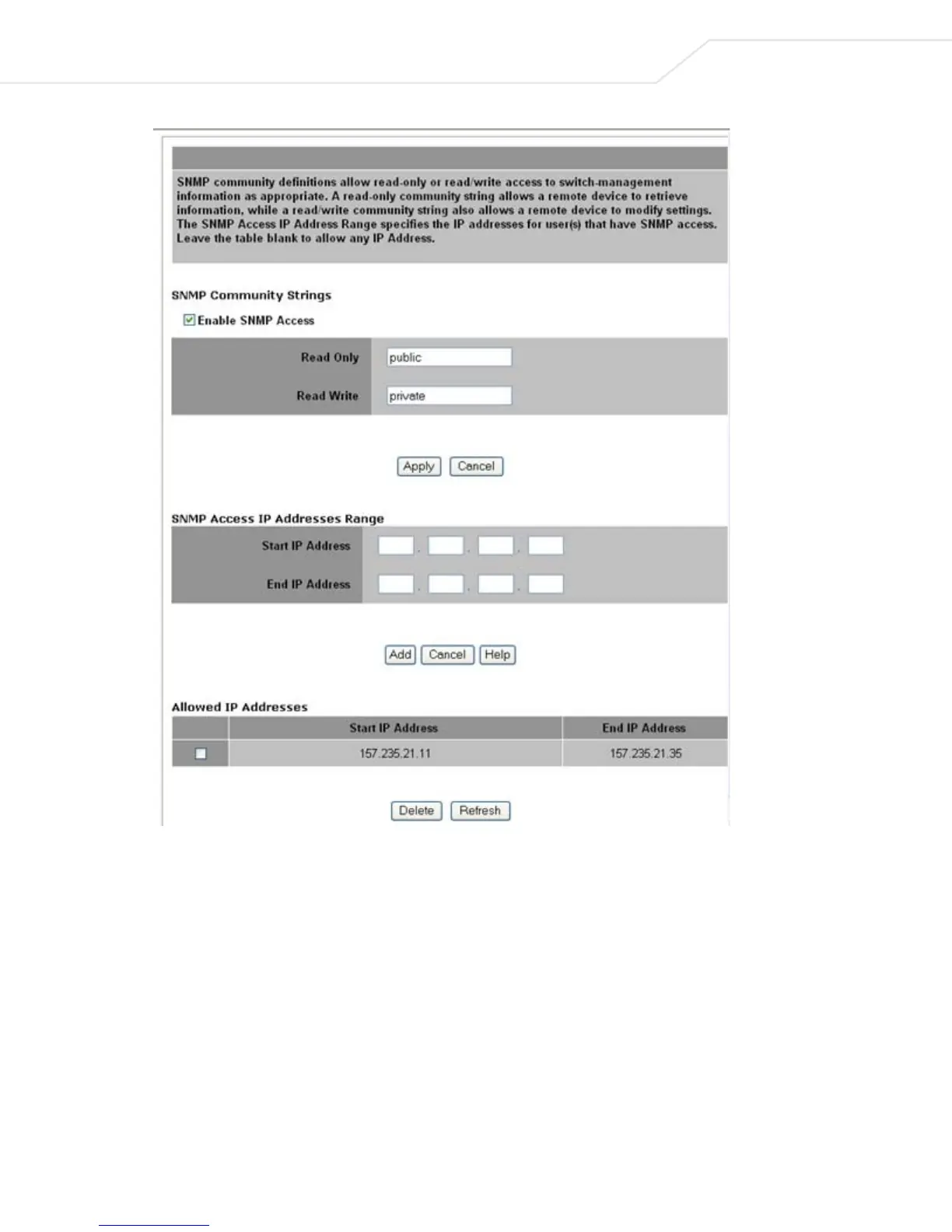
Figure 4.7 SNMP Access Control
2. Select the Enable SNMP Access checkbox to enable/disable the CB3000 SNMP interface
3. Enter a 4-32 character string for read-only SNMP permissions in the Read Only field. The default is
"public".
4. Enter a 4-32 character string for read/write SNMP permissions in the Read Write field. The default is
"private".
5. Enter Start IP and End IP addresses to specify a range of users that can access the CB3000 SNMP
interface. Use just the Starting IP Address to specify a single SNMP user. To leave access unrestricted,
do not enter an IP address.
For additional access control, an SNMP-capable client can be set up whereby only the administrator can
use a read/write community definition.



 To Next Page