2-7
Set Up
Changing the Battery
Once a battery is fully charged, it will generally last up to 12 hours without being returned
to the cradle. By returning it to the cradle during the day, you extend this time.
If a significant decrease in battery life is noticed and does not correspond to increased
usage, consider replacing the battery.
Removing the Battery
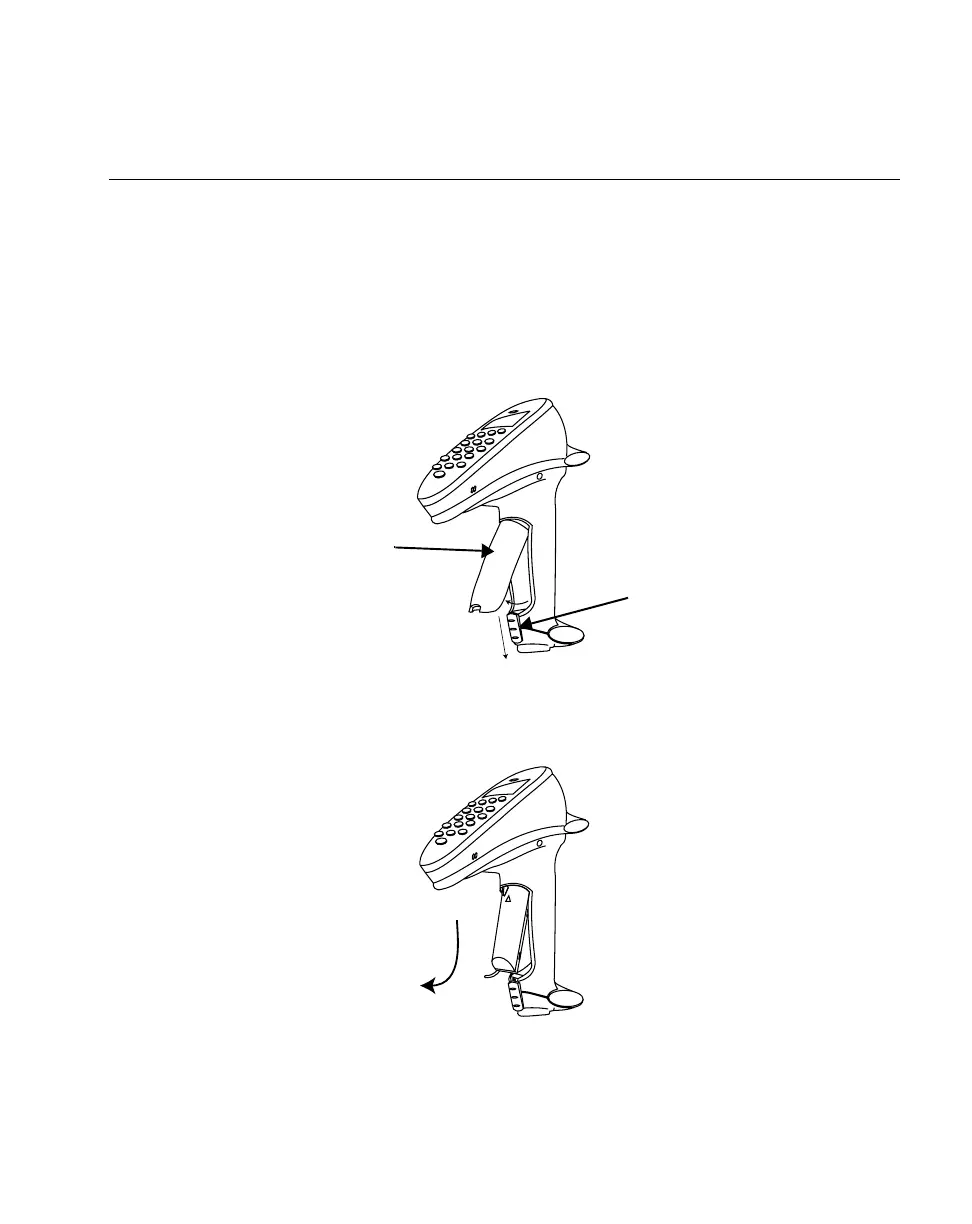
1. Slide the release latch down using center indent and remove the cover.
Figure 2-6. Removing the Battery Compartment Cover
2. Slide the battery toward the bottom of the scanner and then pull the bottom of the
battery back and out of the scanner.
Figure 2-7. Pulling the Battery Out
Battery
Compartment
Cover
Battery
Release
Latch



 To Next Page