EasyManua.ls Logo

Symbol DS3578 - User Manual

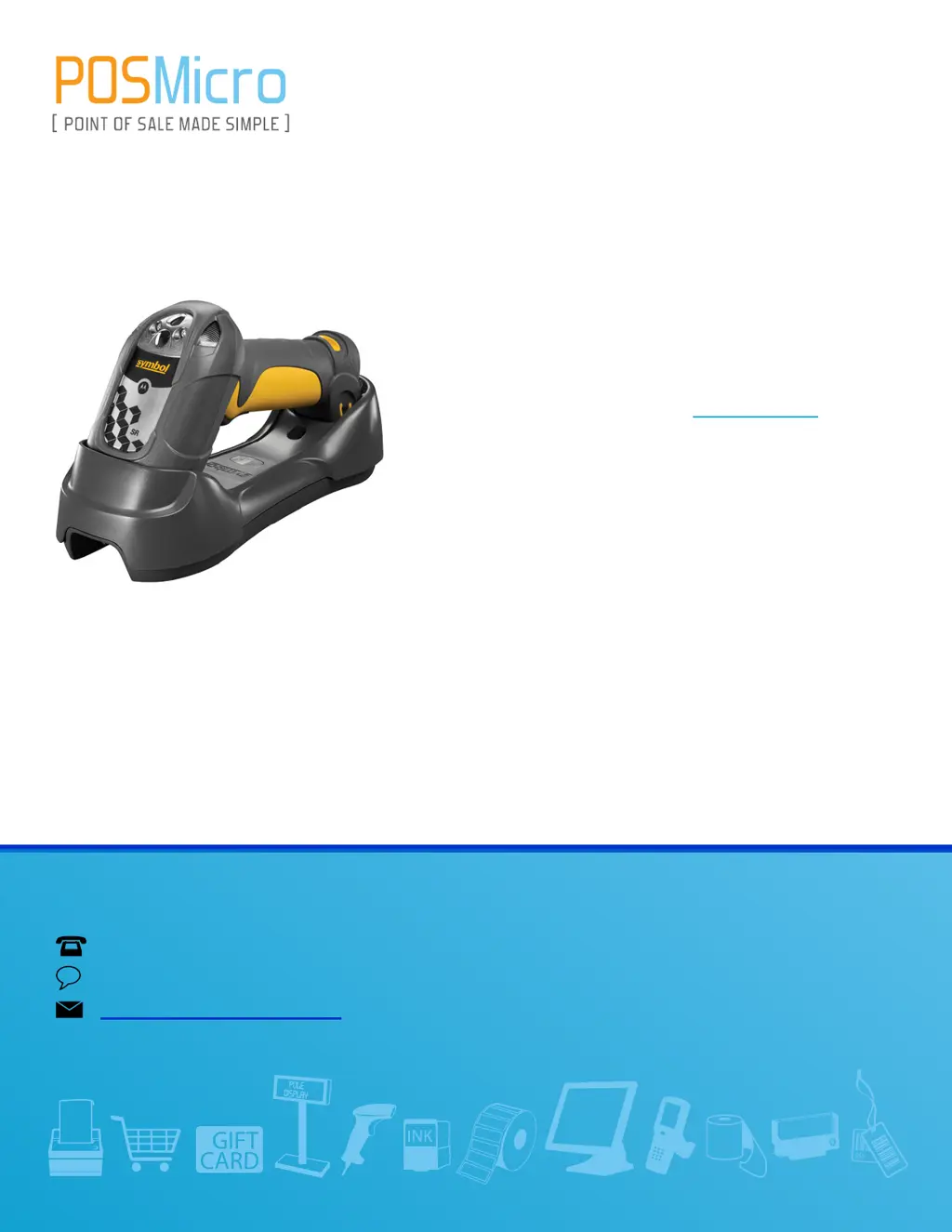
Symbol DS3578
431 pages
Print Icon
To Next Page IconTo Next Page
Loading...
QUESTIONS?
Ask the experts at POSMicro.com.
1.800.241.6264
Live Chat Now
support@POSMicro.com
Monday - Friday 6 AM to 5 PM Pacic Time
BULK DISCOUNTS
FREE SHIPPING*
SE HABLA
ESPAñOL
*Free ground shipping to the continental USA on orders over $100.
For Help Call
1.800.241.6264
Symbol DS3578 Manual
More information available at POSMicro.com

Table of Contents

Other manuals for Symbol DS3578

Questions and Answers

Summary

About This Guide

Introduction

General introduction to the manual's content and purpose.

Configurations

Lists the available scanner configurations and their features.

Notational Conventions

Related Documents

Service Information

Details on how to get product support and service.

Chapter 1 Getting Started

Interfaces

Describes supported host interfaces for the scanner via a cradle.

Connecting the Cradle

Step-by-step guide for connecting the cradle to a host.

Inserting the Battery

Instructions for inserting the battery into the scanner.

Charging the Scanner Battery in the Cradle

Procedure for charging the scanner battery in the cradle.

Pairing

Process of registering a scanner to a cradle for communication.

Chapter 2 Scanning

Beeper Definitions

Explains different beeper sequences and their indications.

LED Definitions

Explains scanner and cradle LED status indications.

Scanning

Instructions for aiming and decoding bar codes.

Aiming

Explains the aiming pattern and scanning orientation.

Decode Ranges

Details depth of field for different scanner models and label densities.

Chapter 3 Maintenance and Technical Specifications

Maintenance

Procedures for cleaning the scanner window.

Troubleshooting

Lists common problems, causes, and solutions for scanner issues.

Technical Specifications

Lists physical and performance specifications of the scanner.

Chapter 4 Radio Communications

Radio Communications Parameter Defaults

Lists default radio communication parameters.

Radio Communications Host Types

Explains different host types for scanner communication.

Bluetooth Security

Supports Bluetooth Authentication and Encryption features.

PIN Code

Setting and synchronizing PIN codes for security.

Chapter 5 User Preferences

User Preferences;Miscellaneous Option Parameter Defaults

Default settings for user preferences and miscellaneous options.

Default Parameters

Resets scanner to factory or custom default settings.

Trigger Mode

Selects among different trigger modes for scanner operation.

Batch Mode

Supports three versions of batch mode for storing bar code data.

Chapter 6 Imaging Preferences

Imaging Preferences Parameter Defaults

Default settings for imaging preference parameters.

Snapshot Mode Timeout

Sets the duration the scanner remains in Snapshot Mode.

Crop to Pixel Addresses

Sets pixel addresses for cropping images.

Chapter 7 Keyboard Wedge Interface

Connecting a Keyboard Wedge Interface

Instructions for connecting the keyboard wedge interface Y-cable.

Keyboard Wedge Default Parameters

Lists default parameters for keyboard wedge host.

Keyboard Wedge Country Types (Country Codes)

Sets the keyboard country type for wedge interface.

Chapter 8 RS-232 Interface

Connecting an RS-232 Interface

Guide for direct connection from cradle to host computer.

RS-232 Default Parameters

Lists default parameters for RS-232 host connections.

Baud Rate

Sets the data transmission rate to match the host device.

Hardware Handshaking

Controls data transmission using RTS/CTS lines.

Chapter 9 USB Interface

Connecting a USB Interface

Guide for connecting the cradle to a USB host or hub.

USB Default Parameters

Lists default parameters for USB host connections.

USB Polling Interval

Sets polling interval for data transfer rate between scanner and host.

Chapter 10 IBM 468 X;469 X Interface

Connecting to an IBM 468 X;469 X Host

Guide for direct connection from cradle to IBM host interface.

IBM Default Parameters

Lists default parameters for IBM host connections.

Chapter 11 123 Scan2

123 Scan2 Requirements

Lists necessary hardware and software for using 123Scan2.

Chapter 12 OCR Programming

OCR Parameter Defaults

Lists default parameters for OCR programming.

OCR Template

Creates a template for precisely matching scanned OCR characters.

Chapter 13 Symbologies

Symbology Parameter Defaults

Lists default values for all symbologies parameters.

Code 128

Enables or disables Code 128 symbology.

Code 39

Enables or disables Code 39 symbology.

GS1 DataBar

Settings for GS1 DataBar variants (DataBar-14, Expanded, Limited).

2 D Symbologies

Settings for PDF417 and MicroPDF417 symbologies.

Chapter 14 Advanced Data Formatting

Introduction

Customizes data before transmission using ADF rules.

Appendix A Standard Default Parameters

Radio Communications

Default parameters for radio communication settings.

User Preferences

Default settings for user preferences.

Appendix B Programming Reference

Symbol Code Identifiers

Lists code characters and their corresponding code types.

Appendix D Alphanumeric Bar Codes

Alphanumeric Keyboard

Bar codes representing alphanumeric characters for programming.

Appendix E Numeric Bar Codes

Numeric Bar Codes

Bar codes representing numeric values for programming.

Appendix F ASCII Character Sets

ASCII Character Sets

Tables mapping ASCII values to keystrokes and code characters.

Appendix G Signature Capture Code

Signature Capture Area

Defines the printable area for signature capture codes.

Start; Stop Patterns

Lists accepted start/stop patterns for CapCode.

Summary

About This Guide

Introduction

General introduction to the manual's content and purpose.

Configurations

Lists the available scanner configurations and their features.

Notational Conventions

Related Documents

Service Information

Details on how to get product support and service.

Chapter 1 Getting Started

Interfaces

Describes supported host interfaces for the scanner via a cradle.

Connecting the Cradle

Step-by-step guide for connecting the cradle to a host.

Inserting the Battery

Instructions for inserting the battery into the scanner.

Charging the Scanner Battery in the Cradle

Procedure for charging the scanner battery in the cradle.

Pairing

Process of registering a scanner to a cradle for communication.

Chapter 2 Scanning

Beeper Definitions

Explains different beeper sequences and their indications.

LED Definitions

Explains scanner and cradle LED status indications.

Scanning

Instructions for aiming and decoding bar codes.

Aiming

Explains the aiming pattern and scanning orientation.

Decode Ranges

Details depth of field for different scanner models and label densities.

Chapter 3 Maintenance and Technical Specifications

Maintenance

Procedures for cleaning the scanner window.

Troubleshooting

Lists common problems, causes, and solutions for scanner issues.

Technical Specifications

Lists physical and performance specifications of the scanner.

Chapter 4 Radio Communications

Radio Communications Parameter Defaults

Lists default radio communication parameters.

Radio Communications Host Types

Explains different host types for scanner communication.

Bluetooth Security

Supports Bluetooth Authentication and Encryption features.

PIN Code

Setting and synchronizing PIN codes for security.

Chapter 5 User Preferences

User Preferences;Miscellaneous Option Parameter Defaults

Default settings for user preferences and miscellaneous options.

Default Parameters

Resets scanner to factory or custom default settings.

Trigger Mode

Selects among different trigger modes for scanner operation.

Batch Mode

Supports three versions of batch mode for storing bar code data.

Chapter 6 Imaging Preferences

Imaging Preferences Parameter Defaults

Default settings for imaging preference parameters.

Snapshot Mode Timeout

Sets the duration the scanner remains in Snapshot Mode.

Crop to Pixel Addresses

Sets pixel addresses for cropping images.

Chapter 7 Keyboard Wedge Interface

Connecting a Keyboard Wedge Interface

Instructions for connecting the keyboard wedge interface Y-cable.

Keyboard Wedge Default Parameters

Lists default parameters for keyboard wedge host.

Keyboard Wedge Country Types (Country Codes)

Sets the keyboard country type for wedge interface.

Chapter 8 RS-232 Interface

Connecting an RS-232 Interface

Guide for direct connection from cradle to host computer.

RS-232 Default Parameters

Lists default parameters for RS-232 host connections.

Baud Rate

Sets the data transmission rate to match the host device.

Hardware Handshaking

Controls data transmission using RTS/CTS lines.

Chapter 9 USB Interface

Connecting a USB Interface

Guide for connecting the cradle to a USB host or hub.

USB Default Parameters

Lists default parameters for USB host connections.

USB Polling Interval

Sets polling interval for data transfer rate between scanner and host.

Chapter 10 IBM 468 X;469 X Interface

Connecting to an IBM 468 X;469 X Host

Guide for direct connection from cradle to IBM host interface.

IBM Default Parameters

Lists default parameters for IBM host connections.

Chapter 11 123 Scan2

123 Scan2 Requirements

Lists necessary hardware and software for using 123Scan2.

Chapter 12 OCR Programming

OCR Parameter Defaults

Lists default parameters for OCR programming.

OCR Template

Creates a template for precisely matching scanned OCR characters.

Chapter 13 Symbologies

Symbology Parameter Defaults

Lists default values for all symbologies parameters.

Code 128

Enables or disables Code 128 symbology.

Code 39

Enables or disables Code 39 symbology.

GS1 DataBar

Settings for GS1 DataBar variants (DataBar-14, Expanded, Limited).

2 D Symbologies

Settings for PDF417 and MicroPDF417 symbologies.

Chapter 14 Advanced Data Formatting

Introduction

Customizes data before transmission using ADF rules.

Appendix A Standard Default Parameters

Radio Communications

Default parameters for radio communication settings.

User Preferences

Default settings for user preferences.

Appendix B Programming Reference

Symbol Code Identifiers

Lists code characters and their corresponding code types.

Appendix D Alphanumeric Bar Codes

Alphanumeric Keyboard

Bar codes representing alphanumeric characters for programming.

Appendix E Numeric Bar Codes

Numeric Bar Codes

Bar codes representing numeric values for programming.

Appendix F ASCII Character Sets

ASCII Character Sets

Tables mapping ASCII values to keystrokes and code characters.

Appendix G Signature Capture Code

Signature Capture Area

Defines the printable area for signature capture codes.

Start; Stop Patterns

Lists accepted start/stop patterns for CapCode.

Symbol DS3578 Specifications

General IconGeneral
SealingIP65
Connectivity TechnologyBluetooth
Scan PatternOmnidirectional
Scan EngineSE4500
Power SourceBattery
Drop Specification6.5 ft./2 m drops to concrete
Decode Capability1D, 2D, and PDF417
BatteryLithium ion battery
Radio RangeUp to 300 ft./100 m
Operating Temperature-4° to 122° F/-20° to 50° C
Supported Symbologies1D, 2D, PDF417, Postal
InterfaceUSB, RS232, Keyboard Wedge, IBM 468X/9X
Storage Temperature-40° F to 158° F/-40° C to 70° C
Humidity5% to 95% relative humidity, non-condensing

Related product manuals