2 - 6 DS3578 With FIPS Digital Scanner Product Reference Guide
Aiming
When scanning, the DS3578-SR/HD/DP projects a red laser aiming pattern which allows positioning the bar code
within its field of view. See Decode Ranges on page 2-8 for the proper distance to achieve between the digital
scanner and a bar code.
Figure 2-3
DS3578-SR/HD/DP Imager Aiming Pattern
If necessary, the digital scanner turns on its red LEDs to illuminate the target bar code.
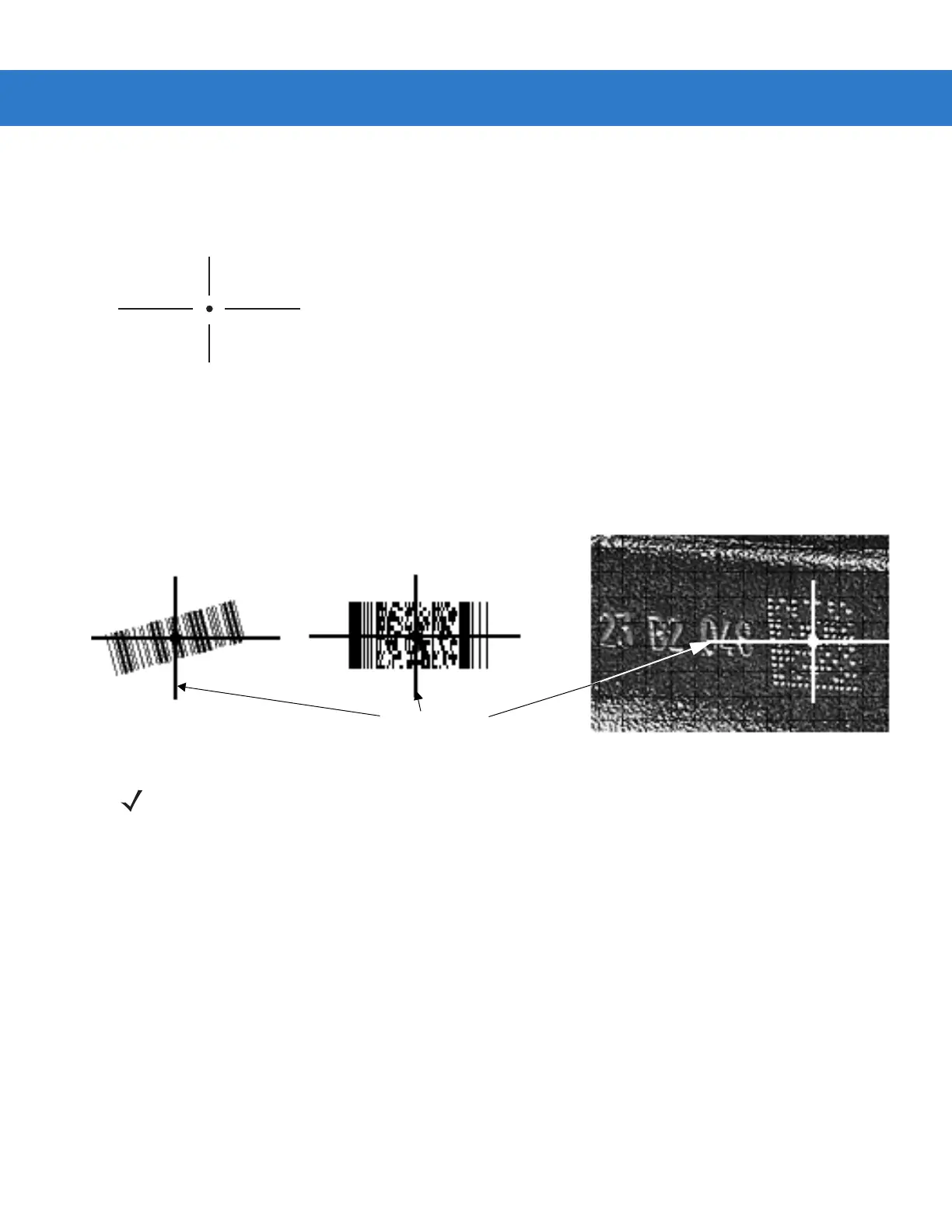
To scan a bar code, center the symbol in any orientation within the aiming pattern. Be sure the entire symbol is
within the rectangular area formed by the cross pattern.
Figure 2-4
Scanning Orientation with Imager Aiming Pattern
1D bar code symbol
2D bar code symbol
2D dot peen DPM symbol
Aiming Pattern
NOTE Scanning Direct Part Mark (DPM) bar codes with the DS3578-DP20005WR and DS3578-DP2F005WR
digital scanner: Due to the reflective nature of some surfaces used with DPM bar codes (see Figure 2-4),
it may be necessary to tilt the digital scanner at an angle relative to the target (Motorola recommends
25-45 degrees). For example, when scanning a 15 mil dot peen Datamatrix bar code marked on an
aluminum surface with the DS3578-DP, present the target between two and three inches from the nose of
the digital scanner, and tilt the digital scanner at a 30 degree angle.
When scanning standard (non-DPM) bar codes with any configuration of the DS3578 digital scanner,
follow the standard aiming instructions described in Aiming on page 2-6.



 To Next Page