1 - 10 DS3578 With FIPS Digital Scanner Product Reference Guide
Inserting the Scanner in the Cradle
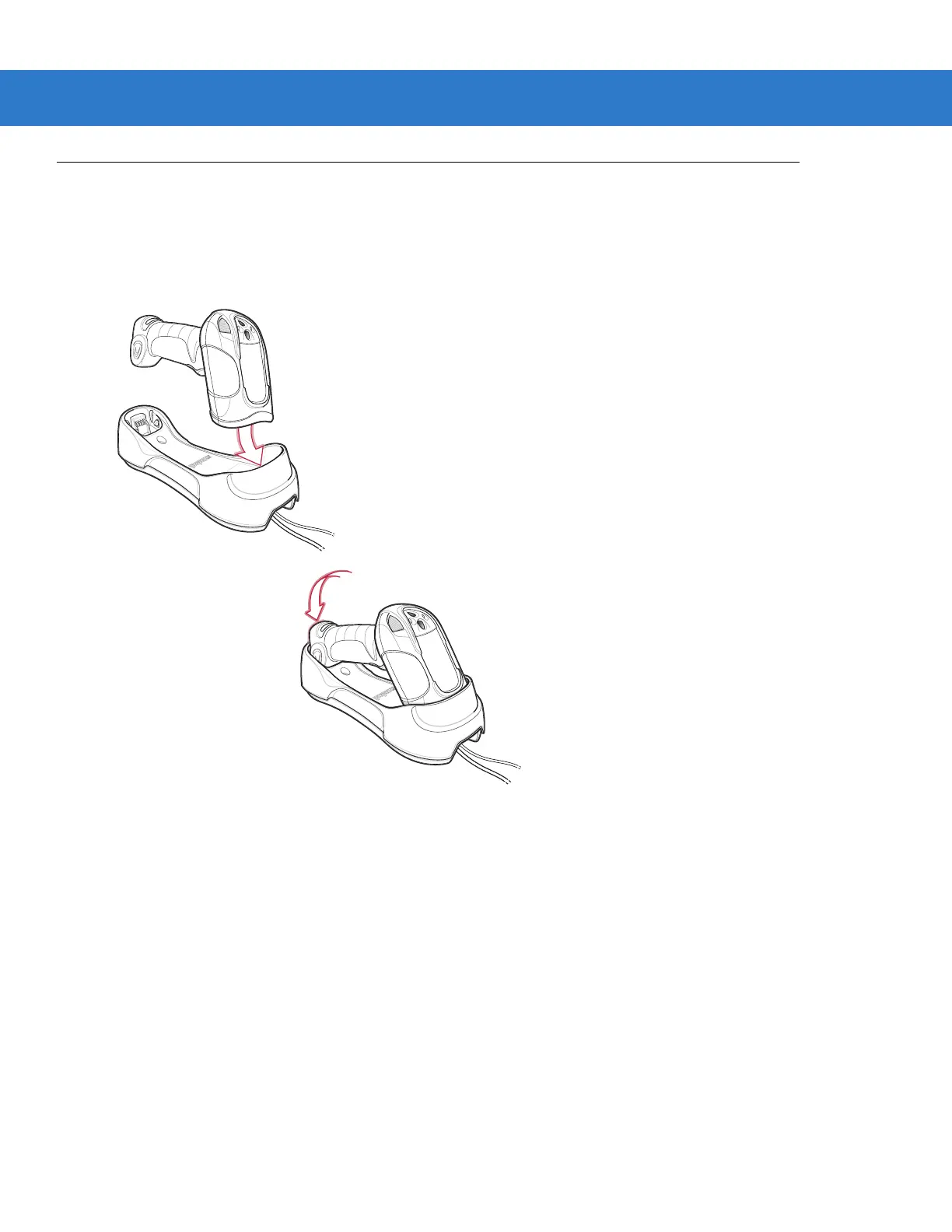
To insert the digital scanner in the cradle:
1. Insert the digital scanner into the cradle top first.
2. Push the handle until it clicks into place, engaging the contacts in the cradle and digital scanner.
Figure 1-6
Inserting the Scanner in the Cradle


 To Next Page