User Preferences 5 - 29
Focus Mode
Parameter # F0h A6h
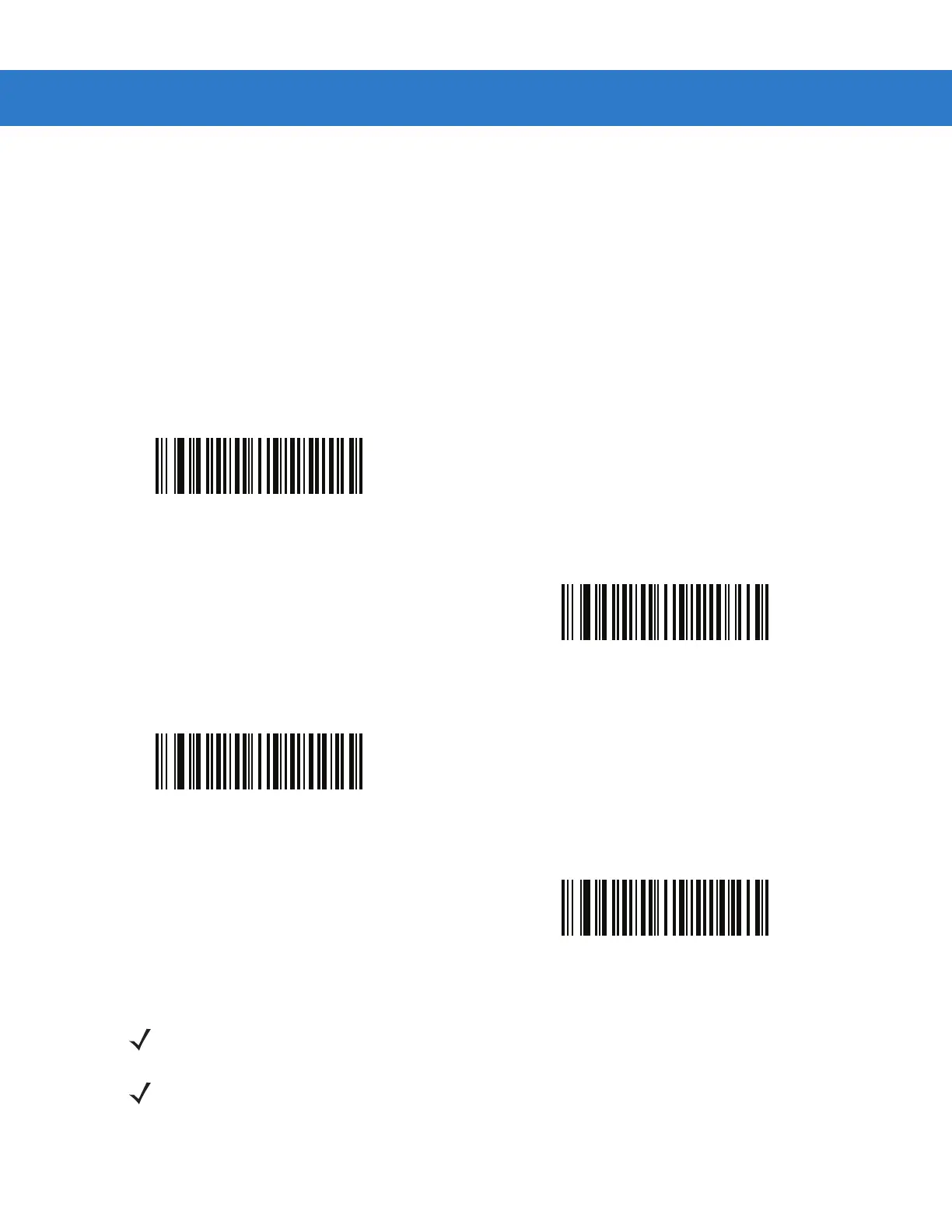
Select the Focus Mode to control the working range of the DS3578-ER digital scanner.
•
Select Far Only focus to optimize the digital scanner to read at its far position. Use this mode when scanning
large bar codes in order to fit these bar codes in the digital scanner’s field of view.
•
Select Near Only focus to optimize the digital scanner to read at its near position. Use this mode when
scanning small, high-density bar codes.
•
Select Alternating focus to toggle between near and far focus position.
•
Select Auto-Ranging focus to allow the digital scanner to control the focus operation
Far Only
(00h)
Alternating
(02h)
Near Only
(01h)
*Auto-Ranging
(03h)
NOTE Standard size parameter bar codes may not decode when in Far Focus Mode.
NOTE Picklist Mode temporarily over-rides the Disable Decode Aiming Pattern parameter. The Decode Aiming
Pattern can not be Disabled when the following parameter settings are selected:
•
Smart LED Mode is set to Enable (DS3578-ER configuration)
•
Focus Mode is set to Auto-Ranging (DS3578-ER configuration)
•
Picklist Mode is set to Enable (DS3578-ER and DS3578-SR configurations)



 To Next Page