EasyManua.ls Logo

System Sensor PDRP-1001 - User Manual

System Sensor PDRP-1001
44 pages
Print Icon
To Next Page IconTo Next Page
Loading...
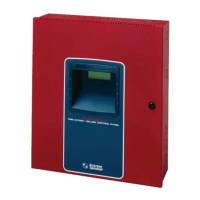
The PDRP-1001/PDRP-1001A/PDRP-1001E
Deluge Preaction Control Panel
Manual
System Sensor
3825 Ohio Avenue
St. Charles, IL 60174
1-800-SENSOR2
Fax: 630-377-6495
PDRP1001.CD
Document 50734
03/11/99 Revision:
C
PN 50734:C ECN 99-166
I56-933-01

Table of Contents

Questions and Answers

  • H
    Heather MasonAug 19, 2025
    How to troubleshoot AC Power LED off on System Sensor Control Panel?
    • J
      James SmithAug 19, 2025
      If the AC Power LED is off, it could be due to a loss of main power. Check the incoming power at TB5 (or TB1 for 4XB panels). Alternatively, a damaged circuit breaker could be the cause; in this case, replace the circuit board.
  • A
    Albert ScottAug 21, 2025
    What to do if the Power trouble LED is on for System Sensor PDRP-1001 Control Panel?
    • G
      Gabriel RussellAug 21, 2025
      If the Power trouble LED is on, it could be due to missing or disconnected battery connections, so check them. Alternatively, the battery might be low or damaged. To resolve this: 1. Remove the batteries and check the voltage across the charger output (17 to 19V for 24V systems; 8-10V for 12V systems). If the voltage is incorrect, replace the circuit board. 2. Reconnect the batteries and measure the battery voltage at the battery terminals. If the voltage is less than 85% of the rated voltage, allow them to charge for 48 hours. 3. If the problem persists, replace the batteries.
  • J
    Jake WadeAug 23, 2025
    What to do if the Ground fault trouble Earth yellow LED is on in System Sensor PDRP-1001 Control Panel?
    • A
      Alyssa ScottAug 25, 2025
      If the Ground fault trouble Earth yellow LED is on: 1. Remove field wiring from the main panel and optional modules (if installed). Install a dummy ELR (4.7K for 24V systems; 2.2K for 12V systems). 2. Remove both battery leads. 3. If the trouble clears, connect one circuit at a time to pinpoint the problem. 4. If the trouble doesn’t clear, replace the circuit board.
  • S
    Shawn Park IIAug 26, 2025
    Why are any of the right column red LEDs on System Sensor Control Panel activated?
    • A
      Andrew LaneAug 26, 2025
      If any of the right column red LEDs are on, it indicates a short on the initiating circuit wiring. Remove the field wiring and install an ELR. If the trouble clears, inspect for faulty or incorrectly wired devices.
  • E
    ethompsonAug 28, 2025
    What does it mean if any of the right column yellow LEDs are flashing on System Sensor PDRP-1001?
    • K
      Kelly WhiteAug 28, 2025
      If any of the right column yellow LEDs are flashing: 1. Check TB4 for proper connections. 2. Remove the field wiring for the zone in trouble and install a dummy ELR (4.7K for 24V systems; 2.2K for 12V systems). If the problem persists, replace the circuit board. 3. Check for an ELR at the last device. 4. Check the field wiring.
  • P
    Peter Davis MDAug 30, 2025
    How do I fix the AC Power LED always on issue on System Sensor PDRP-1001 Control Panel?
    • L
      Lori WilkinsonAug 30, 2025
      If the AC Power LED is always on: 1. Check TB2 for proper connections (TB3 for 4XB panels). 2. Remove all field wiring and install a dummy ELR at the output circuit. Check for supervisory voltage across it (normal -2.3 V). If the problem persists, replace the circuit board. 3. Remove the dummy ELR, reconnect the field wiring, and measure the voltage across the output (trouble -5V, short OV). 4. Check for an ELR at the last device. 5. Check the field wiring.
  • R
    rebeccafloresSep 2, 2025
    What causes a Municipal Box open circuit on a System Sensor PDRP-1001, and how to resolve it?
    • R
      Richard CohenSep 2, 2025
      If there is a Municipal Box open circuit: 1. Install a dummy load if the Municipal Box option isn’t used. 2. Check the Municipal Box wiring.
  • A
    Ashley RobertsSep 4, 2025
    Why is the yellow LED on the 4XTM System Sensor Control Panel on?
    • C
      Christopher DonovanSep 4, 2025
      If the yellow LED on the 4XTM is on, move the Municipal Box disconnect switch SW1 up.
  • A
    Aaron JordanSep 6, 2025
    What does Micro Fail yellow LED on System Sensor PDRP-1001 mean?
    • S
      Shawn SmithSep 6, 2025
      If the Micro Fail yellow LED is on, the microprocessor is damaged. Replace the circuit board.
  • H
    Hannah LeSep 9, 2025
    Why doesn't disconnecting the Municipal Box switch on 4XTM create a trouble on System Sensor PDRP-1001?
    • A
      amyjohnsonSep 9, 2025
      If disconnecting the Municipal Box switch on the 4XTM does not create a trouble, the jumper for optional modules isn’t cut. Cut the associated jumper OPT1 or OPT2.

Summary

1 The PDRP-1001;PDRP-1001 A;PDRP-1001 E

Features

Lists the key features of the PDRP-1001/PDRP-1001A/PDRP-1001E control panel.

Circuits Overview

Details the input and output circuits of the control panel.

Specifications Overview

2 System Operation

System Status LEDs

Explains the function and indication of each status LED on the control panel.

Control Switches Function

Details the function of the panel's control switches (Tone Silence, Alarm Silence, etc.).

Zone Status LEDs

Describes how zone status LEDs indicate alarm, trouble, and supervisory conditions.

3 Installation Procedure

General Installation Guidelines

Provides general guidelines for unpacking and mounting the control panel.

UL Power Limited Wiring

Outlines rules for separating and routing power limited and non-power limited wiring.

Initiating Device Circuits

Zones and Supervision

Explains wiring of alarm initiating devices for supervision and power limitations.

4-Wire Smoke Detector Connections

Output Circuits

Notification Appliance Circuits

Describes configuration and wiring for notification appliance circuits.

Power Outputs

Optional Modules

Installing Option Modules

Instructions for installing optional modules into the control panel.

Setting Mode of Operation

Basic Program Settings

Explains how to set the panel's operating mode using DIP switches.

Discharge Timer Settings

Details how to configure the discharge timer settings using DIP switches.

Appendix A: Power Calculations

NFPA 72 Signaling Systems for Central Station Service

NFPA 72 Auxiliary Fire Alarm System

NFPA 72 Remote Station Fire Alarm System

Troubleshooting Table

System Sensor PDRP-1001 Specifications

General IconGeneral
BrandSystem Sensor
ModelPDRP-1001
CategoryControl Panel
LanguageEnglish

Related product manuals