23
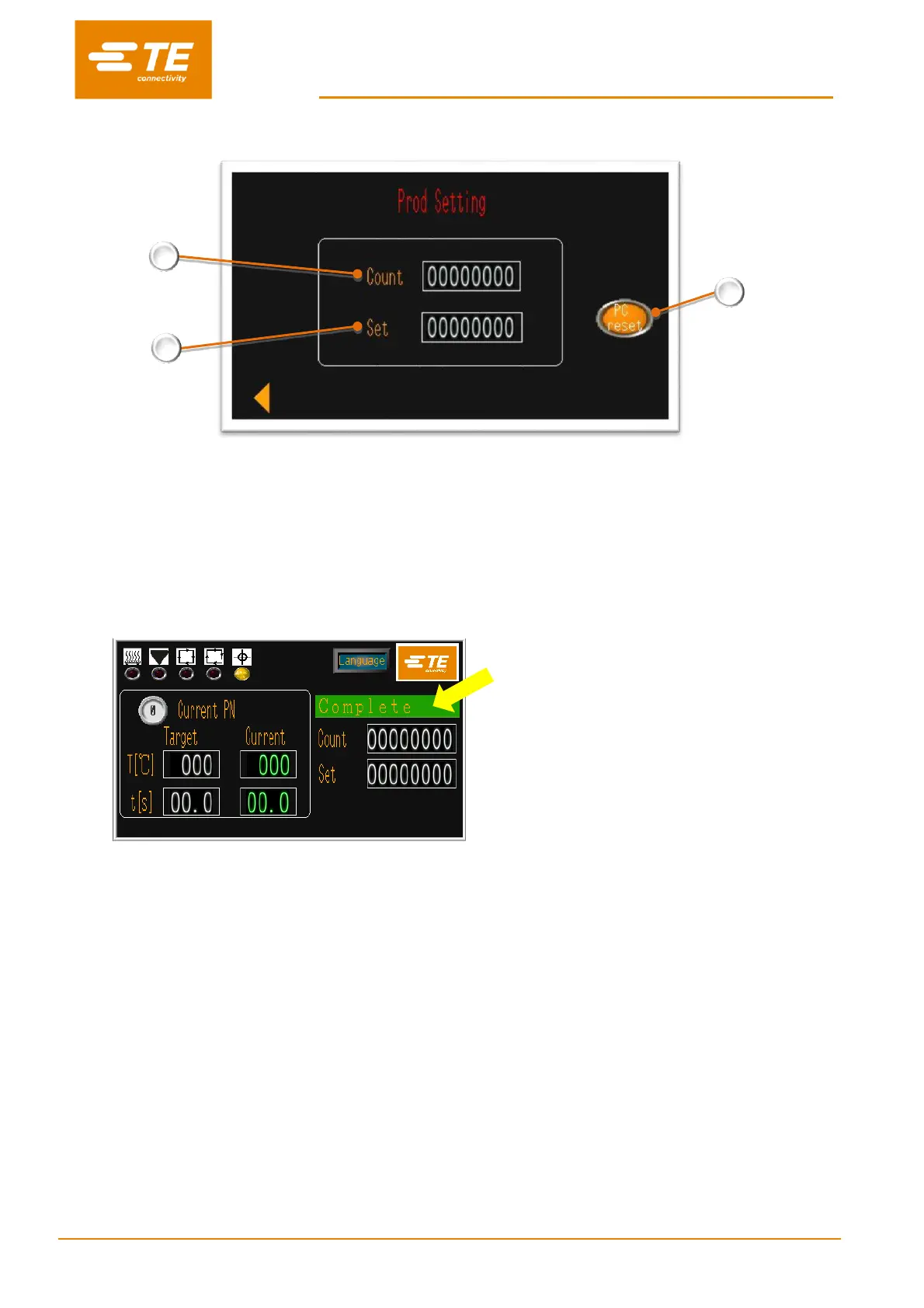
3.4 Production Setting
1. Production counter.
(The number here will +1 automatically after each cycle is completed. The counter won’t count the cycle which was
interrupted.)
2. Target Quantity
If you input the value except 0, main interface will pop up a tip “complete” to remind the operator
production is completed, when the Count value meet Set value. (see below capture). Currently the processor
cannot operate unless you reset by click and hold for 5 seconds on button RESET.
If you input the value 0, you can turn OFF the reminder.
3. Reset button
When processor complete the Target Quantity, processor cannot start new unless you reset the SET value by click
and hold for 5 seconds on RESET button.


 To Next Page