9
1.3 Front Panel-Touch Screen
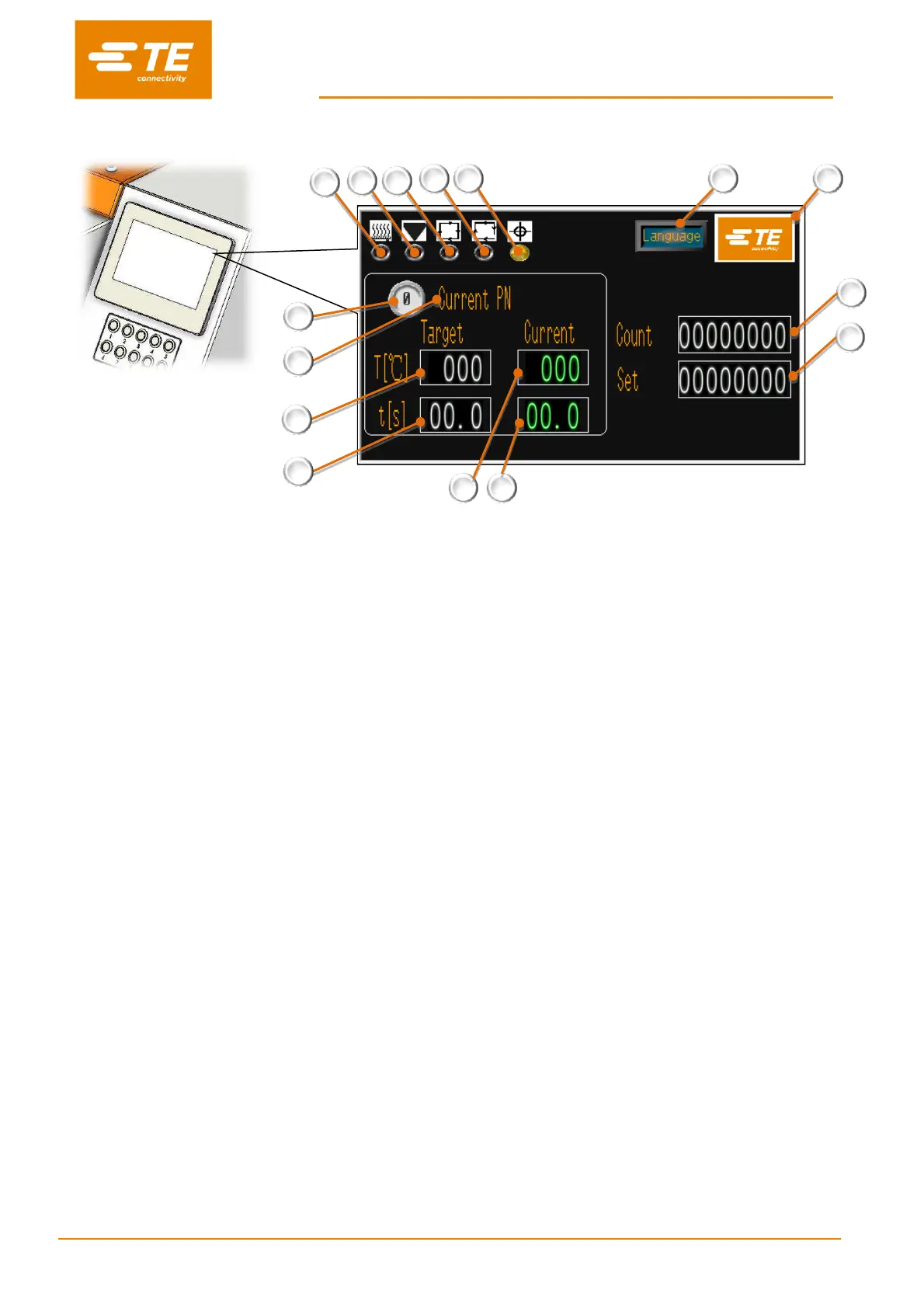
Fig.3 Touch Screen (main interface)
This picture above is showing the main interface. Some other interfaces see section 3 SOFTWARE.
1. Heater Indicator
(Illuminated amber when heater start to warm up. Illuminated green when heater reach set value. Ready to production.)
2. Calibrate Indicator
(Illuminated when calibration required, meanwhile it will pop up reminder for calibration in the main interface.)
3. Cycle Indicator
(Illuminated when running cycle.)
4. Sequence Indicator
(Illuminated when access to Sequence Production mode)
5. Auto Centering Indicator (to activate in maintenance page, “Centering”)
RBK-X1, Normally OFF. When activated, processor would show error.
RBK-X1C, Normally OFF. When activated, this indicator would show in main page. Operator can operate the processor
with Auto Centering function when this indicator shown green. Indicator illuminated amber during cycle, illuminated red
when error.
6. Current process
(Display current selected process button number. 10X pre-set process buttons available.)
7. Current PN
(Display product size or PN stored in the current selected process button.)
8. Target Temperature
(Display Temperature stored in the current selected process button.)
9. Target time
(Display time stored in the current selected process button.)
10. Current Temperature
(Display the real Temperature of current cycle.)
11. Current time
(Display the real time of current cycle.)


 To Next Page