27
3.7 Manual Calibration
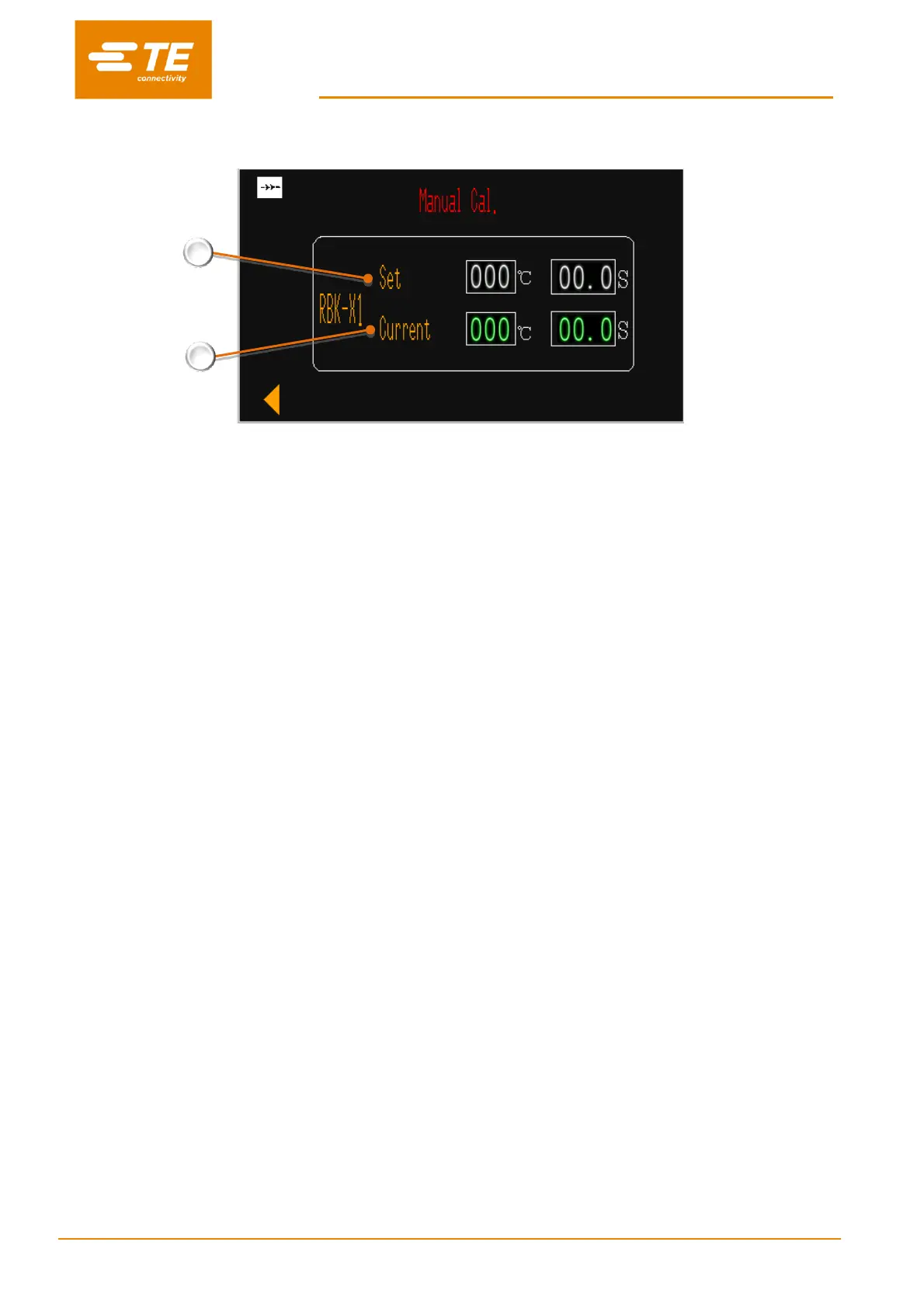
RBK-X1 “Set”
RBK processor calibration temperature and cycle time. Factory setting: 500°C @ 15S.
RBK-X1 “Current”
RBK processor real temperature and cycle time. (When calibration cycle start, cycle time will count down from 15S to 0S.)
Manual Calibration Procedure
1. Inactivate the “Centering” in HMI Maintenance page.
2. Enter Manual Calibration page, allow processor to stabilize at least 25 minutes.
3. Connect UHI probe to a calibrated meter.
4. Carry out 3 calibration readings (cool UHI to 23°C± 3°C between each cycle).
Calculate AVERAGE VALUE.
5. Compare measured value (average) with desired value of 130°C ± 5°C.
“New OFFSET” = “old OFFSET” + (“AVERAGE VALUE” - 130°C) x 2
6. Wait 25 minutes for temperature to stabilize.
7. Repeat 3 (and 4 if necessary).
8. After OFFSET has been adjusted correctly it is necessary to wait 15 minutes for temperature to stabilize
prior to normal use.
It is recommended to carry out an auto calibration after manual calibration in order to remove the
‘Cal’ message in the display panel.
Note: If this does not disappear it is necessary to replace the heating element and do auto-calibration.


 To Next Page