28
3.8 Remote Operation Mode
The remote operation mode allows the processor to be controlled by external devices such as an industrial
Computer or Ultrasonic Welding equipment.
(
The TE heat shrink processor was tested and proved functional with
the major ultrasonic welding machine available in the markets, consult with TE for any communication difficulty
occurs.
)
Remote operation is enabled via the RS232 connector,
through an RS232 cable connecting to the external device.
NOTE
:
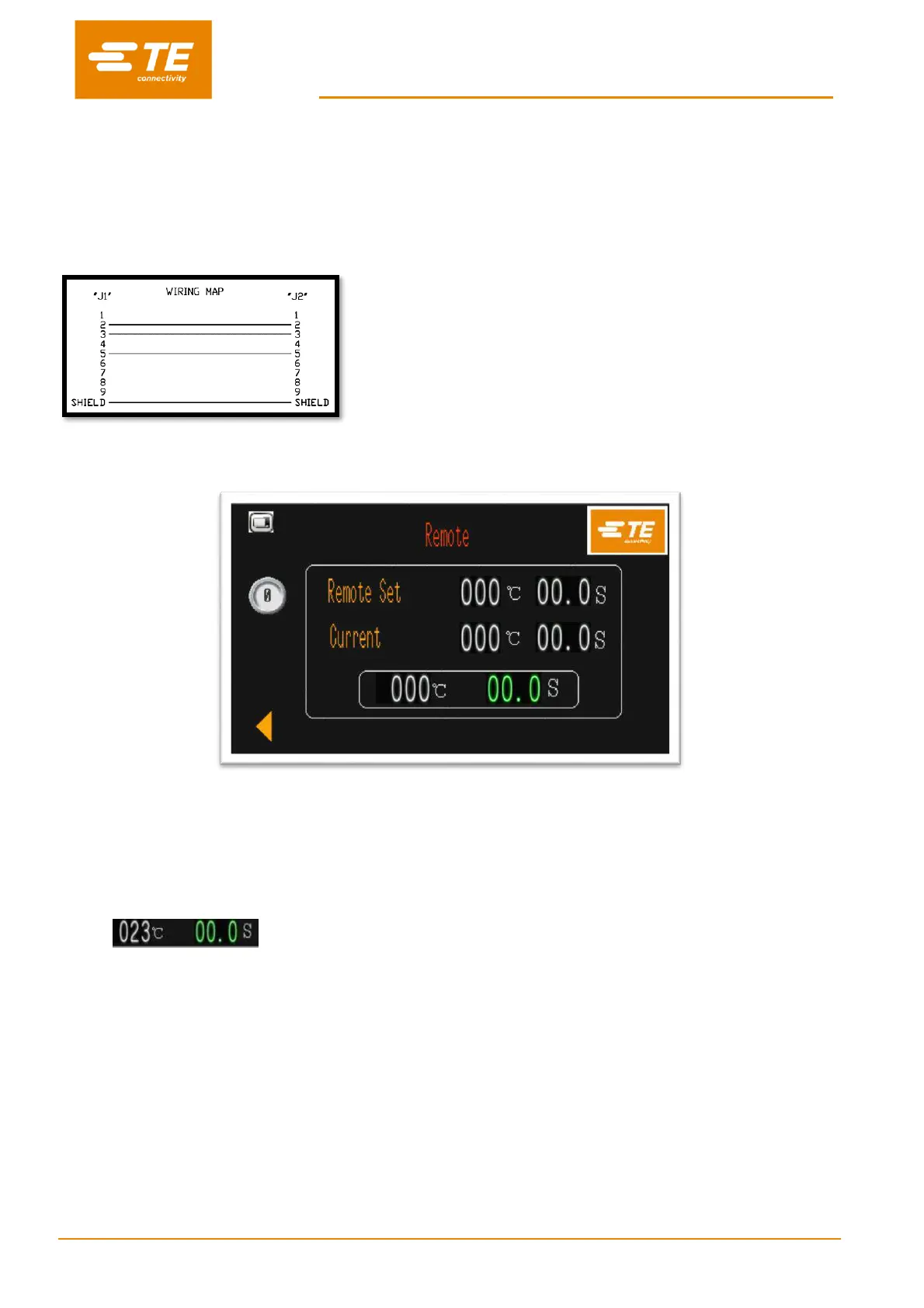
Customer need to prepare the RS232
communication cable (DB9, female to female) by
themselves. See wiring map for this cable on left. Or
purchase it from TE. (Section 4.6.5)
3.8.1 Remote operation Procedure
1. Connect processor with external device via the RS232 communication interface, like Ultrasonic Welding
equipment.
2. Switch OFF to NO, allow the processor to communicate with external device.
3. REMOTE SET, these values are showing the parameter (temperature/time) transferred from external
devices.
4. CURRENT, these values are showing the parameter which processor is operating.
5. These fluctuant values are showing the real time parameter for current process.
6. When RBK processor connect with external device. You can confirm if connection is working correctly by
checking the value on CURRENT and REMOTE SET is comply with the parameter in external device.
7. Press and hold on both start button, processor will operate basing on CURRENT value.
8. Switch ON to OFF, to shut off the communication with external device.
9. Click on left arrow button, back to main interface.


 To Next Page