24
3.5 Maintenance
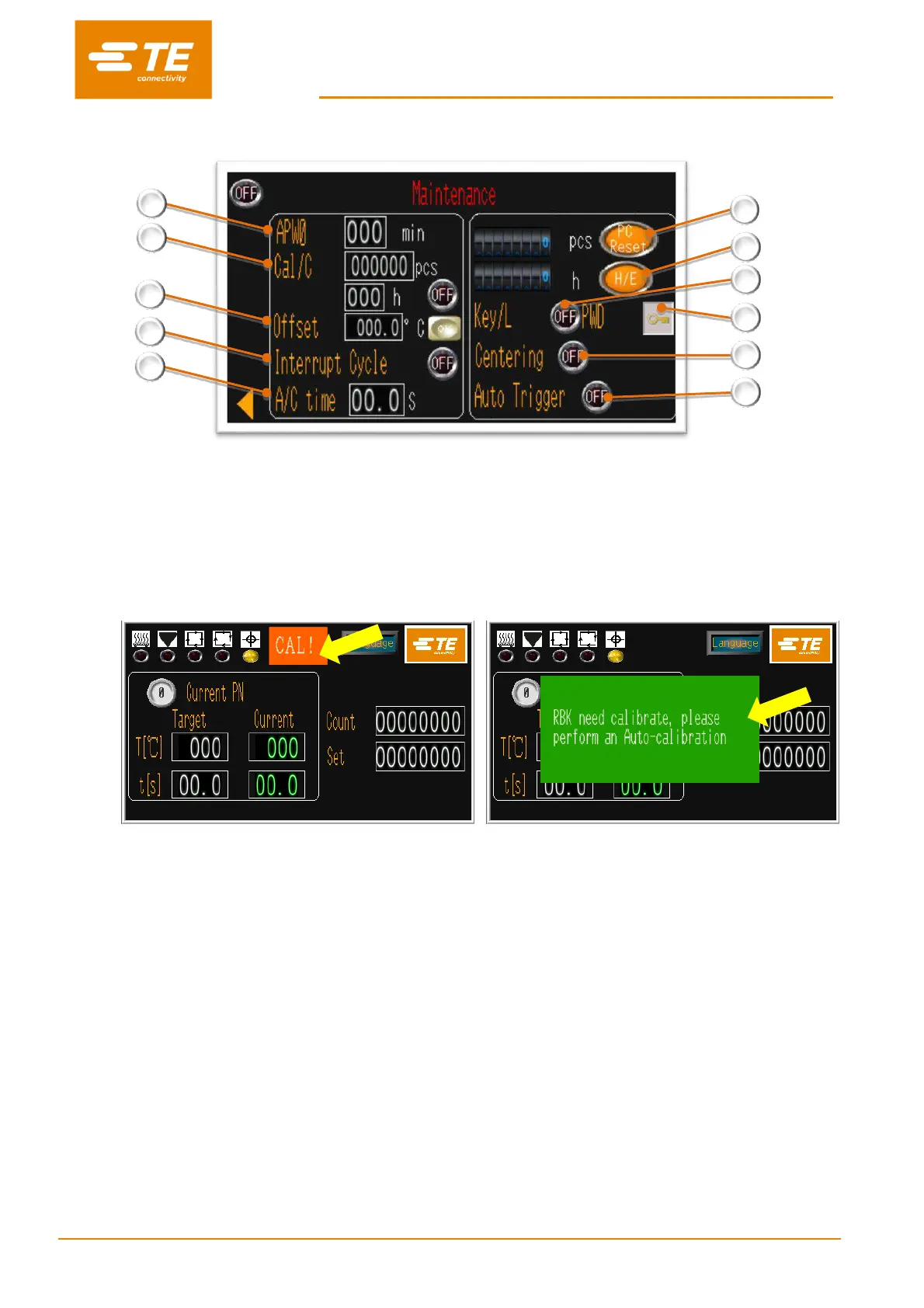
1. Standby Time
Default value: 60 mins. The processor will automatically entry standby mode if no action in 60min.
Input value “0”, will turn OFF this function.
2. Processor Calibration Counter
Count down by cycle (default value: 75000 pcs) or by Hour (default value: 350 Hours). No matter which value
met, calibration reminder will show on touch panel.
And there is a mandatory reminder OFF/ON button behind.
Mandatory reminder OFF
----Operator can ignore and keep on cycle
Mandatory reminder ON
----Processor cannot work before Auto-cal
To extinguish the flashing indications, Auto-calibration must be carried out.
3. Offset value
It can be changed automatically after AUTO CALIBRATION. Or input value and click on OK button to change offset
manually.
4. Interrupt Cycle (Normally OFF)
When switch ON, pressing on both start button during timer count down, would manually override the process and
move the heater chamber to home position.
5. Air cooling time
When air cooling fixture is connected to processor air cooling socket on the rear side, this parameter is designed
to set the air blowing time.
6. Processor cycle counter
Designed to indicate the processor operation cycle after leave factory. It is required to reset this counter when
replaced the motor.
7. Heating element timer
Designed to indicate the hours the heating element operate. It is required to reset this counter when replaced
the heating element.


 To Next Page