Page 26 of 32 IU_TechMaster_02_eng
Invalid code will prompt LCD to display the message
Open the door within 3 seconds.
Before power-off, LCD will display current date and time.
7.5. Opening the lock with Dynamic Codes (Dallas key option)
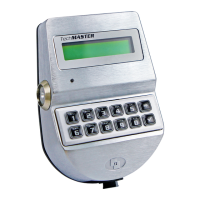
Power up TechMaster (select the lock if two or more locks are installed).
LCD will display the message:
USER CODE
X X – X X X X X X
Insert the Dynamic User Dallas Key. LCD will display the message:
LCD will display the message:
DYNAMIC USER
X X X X X X X X X
Enter the Dynamic Code generated by software and press .
Invalid Dynamic code will prompt the LCD to display the message:
If the Dynamic Code is entered 30 minutes before his activation time
LCD will display the message:
DYNAMIC CODE
BROUGHT FORWARD
If the Dynamic Code is entered 30 minutes after his activation time
LCD will display the message:
Dynamic Codes must be used respecting the sequence of activation
time in which they have been created by the software, otherwise the
last created code will delete all the previous ones (i.e. if three codes
are created and the third one is used before the first and the second
ones, the two first codes will be deleted). LCD will show the message:
Enter the Dynamic Code. LCD will display the message:
Open the door within 3 seconds.
Before power-off, LCD will display current date and time.


 To Next Page