Page 4 of 32 IU_TechMaster_02_eng
Information about TechMaster
Using your keypad
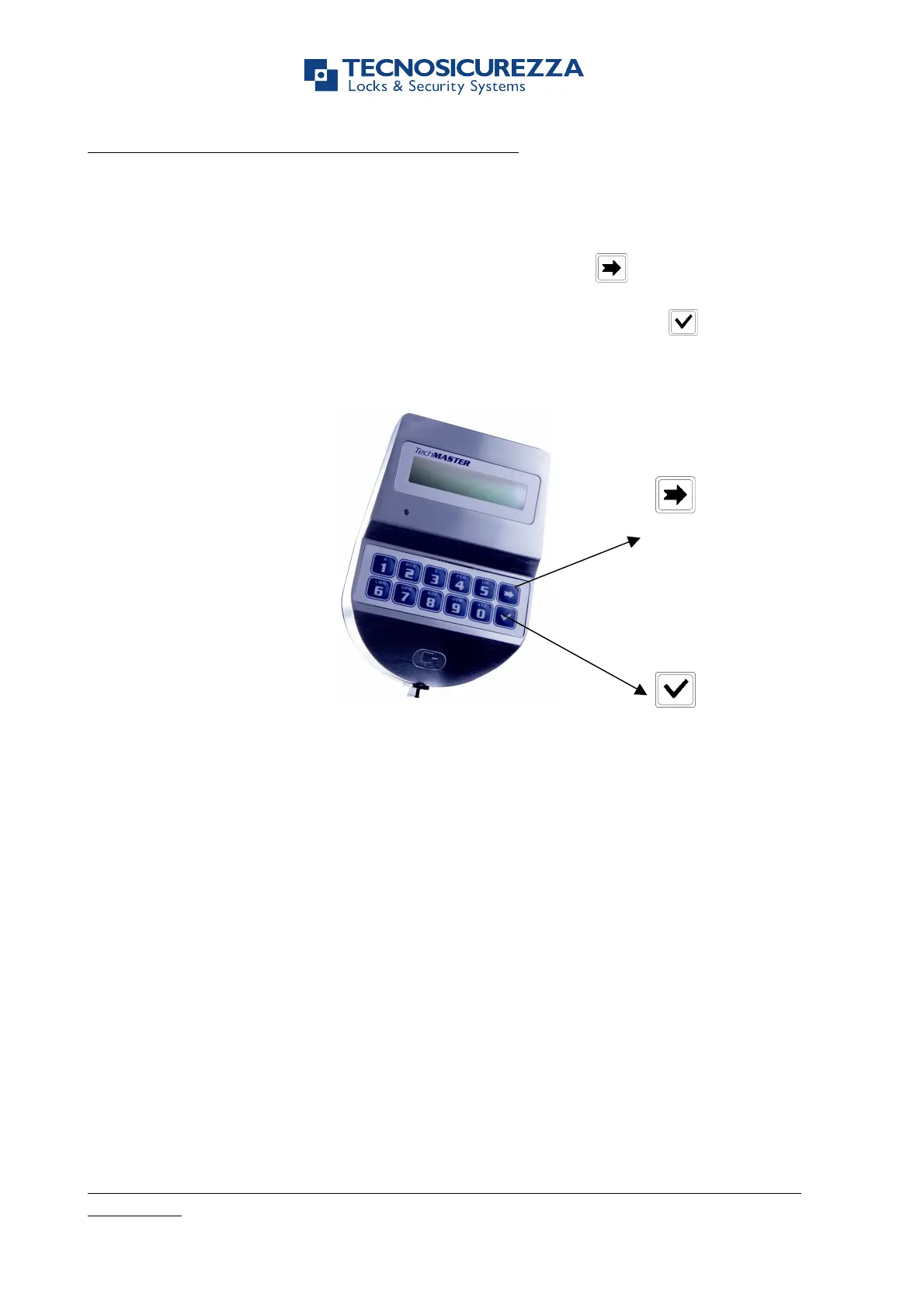
To power up TechMaster press any key.
To slide the functions of a menu use the slide/change button .
To exit from one function of a menu and go back to the main menu slide the functions
until the last one (“EXIT?”) and confirm with the confirm/enter button .
Automatic power savings: LCD will power-off after 30 seconds of non-operation.
TechMaster opening and administration codes
Every user (Manager, Standard user or Override) can be a numerical code or a
numerical code + Dallas key.
Master code can be only a numerical code.
Default TechMaster codes
Default code for TechMaster are:
Master 1 2 3 4 5 6 7 8
Manager 1 2 3 4 5 6
OVR Manager 6 5 4 3 2 1
User 2 0 2 – 0 2 0 2 0 2
User 3 0 3 – 0 3 0 3 0 3
.......... ............
User XY X Y – X Y X Y X Y
Configuration Code 5 0 5 0 5 0
Factory code has to be changed, as soon as the system is initiated by the
final user.


 To Next Page