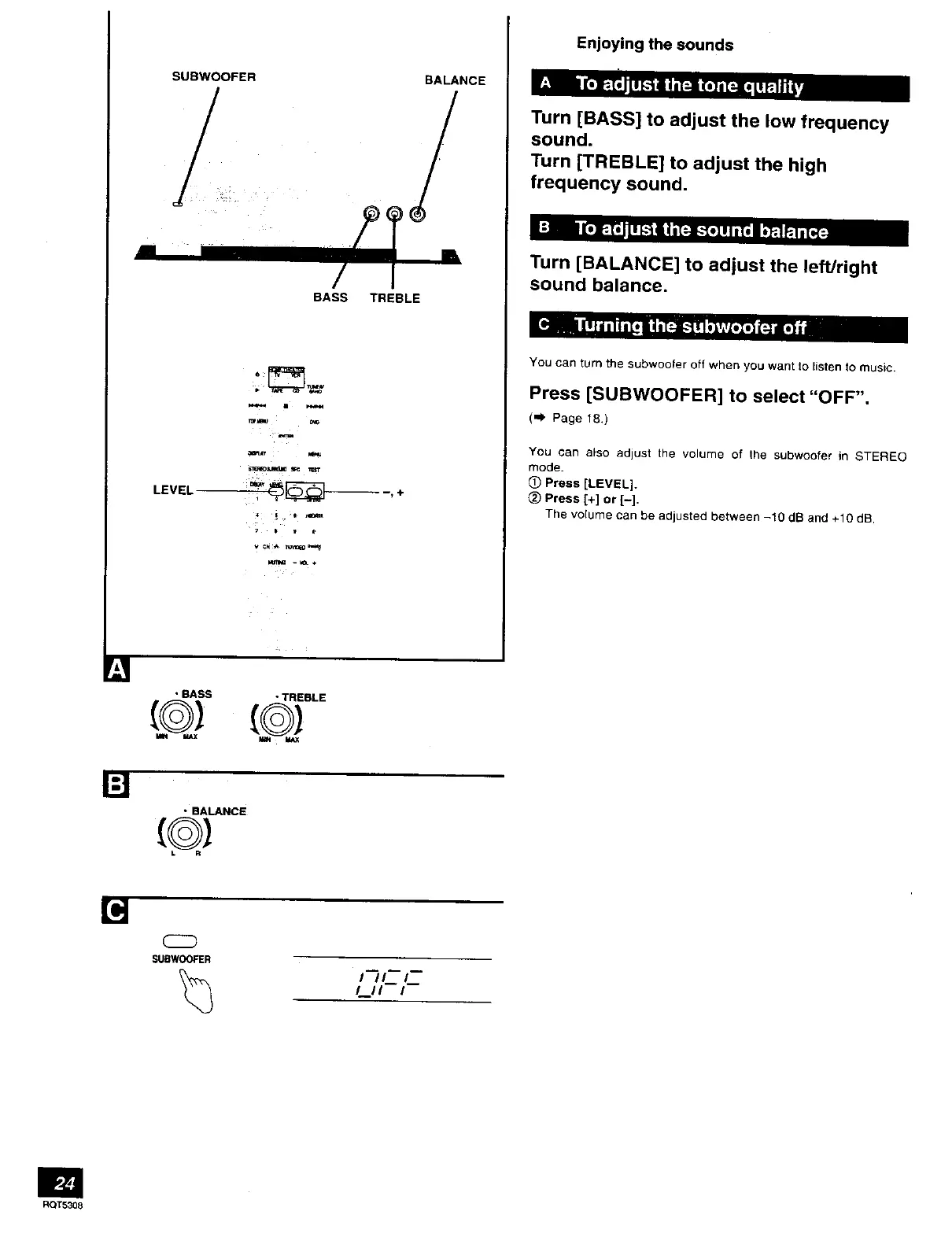
SUBWOOFER
,
BALANCE
BASS TREBLE
LEVEL
T0r_ C_
,+
Enjoying the sounds
Turn [BASS] to adjust the low frequency
sound.
Turn [TREBLE] to adjust the high
frequency sound•
Turn [BALANCE] to adjust the left/right
sound balance.
You can turn the subwoofer off when you want to listen to music.
Press [SUBWOOFER] to select "OFF".
(") Page 18.)
You can also adjust the volume of lhe subwoofer in STEREO
mode.
0 Press [LEVEL].
Press [+] or [-].
The volume can be adjusted between -10 dB and +10 dB.
• BASS • TREBLE
• BALANCE
[g------
CZD
SUBWOOFER
t /L_L_
_tt i
RQT5308


 To Next Page