EasyManua.ls Logo

Technics SC-S2350 - Page 20

Technics SC-S2350
60 pages
Print Icon
To Next Page IconTo Next Page
To Previous Page IconTo Previous Page
Loading...
Listening
|
Listening
to
radio
broadcasts
|
Preset
ra
ES:
Preset
tuning,
::,
Presetting
radio
stations
into
the
memory
channels
of
this
unit
makes
selecting
stations
simple.
A
total
of
30
FM
and
AM
stations
can
be
preset.
Please
remember
this
if
a
new
station
is
preset
into
a
channel,
the
setting
for
the
station
which
was
previously
entered
in
that
channel
will
be
automatically
erased.
Automatic
memory
presetting
Automatic
memory
presetting
allows
this
unit
to
search
for
stations
"and
then
preset
them
into
memory.
Turn
to
the
lowest
frequency
in
FM.
(=
Page
18-19.)
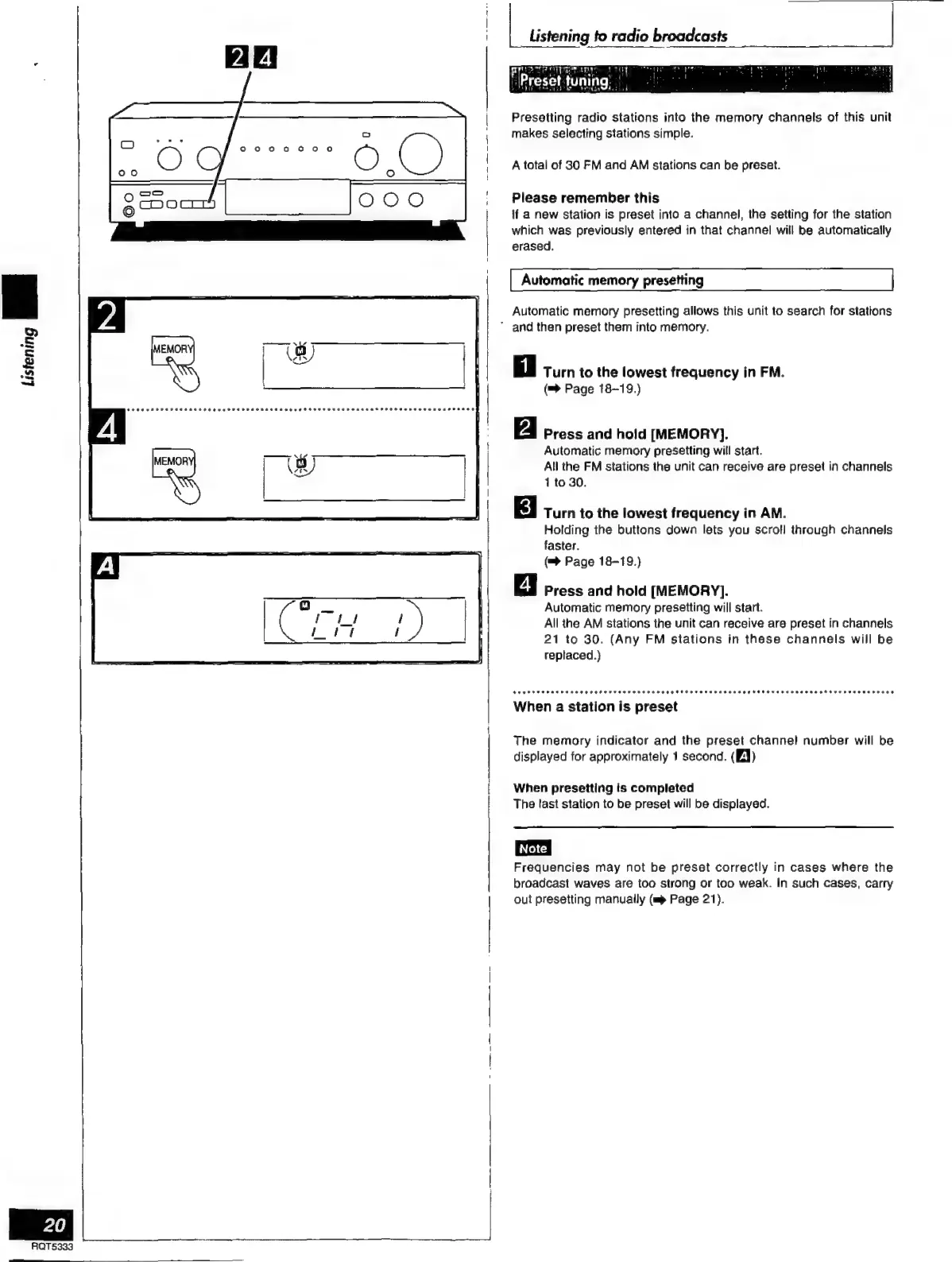
Press
and
hold
[MEMORY].
Automatic
memory
presetting
will
start.
All
the
FM
stations
the
unit
can
receive
are
preset
in
channels
1to30.
Turn
to
the
lowest
frequency
in
AM.
Holding
the
buttons
down
lets
you
scroll
through
channels
faster.
(™
Page
18-19.)
Press
and
hold
[MEMORY].
Automatic
memory
presetting
will
start.
All
the
AM
stations
the
unit
can
receive
are
preset
in
channels
21
to
30.
(Any
FM
stations
in
these
channels
will
be
replaced.)
When
a
station
is
preset
The
memory
indicator
and
the
preset
channel
number
will
be
displayed
for
approximately
1
second.
(EJ)
When
presetting
is
completed
The
tast
station
to
be
preset
will
be
displayed.
Frequencies
may
not
be
preset
correctly
in
cases
where
the
broadcast
waves
are
too
strong
or
too
weak.
In
such
cases,
carry
out
presetting
manually
(mp
Page
21).

Related product manuals