EasyManua.ls Logo

Technics SC-S2350 - Connect the Equipment

Technics SC-S2350
60 pages
Print Icon
To Next Page IconTo Next Page
To Previous Page IconTo Previous Page
Loading...
|
To
enjoy
surround
sound
|
Do
the
connections,
settings,
and
adjustments
in
the
order
shown
to
enjoy
surround
sound
with
this
unit's
DSP
features.
Be
sure
to
make
the
correct
speaker
settings.
Connect
the
equipment
Center
speaker
(=>
Page
7-10)
Front
speaker
Front
speaker
we
E...
;
(Left)
m
mm
(ign)
"309
30°.”
`.
bi
`
Surround
speaker
™,
te
he
_”
Surround
speaker
(Left)
er
(Right)
Position
and
connect
the
speakers
(=>
Page
6,
11,
12)
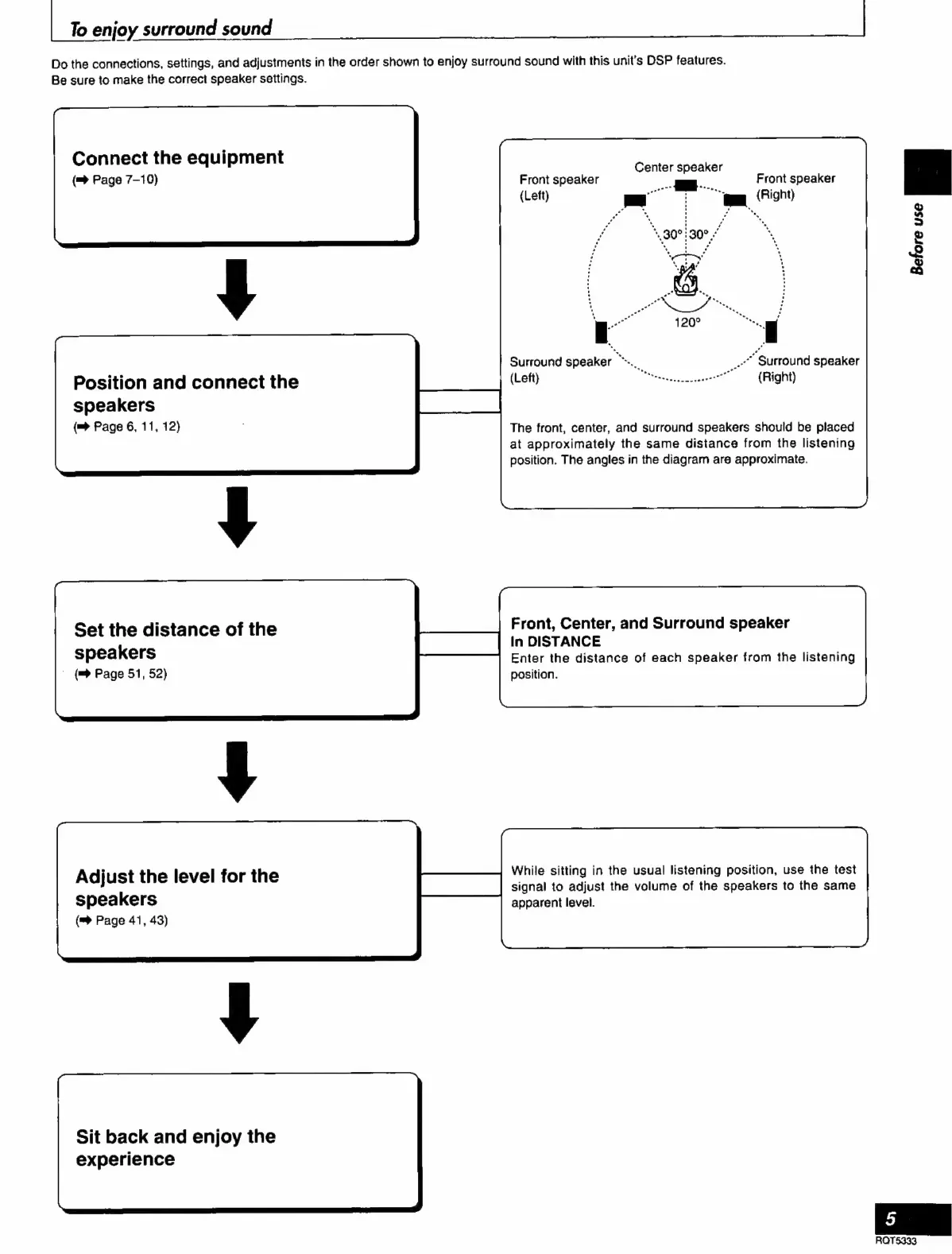
The
front,
center,
and
surround
speakers
should
be
placed
at
approximately
the
same
distance
from
the
listening
position.
The
angles
in
the
diagram
are
approximate.
Set
the
distance
of
the
Front,
Center,
and
Surround
speaker
In
DISTANCE
speakers
Enter
the
distance
of
each
speaker
from
the
listening
`
(
Page
51,
52)
position.
Adjust
the
level
for
the
While
sitting
in
the
usual
listening position,
use
the
test
signal
to
adjust
the
volume
of
the
speakers
to
the
same
speakers
apparent
level.
(™
Page
41,
43)
Sit
back
and
enjoy
the
experience

Related product manuals