EasyManua.ls Logo

Technics SC-S2350 - Digital Signal Processor (DSP)

Technics SC-S2350
60 pages
Print Icon
To Next Page IconTo Next Page
To Previous Page IconTo Previous Page
Loading...
ES
$
E
=
5
A
DSP
-———
DSP
STEREO
SURROUND
SFC
==
o o
STEREO
SURROUND
SFC
o
sor
o
Dolby
Pro
Logic
CA
MICA
A
ART
HANIN
HINI
Dolby
Digital
ITA
IMG
ALTI
TN
TR
TN
FA
reece
a
ain
Tt
i=
/
HEE
NEN
EEE
Software
with
the
following
mark
can
be
played
back
in
these
modes.
DIGITAL
DO
pay)
DIGITAL
DO
(barsvsuarouo)
SURROUND
Digital
Signal
Processor
(DSP)
|
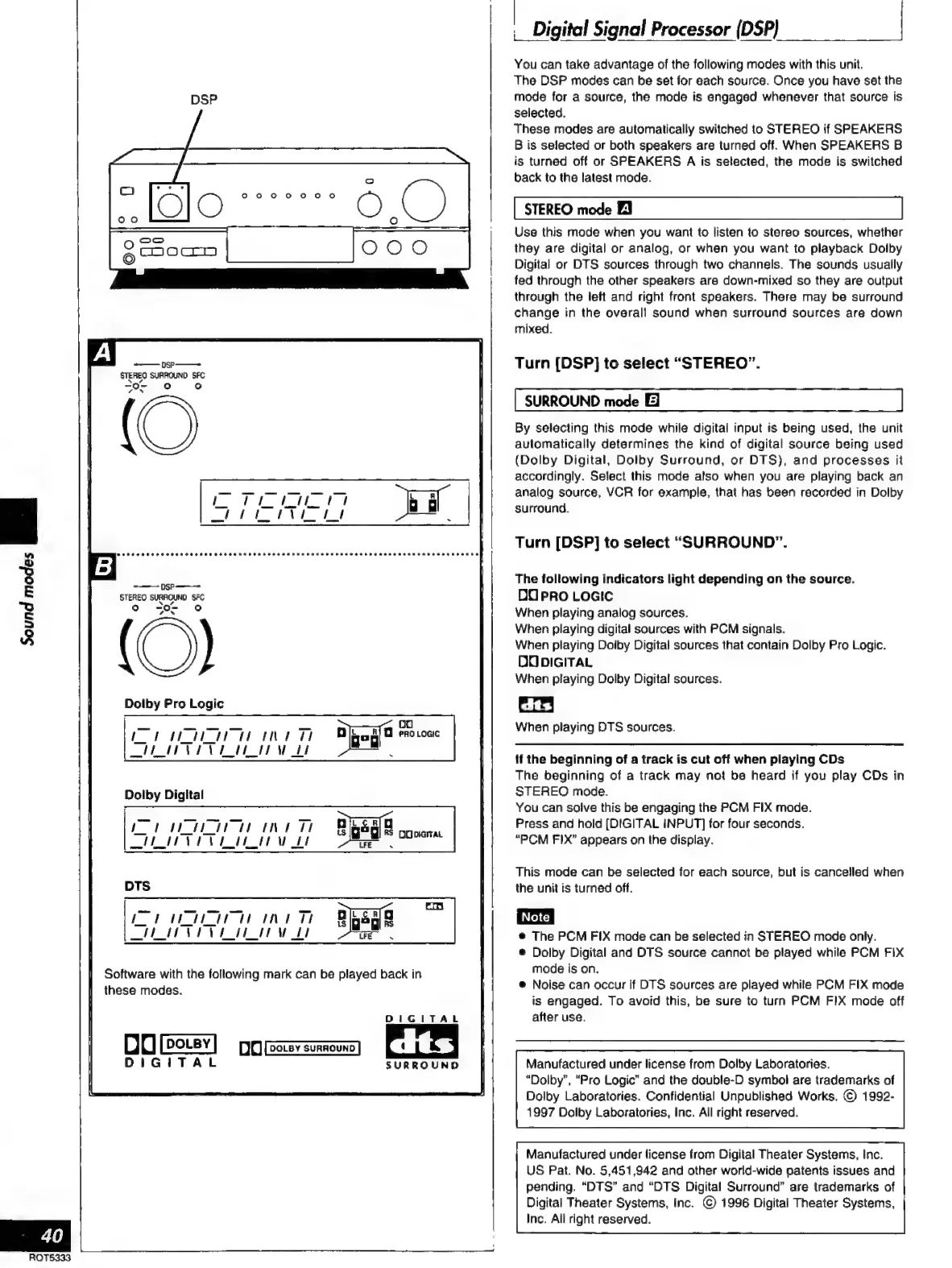
You
can
take
advantage
of
the
following
modes
with
this
unit.
The
DSP
modes
can
be
set
for
each
source.
Once
you
have
set
the
mode
for
a
source,
the
mode
is
engaged
whenever
that
source
is
selected.
These
modes
are
automatically
switched
to
STEREO
if
SPEAKERS
B
is
selected
or
both
speakers
are
turned
off.
When
SPEAKERS
B
is
turned
off
or
SPEAKERS
A
is
selected,
the
mode
is
switched
back
to
the
latest
mode.
STEREO
mode
El
Use
this
mode
when
you
want
to
listen
to
stereo
sources,
whether
they
are
digital
or
analog,
or
when
you
want
to
playback
Dolby
Digital
or
DTS
sources
through
two
channels.
The
sounds
usually
fed
through
the
other
speakers
are
down-mixed
so
they
are
output
through
the
left
and
right
front
speakers.
There
may
be
surround
change
in
the
overall
sound
when
surround
sources
are
down
mixed.
Turn
(DSP]
to
select
“STEREO”.
SURROUND
mode
El
By
selecting
this
mode
while
digital
input
is
being
used,
the
unit
automatically
determines
the
kind
of
digital
source
being
used
(Dolby
Digital,
Dolby
Surround,
or
DTS),
and
processes
it
accordingly.
Select
this
mode
also
when
you
are
playing
back
an
analog
source,
VCR
for
example,
that
has
been
recorded
in
Dolby
surround.
Turn
[DSP]
to
select
“SURROUND”.
The
following
indicators
light
depending
on
the
source.
DO
PRO
LOGIC
When
playing
analog
sources.
When
playing
digital
sources
with
PCM
signals.
When
playing
Dolby
Digital
sources
that
contain
Dolby
Pro
Logic.
DO
DIGITAL
When
playing
Dolby
Digital
sources.
dts)
When
playing
DTS
sources.
if
the
beginning
of
a
track
is
cut
off
when
playing
CDs
The
beginning
of
a
track
may
not
be
heard
if
you
play
CDs
in
STEREO
mode.
You
can
solve
this
be
engaging
the
PCM
FIX
mode.
Press
and
hold
(DIGITAL
INPUT]
for
four
seconds.
“PCM
FIX”
appears
on
the
display.
This
mode
can
be
selected
for
each
source,
but
is
cancelled
when
the
unit
is
turned
off.
e
The
PCM
FIX
mode
can
be
selected
in
STEREO
mode
only.
e
Dolby
Digital
and
OTS
source
cannot
be
played
while
PCM
FIX
mode
is
on.
e
Noise
can
occur
if
DTS
sources
are
played
while
PCM
FIX
mode
is
engaged.
To
avoid
this,
be
sure
to
turn
PCM
FIX
mode
off
after
use.
Manufactured
under
license
from
Dolby
Laboratories.
“Dolby”,
“Pro
Logic”
and
the
double-D
symbol
are
trademarks
of
Dolby
Laboratories.
Confidential
Unpublished
Works.
©
1992-
1997
Dolby
Laboratories,
Inc.
All
right
reserved.
Manufactured
under
license
from
Digital
Theater
Systems,
Inc.
US
Pat.
No.
5,451,942
and
other
world-wide
patents
issues
and
pending.
“DTS”
and
“DTS
Digital
Surround”
are
trademarks
of
Digital
Theater
Systems,
Inc.
©
1996
Digital
Theater
Systems,
Inc.
All
right
reserved.

Related product manuals