EasyManua.ls Logo

Technics SC-S2350 - Listening Cauto; Maintenance

Technics SC-S2350
60 pages
Print Icon
To Next Page IconTo Next Page
To Previous Page IconTo Previous Page
Loading...
|
About
the
HELP
function
|
|
Listening
caution
|
a
z
He
Selecting
fine
audio
equipment
such
as
the
unit
you’ve
just
purchased
is
only
the
start
of
your
musical
enjoyment.
Now
it’s
time
to
consider
how
you
can
maximize
the
fun
and
excitement
your
equipment
offers.
This
manufacturer
and
the
Electronic
Industries
Association’s
Consumer
Electronics
Group
want
you
to
get
the
most
out
of
your
equipment
by
playing
it
at
a
safe
level.
One
that
lets
the
sound
come
through
loud
and
clear
without
annoying
blaring
or
distortion-and,
most
importantly,
without
affecting
your
sensitive
hearing.
We
recommend
you
to
avoid
prolonged
exposure
to
excessive
noise.
Sound
can
be
deceiving.
Over
time
your
hearing
“comfort
level”
adapts
to
higher
volumes
of
sound.
So
what
sounds
“normal”
can
actually
be
loud
and
harmful
to
your
hearing.
Guard
against
this
by
setting
your
equipment
at
a
safe
level
BEFORE
your
hearing
adapts.
To
establish
a
safe
level:
e
Start
your
volume
control
at
a
low
setting.
e
Slowly
increase
the
sound
until
you
can
hear
it
comfortably
and
clearly,
and
without
distortion.
Once
you
have
established
a
comfortable
sound
level:
e
Set
the
dial
and
leave
it
there.
Taking
a
minute
to
do
this
now
will
help
to
prevent
hearing
damage
or
loss
in
the
future.
After
all,
we
want
you
listening
for
a
lifetime.
lf
you
make
a
mistake
in
operation
or
if
sound
output
stops
due
to
some
operation
which
was
performed,
the
HELP
function
displays
information
which
can
be
useful
for
indicating
the
method
by
which
this
condition
can
be
remedied.
If
“ERROR?”
or
scrolling
characters
(for
instance,
“SPEAKER
OFF
NOW”)
appear
on
the
display
during
operation,
carry
out
the
following
operation.
Press
[-HELP,
-RESET].
The
method
for
remedying
this
situation
will
be
displayed.
For
your
reference
If
the
above
button
is
pressed
for
2
seconds
or
more
until
“RESET”
appears
on
the
display,
the
operation
settings
for
the
unit
will
be
initialized
to
the
settings
made
at
the
time
of
shipment.
However,
any
stations
which
have
been
preset
into
memory
will
not
be
erased
at
this
time.
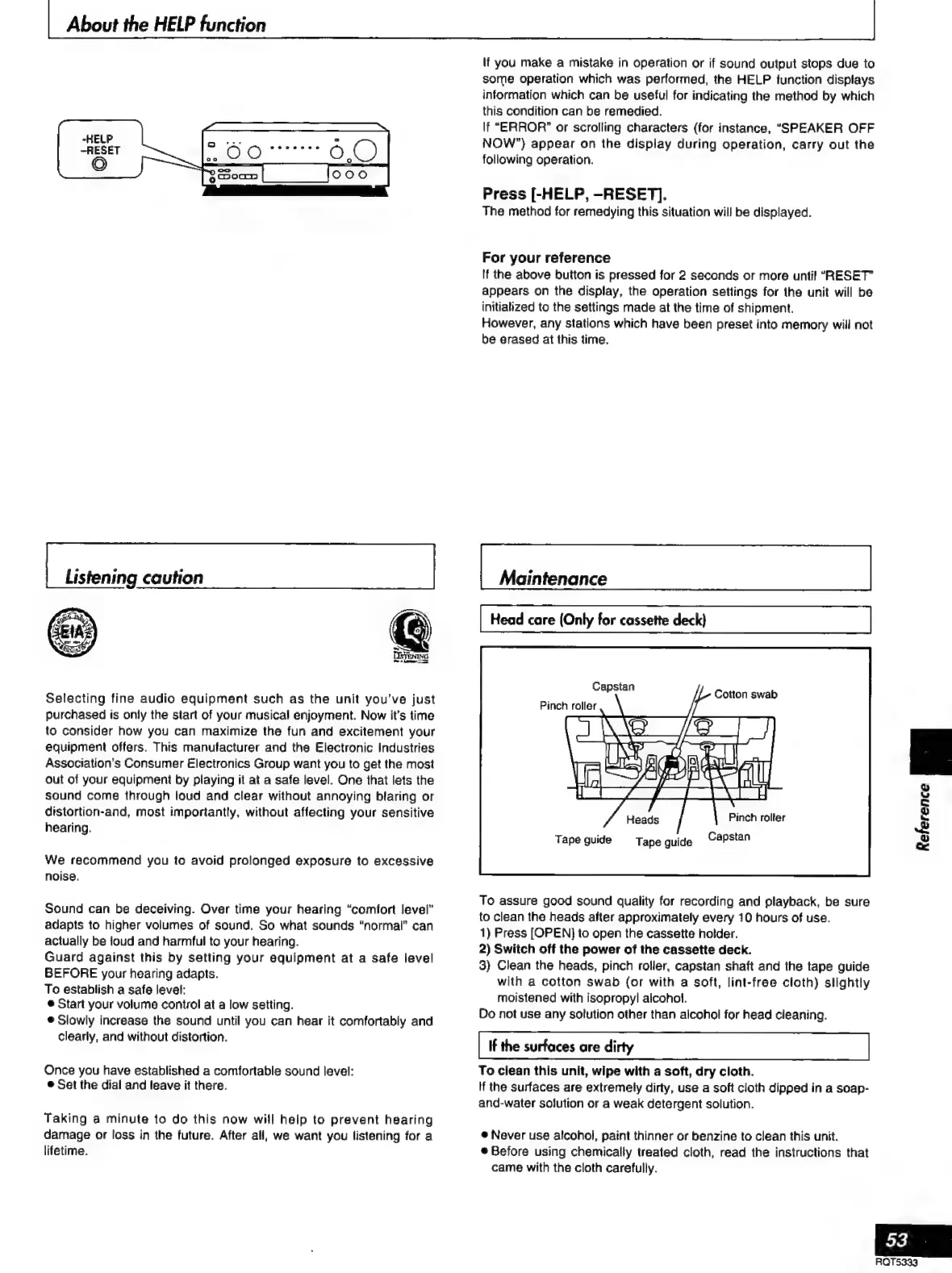
Maintenance
Head
care
(Only
for
cassette
deck}
Capstan
Cotton
swab
Pinch
roller
Pinch
rolter
Tape
guide
Capstan
Tape
guide
To
assure
good
sound
quality
for
recording
and
playback,
be
sure
to
clean
the
heads
after
approximately
every
10
hours
of
use.
1)
Press
[OPEN]
to
open
the
cassette
holder.
2)
Switch
off
the
power
of
the
cassette
deck.
3)
Clean
the
heads,
pinch
roller,
capstan
shaft
and
the
tape
guide
with
a
cotton
swab
(or
with
a
soft,
lint-free
cloth)
slightly
moistened
with
isopropyl
alcohol.
Do
not
use
any
solution
other
than
alcohol
for
head
cleaning.
If
the
surfaces
are
dirty
To
clean
this
unit,
wipe
with
a
soft,
dry
cloth.
If
the
surfaces
are
extremely
dirty,
use
a
soft
cloth
dipped
in
a
soap-
and-water
solution
or
a
weak
detergent
solution.
e
Never
use
alcohol,
paint
thinner
or
benzine
to
clean
this
unit.
e
Before
using
chemically
treated
cloth,
read
the
instructions
that
came
with
the
cloth
carefully.
g
$
iw
$
a
53
RQT5333

Related product manuals