EasyManua.ls Logo

Technics SC-S2350 - Skip Function

Technics SC-S2350
60 pages
Print Icon
To Next Page IconTo Next Page
To Previous Page IconTo Previous Page
Loading...
Listening
ME]
30
RQT5333
DISC
SKIP
DISC
SKIP
pase
ee
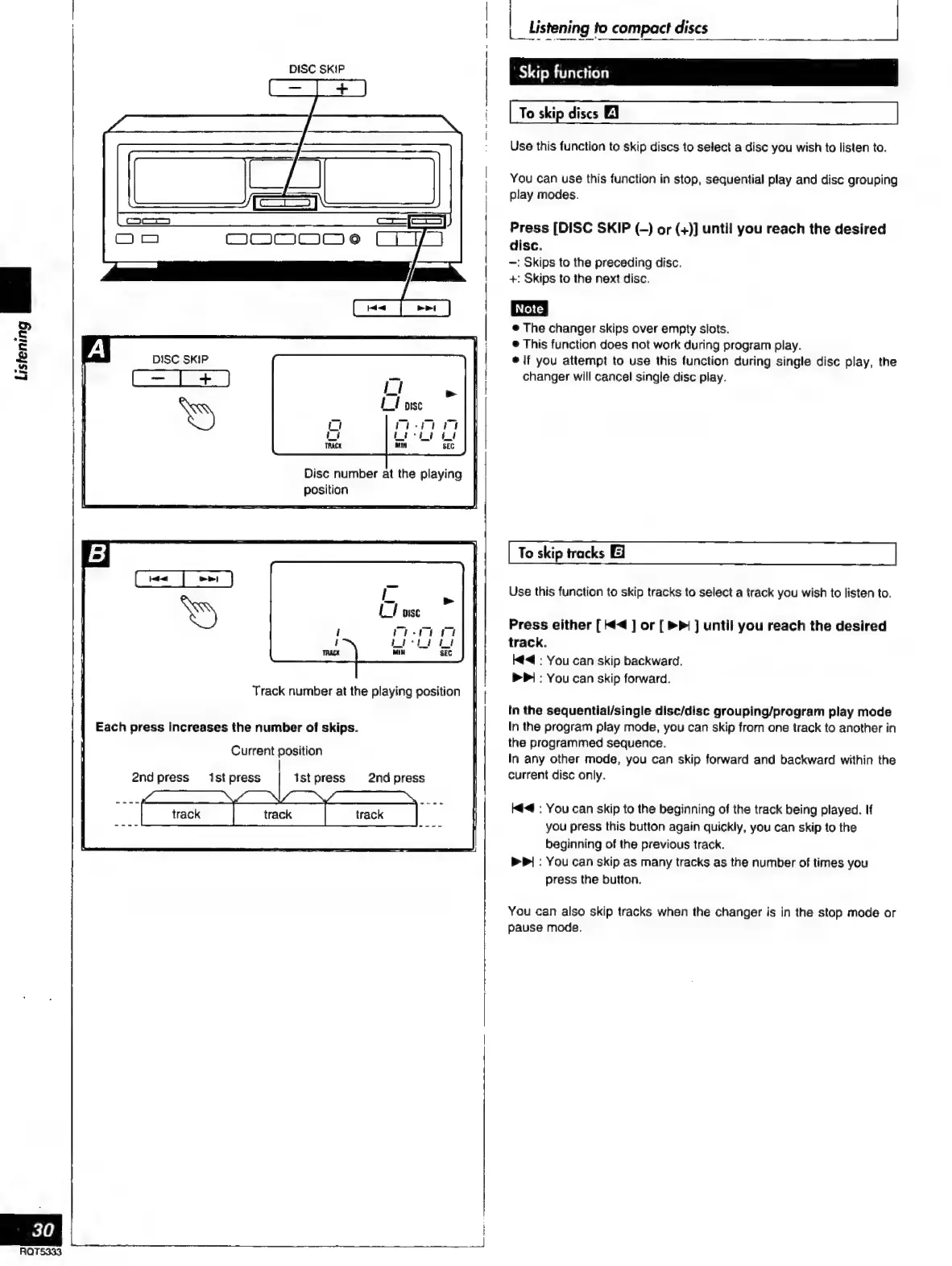
Disc
number
at
the
playing
position
Track
number
at
the
playing
position
Each
press
increases
the
number
of
skips.
Current
position
2nd
press
1st
press
ist
press
2nd
press
|
_
Listening
to
compact
discs
a
'
Skip
function
Use
this
function
to
skip
discs
to
select
a
disc
you
wish
to
listen
to.
You
can
use
this
function
in
stop,
sequential
play
and
disc
grouping
play
modes.
Press
[DISC
SKIP
(-)
or
(+)]
until
you
reach
the
desired
disc.
—:
Skips
to
the
preceding
disc.
+:
Skips
to
the
next
disc.
e
The
changer
skips
over
empty
slots.
e
This
function
does
not
work
during
program
play.
e
|f
you
attempt
to
use
this
function
during
single
disc
play,
the
changer
will
cancel
single
disc
play.
To
skip
tracks
[El
Use
this
function
to
skip
tracks
to
select
a
track
you
wish
to
listen
to.
Press
either
[4
]
or
[
>>
]
until
you
reach
the
desired
track.
ht
:
You
can
skip
backward.
>
:
You
can
skip
forward.
In
the
sequential/single
disc/disc
grouping/program
play
mode
In
the
program
play
mode,
you
can
skip
from
one
track
to
another
in
the
programmed
sequence.
In
any
other
mode,
you
can
skip
forward
and
backward
within
the
current
disc
only.
:
You
can
skip
to
the
beginning
of
the
track
being
played.
If
you
press
this
button
again
quickly,
you
can
skip
to
the
beginning
of
the
previous
track.
P|
:
You
can
skip
as
many
tracks
as
the
number
of
times
you
press
the
button.
You
can
also
skip
tracks
when
the
changer
is in
the
stop
mode
or
pause
mode.

Related product manuals