EasyManua.ls Logo

Technics SC-S2350 - Operation

Technics SC-S2350
60 pages
Print Icon
To Next Page IconTo Next Page
To Previous Page IconTo Previous Page
Loading...
|
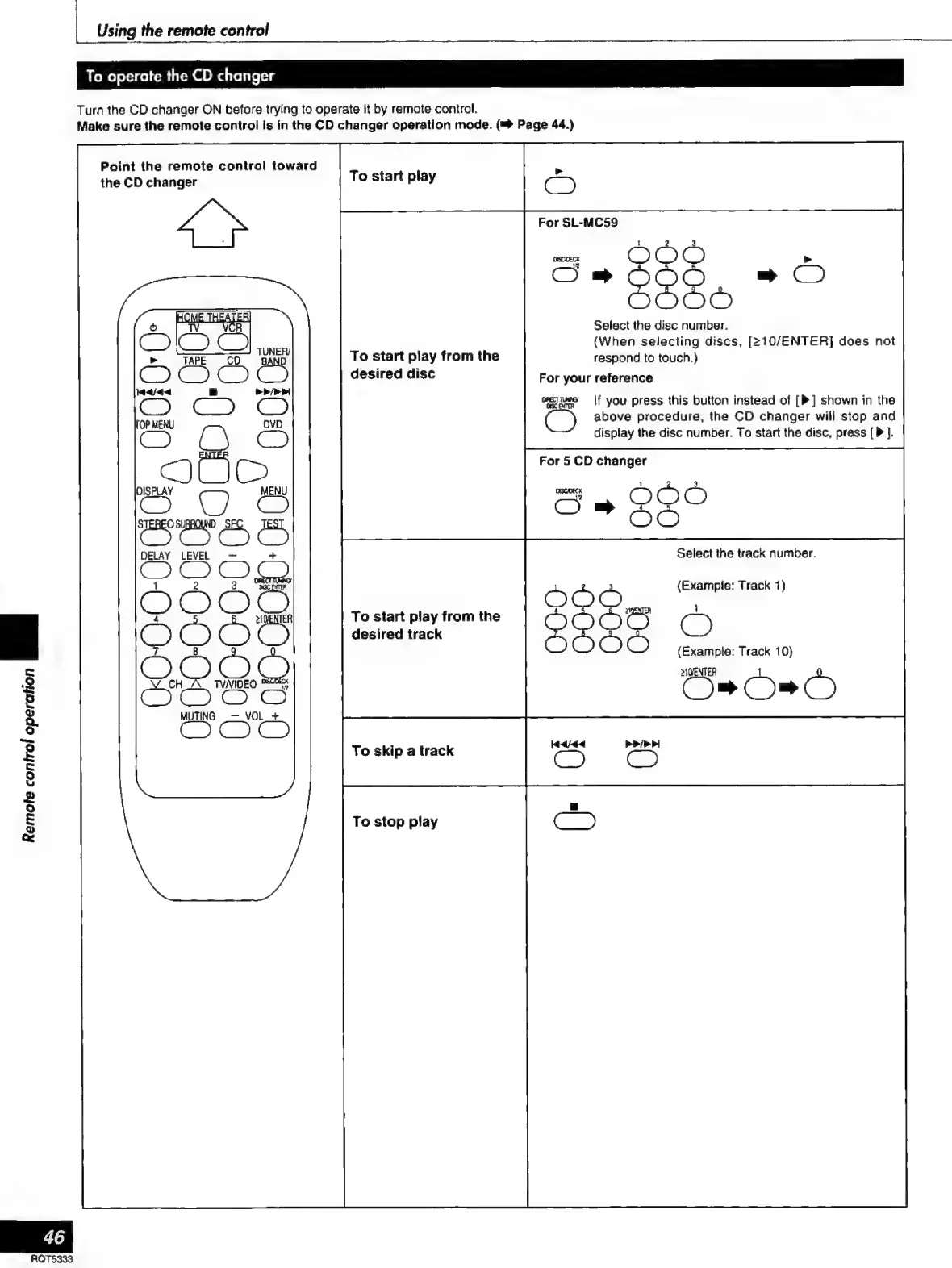
Using
the
remote
control
To
operate
the
CD
changer
Turn
the
CD
changer
ON
before
trying
to
operate
it
by
remote
control.
Make
sure
the
remote
control
is
in
the
CD
changer
operation
mode.
(™
Page
44.)
Point
the
remote
control
toward
the
CD
changer
To
start
play
For
SL-MC59
ODO
:
Bap
22°
»
O
De
Select
the
disc
number.
(When
selecting
discs,
[>10/ENTER]
does
not
To
start
play
from
the
respond
to
touch.)
desired
disc
For
your
reference
eii
|f
you
press
this
button
instead
of
[P]
shown
in
the
C)
above
procedure,
the
CD
changer
will
stop
and
display
the
disc
number.
To
start
the
disc,
press
[P
].
For
5
CD
changer
jm
5
=
»
2
ES
DELAY
LEVEL
Select
the
track
number.
(Example:
Track
1)
1
To
start
play
from
the
=
e
desired
track
O
(Example:
Track
10)
aleje
Os
Os
Ò
MUTING
_—
VOL
+
To
skip
a
track
To
stop
play
Remote
control
operation
ae
RQTS§333

Related product manuals