EasyManua.ls Logo

Technics SC-S2350 - Page 43

Technics SC-S2350
60 pages
Print Icon
To Next Page IconTo Next Page
To Previous Page IconTo Previous Page
Loading...
o
i
C
RS
LS
=>
SW
¡IA
|
ruarrarnana
FRAararrarr
ro
nroersrco...
EVI
2k
A
HAM
TH
a
E
Signal
Processor
(DSP]
|
Adjusting
field
of
sound
To
adjust
speaker
leve!
El
by
remote
control
onl
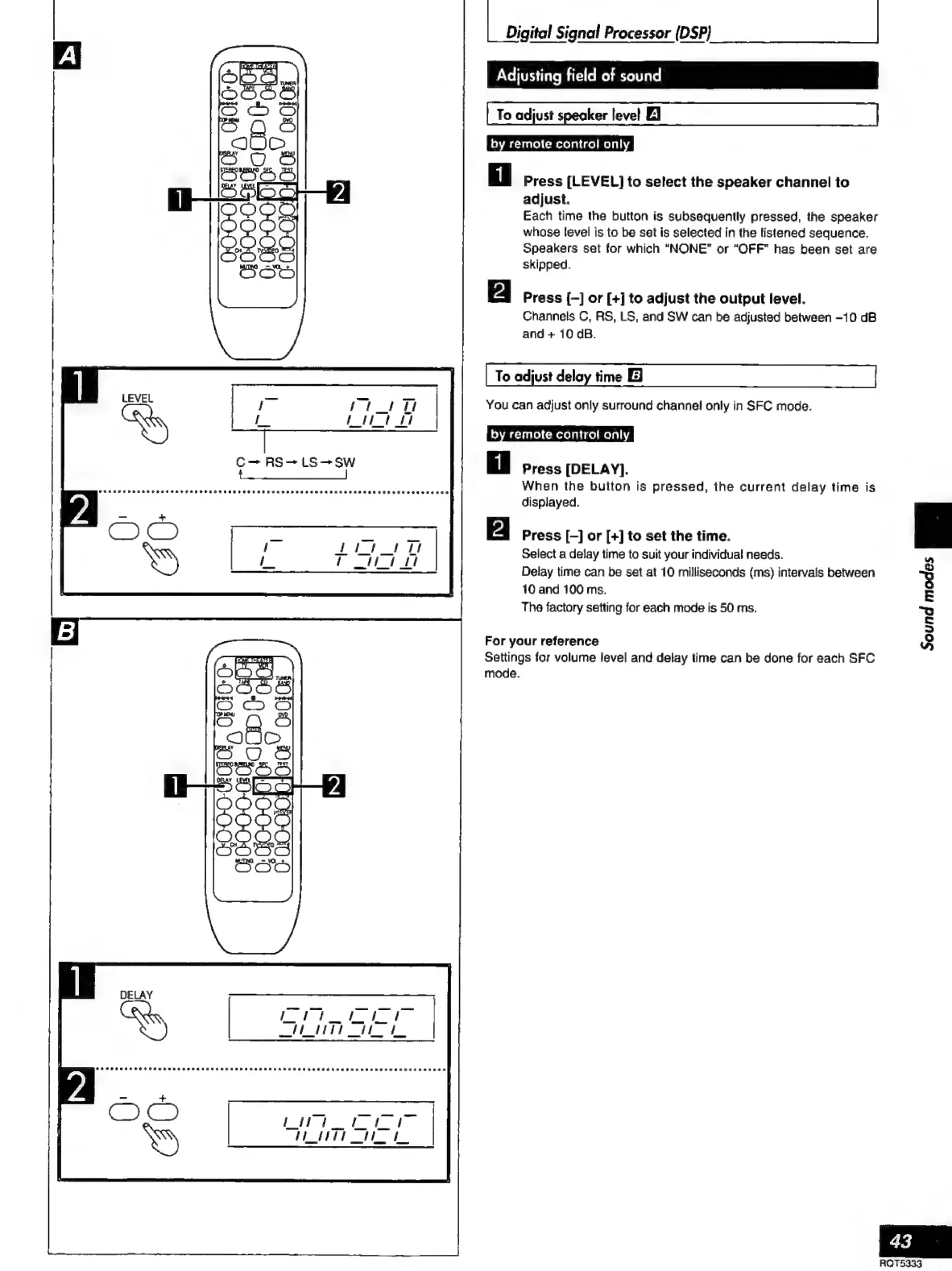
Press
[LEVEL]
to
select
the
speaker
channel
to
adjust.
Each
time
the
button
is
subsequently
pressed,
the
speaker
whose
level
is
to
be
set
is
selected
in
the
listened
sequence.
Speakers
set
for
which
“NONE”
or
“OFF”
has
been
set
are
skipped.
N
Press
{-]
or
[+]
to
adjust
the
output
level.
Channels
C,
RS,
LS,
and
SW
can
be
adjusted
between
-10
dB
and
+
10
dB.
To
adjust
delay
time
El
You
can
adjust
only
surround
channel
only
in
SFC
mode.
by
remote
control
only
Press
[DELAY].
When
the
button
is
pressed,
the
current
delay
time
is
displayed.
mo
Press
[-]
or
[+]
to
set
the
time.
Select
a
delay
time
to
suit
your
individual
needs.
Delay
time
can
be
set
at
10
milliseconds
(ms)
intervals
between
10
and
100
ms.
The
factory
setting
for
each
mode
is
50
ms.
For
your
reference
Settings
for
volume
level
and
delay
time
can
be
done
for
each
SFC
mode,
A
@
8
E
“o
5
3

Related product manuals