EasyManua.ls Logo

Technics SC-S2350 - Page 8

Technics SC-S2350
60 pages
Print Icon
To Next Page IconTo Next Page
To Previous Page IconTo Previous Page
Loading...
ROT5333
Stereo
connection
cable
(not
included)
White
(L)
Red
(R)
dy
For
details,
refer
to
the
instruction
manual
of
the
unit
to
be
connected.
(not
included)
e
Do
not
bend
the
optical
fiber
cable.
è
If
the
digital
optical
connector
is
not
going
to
be
used,
be
sure
to
attach
the
dust-protection
cap
to
prevent
exposure
to
dust.
Dolby
Digital
RF
(radio
frequency)
signals
cannot
be
decoded
with
this
unit.
Only
for
turntable
with
ground
terminal
all
aos,
Turntable
(not
included)
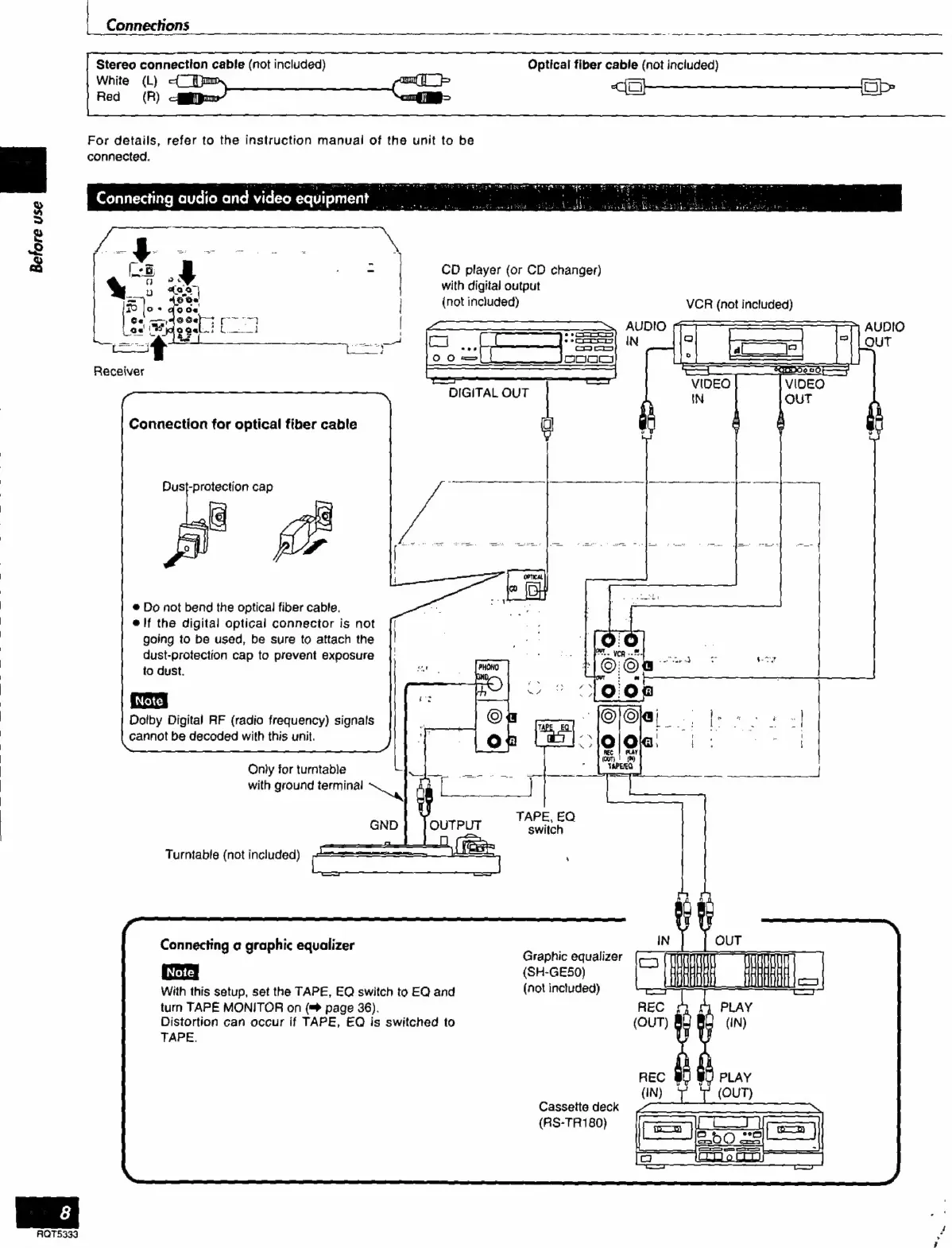
Connecting
a
graphic
equalizer
With
this
setup,
set
the
TAPE,
EQ
switch
to
EQ
and
turn
TAPE
MONITOR
on
(=>
page
36).
Distortion
can
occur
if
TAPE,
EQ
is
switched
to
TAPE.
Optical
fiber
cable
(not
included)
CD
player
(or
CD
changer)
with
digital
output
eh
Graphic
equalizer
(SH-GE50)
(not
inctuded)
Cassette
deck
(RS-TR180)
VCR
(not
included)

Related product manuals