14
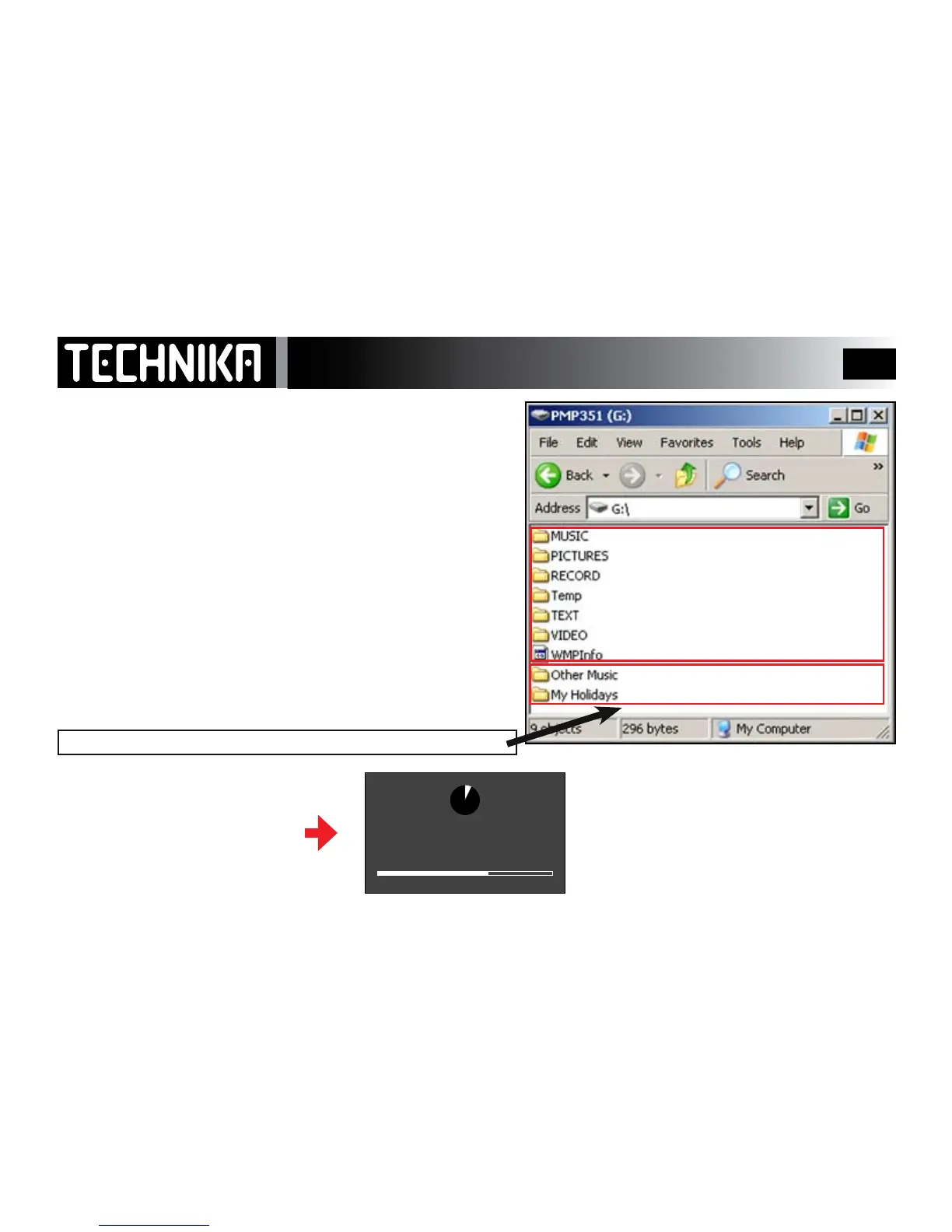
• In“MyComputer”,navigatetotheMP4player
• DoubleClickontheplayericontoopentheplayerfolder
– Picture les shouldbeuploadedtothe“Pictures”folder
– Video recordingsshouldbestoredinthe“Video”folder*
– Textsande-booksshouldbestoredinthe“Text”folder
– When you record a Voice message or record from the radio: the
playerwillautomaticallystorethelesinthe“Record”folder
Createafolderandnameit“OtherMusic”orsomethingsimilar
– Any music you directly upload shouldbestoredin“OtherMusic”
If you wish you can create a folder (say holiday) which contains
dierent le types for ready reference.
Westronglyadviseyoutostoreallyourmediainfolders.DONOTdrag
individuallestothedriveareaasthismakesbrowsingverydicult
ESTABLISHING AN ORDERLY FILE STRUCTURE
Transferring Other Files
Create these folders and rename
them for easy recognition
These folders are created by the
player
We advise you not to drag individual les directly to this area (ROOT folder)
After uploading les and charg-
ing the battery you can discon-
nect the player - the player
supports “hot swapping”
Allow the player to nish updating.
The player is now ready for use



 To Next Page